


CRM Software Development: From Blueprint to Booming Business
Software Development Team
Last Updated: Oct 05, 2026 Total Views: 1715
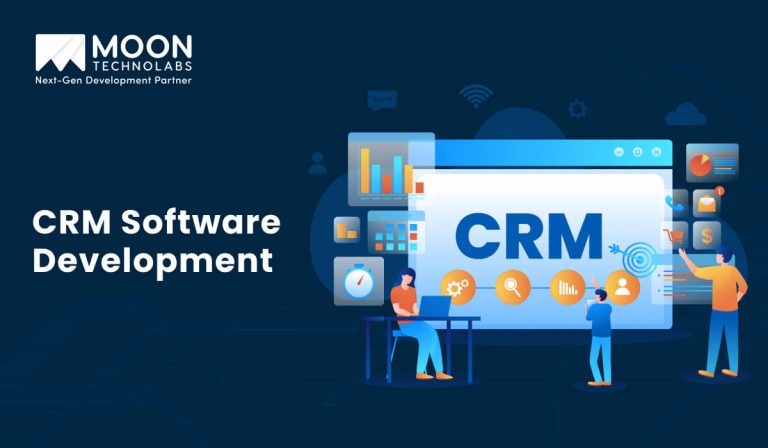
Table of Content


Blog Summary:
This in-depth guide to CRM software development is designed for CEOs and CTOs of startups, SMEs, and large enterprises. It explores essential features, development challenges, and the different types of CRM software businesses can build to streamline operations, enhance customer experiences, strengthen relationships, and drive sustainable revenue growth.
Table of Content
Whether you’re a startup, SME, or enterprise, strong customer relationships are essential for business growth. Today’s customers expect personalized interactions, quick responses, and seamless experiences across multiple channels.
CRM software development helps businesses meet these expectations by centralizing customer data, streamlining interactions, and creating personalized customer journeys. It can improve customer engagement, retention, and operational efficiency.
The demand for CRM technology continues to accelerate. Gartner forecasts that CRM spending will grow at a 14.4% CAGR through 2029, driven in part by generative and agentic AI. Gartner also projects that spending on CRM software with agentic AI capabilities will reach $216 billion by 2029.
In this blog, we’ll explore CRM software development, including its key features, types, development process, challenges, and best practices.
What is CRM?
Customer Relationship Management (CRM) is software that helps businesses manage interactions with existing and potential customers while building stronger, long-term relationships. It centralizes customer information, streamlines business processes, and helps teams improve productivity and customer service.
A CRM system provides a centralized platform for managing customer relationships across sales, marketing, and support. It enables teams to track customer interactions, monitor sales activities, and access relevant information throughout the customer journey.
CRM software development helps organizations manage growing customer bases more efficiently by enabling personalized communication and streamlined workflows. By tracking interactions across the customer journey, CRM systems help sales and marketing teams better understand customer needs and build lasting relationships.
How Does CRM Work?
CRM software collects and organizes customer information from multiple touchpoints, including emails, live chats, website visits, phone calls, and social media. This centralized data gives teams valuable insights into customer preferences and behavior, helping them deliver more relevant and timely experiences.
CRM solutions can benefit businesses of all sizes. Small businesses can automate routine tasks and manage customer relationships with limited resources. At the same time, larger organizations can improve collaboration by giving teams centralized access to customer profiles, interactions, and purchase history. When integrated with custom software development, CRM platforms can also be tailored to meet specific business workflows and requirements.
Which Type of CRM is Right For Your Business?
Build custom software that meets your target audience’s specific needs by automating your business processes.
Different Types of CRM Software
Improved customer relationships are essential for all businesses, regardless of size. However, monitoring the sales cycle, capturing leads, and figuring out which leads need priority can make a huge difference for sales and marketing teams.
Small and medium business owners often face client attrition, declining sales, and misaligned revenue targets. Similarly, large businesses need better communication channels as they manage large customer bases.
So, choosing the right type of CRM software depends on understanding your organizational needs.
The following are the three types of CRM according to the level of management you need for your customer base:
Collaborative CRM
This type of CRM centralizes customer data and gives sales and marketing teams easy access. They can easily track all their data related to purchase history and inquiries. This helps them resolve customer queries as needed.
A collaborative CRM has two essential aspects:
- Customer communication management helps maintain each point of contact for customers – website visits, emails, social media, and phone calls.
- Channel management uses data to generate insights and determine which department will carry out the next action.
Operational CRM
Operational CRM enables real-time outreach to clients. It helps marketing and sales professionals streamline their customer experiences through various tools.
Operational CRM automates service tasks to handle them more efficiently. It includes data collection and personalized interactions for new and repeat customers.
With detailed reports and charts, sales professionals can gain valuable insights and create stronger Calls to Action (CTAs). They can also drive targeted sales by tracking prospective customers’ preferences. Marketing and sales automation saves time and manual effort in analyzing customer data.
Analytical CRM
Analytical CRMs use SaaS benefits through cloud-based apps to analyze collected customer data and create reports. Charts can display a customer’s purchasing journey, enabling value generation. A visual representation of customer-related information helps with forecasting, analysis, planning, and delivering better customer service.
Strategic CRM
Strategic CRM focuses on building long-term customer relationships and aligning customer-focused strategies with business goals. It helps organizations understand customer preferences, behaviors, and expectations to deliver more personalized experiences.
By analyzing customer feedback and trends, businesses can improve their products, services, and engagement strategies. Strategic CRM also supports customer retention by helping teams identify valuable customers and develop targeted approaches. Ultimately, it helps businesses build stronger relationships, improve loyalty, and achieve sustainable growth.
Why Do You Need CRM Development?
Building successful customer relationships requires a strategy centered on your target customers, supported by the right technology. Even with sales targets and objectives, you need accurate tracking to get reliable, up-to-date information.
Custom CRM software development enables your teams to turn data streams into meaningful, custom insights and make informed decisions. A CRM solution helps you manage and optimize your lead journeys based entirely on data.
Here’s why CRM software is essential for organizations of any scale:
Sales Pipelines Become More Customer-centric
CRM software helps you understand your potential customers better. With accurate, simpler forecasting, it gives you clarity on every opportunity, leading to better sales inquiry management.
Enhanced Employee Engagement and Productivity
CRM software helps employees deliver targeted customer service. In turn, it increases customer satisfaction by automating marketing activities, processes, and sales. They also get exclusive access to its centralized database that collects and stores crucial customer information.
Easily Scalable as Per Organizational Needs
Whether you’re running a small, medium, or large business, your teams may struggle to keep track of all customer information. For any organization, customers come first, and a custom CRM system helps deliver personalized offers.
Integration with Existing Systems
CRM software enables efficient communication between different software applications through API development, helping businesses improve connectivity. Modern CRM also integrates with business intelligence and automation systems for tasks like data entry and lead generation.
Organizes all Customer Records
Prioritizing customers shouldn’t be guesswork; it should be based on relevant information. CRM software provides an organized platform to track all customer-related interactions and generate timely reports for easy access.
You May Also Like:
What are The Fundamental Features of CRM Software?
If you have a large original equipment manufacturing business, you need multiple communication channels to upsell and renew. Hence, you would need API development to integrate with an ERP.
Similarly, a small or medium B2B company would need advanced custom software development services to meet its CRM needs. They can also use data analysis tools to track leads and shorten their sales cycles.
Depending on the type of business, here are some of the most fundamental CRM features:
Contacts Base
CRM’s most fundamental feature is its contact base. Here, a business can have a detailed, organized view of its existing and potential customers. It’s the most important feature because the quality of customer information determines the reports you can draw.
Their purchase history, frequency, patterns and behavior, and communication – everything is valuable for successful data mining. This feature increases productivity because managers can access all the information instantly.
Workflow Automation
Workflow automation reduces human error by replacing repetitive tasks with automated processes. It automates simple tasks like data entry, migration, tracking assets, and sending reminders.
This is crucial because as organizations grow, CRM improves coordination across departments. Instead of becoming isolated, CRM integrates them to keep workflows smooth.
Examples of workflow automation include Sales and Marketing, where CRM analyzes large volumes of data, finds leads, and follows up.
Lead Management
With custom CRM software, organizations can manage their leads and forecast results with AI. It helps sales teams qualify and engage the leads based on their interest and behavior. CRM platform can help move leads further down the funnel and closer to conversion.
CRM helps focus on the right leads by categorizing them and prioritizing those with the potential to close faster. It also helps marketing teams identify leads that need more nurturing and can become qualified leads.
Document Sharing
With document sharing, CRM systems help sales and marketing teams collaborate and increase productivity. Sharing documents provides a clear, transparent view of all marketing activities across the company.
Document sharing also helps manage access to sensitive customer-related information.
As a result, document management is a crucial feature that enables robust user management and access control. Maintaining confidentiality and data security makes it easier to tailor custom CRM solutions to user needs.
Calendar and Reminders
CRM software promotes cross-department collaboration for efficient sales management. With powerful collaboration tools like calendar integration, it enhances direct-sales success. Each department can collaborate to streamline workflows by sharing insights and data.
By collecting useful, valuable data, custom CRM development services make it available to the entire team. Managers can maintain all records of client meetings and forecasting. Additionally, because it records all communication, team members can easily take over when assigned a role.
Team Management
CRM enables efficient management by streamlining the sales processes. Each team member, from managers to team leads, can track and visualize deal progress. It also supports each team member by generating team performance reports for further analysis.
It also helps monitor each stage, identify bottlenecks, and simplify revenue forecasting. It also helps prioritize opportunities, assign tasks, and make data-driven decisions.
Analytics and Reports
A CRM helps your business improve profitability and customer satisfaction by generating analytics and reports. No matter your business size, having custom information at your fingertips is key.
A marketing campaign can easily move across departments, connecting everyone in the organization, from call centers to sales professionals. It makes finishing projects easier by consolidating all the customer-related information.
What are The Challenges of CRM Software Development?
Introducing and implementing new software successfully can bring challenges. Sometimes, organizations spend a lot of time and resources before realizing they may need external help developing software products.
Here are the most common challenges and tips to overcome them:
Data Security and Privacy
CRM systems handle sensitive customer and business information, making security a major concern. Strong authentication, access controls, encryption, and compliance measures are essential to protect data.
Solution: Implement encryption, role-based access controls, secure authentication, regular security testing, and appropriate data-privacy measures to protect customer information.
Integration with Existing Systems
Connecting a CRM with ERP, accounting, marketing, communication, and other business tools can be complex. APIs and well-planned integration strategies ensure seamless data exchange.
Solution: Use well-designed APIs and integration frameworks to enable secure and reliable data exchange between the CRM and existing systems.
Data Migration and Quality
Moving customer information from legacy systems or spreadsheets can result in duplicate, incomplete, or inconsistent data. Proper data cleansing and migration processes are essential.
Solution: Clean and validate data before migration, establish data standards, and use automated tools to identify and remove duplicates.
Scalability and Performance
As the customer base and transaction volume grow, the CRM must handle increasing workloads without affecting performance. A scalable architecture helps accommodate future business growth.
Solution: Use a scalable architecture, cloud infrastructure, optimized databases, caching, and performance monitoring to support increasing workloads.
User Adoption
Even a feature-rich CRM can fail to deliver value if employees find it difficult to use. An intuitive interface, proper training, and user-friendly workflows can encourage adoption.
Solution: Create an intuitive interface, simplify workflows, provide user training, and gather employee feedback during development and implementation.
Steps Involved in CRM Software Development
Before building CRM software, consider the user interface, cloud integration, integration with business systems, and post-project maintenance. Building high-quality software within a set time frame also requires the guidance and support of a development company.
With the right development team of top CRM developers by your side, you can build a new software product or integrate it with existing systems.
Here are the essential steps that will help you build a custom CRM software:
Clarify Goals
Developing CRM software requires clarity of purpose and an easy-to-execute plan. So, it is crucial to identify the benefits you want to gain. Understanding your goals at the start is vital to determine the value the project will bring to your teams.
Here are some common objectives you should consider:
- If you want a better customer experience, your objective should be to gain insights by understanding user behavior and preferences.
- If you want to streamline your sales processes, aim to track leads and targeted marketing efforts to boost sales revenue.
- If you want better lead management and nurturing, focus on automating routine tasks like data entry and follow-up reminders.
Once you have clear goals, you can move on to the type of CRM your organization needs. You can choose Operational CRM to automate tasks, Analytical CRM to collect and analyze data, and Collaborative CRM to improve coordination between marketing and sales activities.
Choose CRM Features
Based on the CRM you choose to develop, the features would differ accordingly. Some features are standard across all types because they are essential for data collection and contact organization. These include Lead Management, Task Management and Automation, Interaction Tracking, Analytics, and Integrations.
Each project is different, with a beginning and an end. So, it is essential to know when to move from improvement and delivery to maintenance. Moreover, defining what’s in scope and what isn’t is equally important.
A custom CRM solution has three key components: a Sales Module, a Marketing Module, and a Customer Support Module. You can choose a combination of all three modules or select a specific one.
For example, to improve sales efficiency, you need simplified sales processes, accurate customer data, and clear bottleneck identification. So, adding features like Pipeline View, Opportunities, and Leads will make sense.
Similarly, the CRM marketing module helps track, streamline, and automate marketing efforts. So, including features like campaign management, segmentation, and analytics would provide you with maximum benefits.
Find a Development Company
Partnering with a development company enables your organization to plan the entire process smoothly. Instead of looking through complex instructions for developing a CRM, a development partner would help automate your business processes.
They can also guide you in deciding whether to build from scratch or integrate with existing systems.
Lastly, a custom CRM development company can also help with competitor analysis. Based on the analysis, it can help you prepare software requirements and recommend features to develop.
Working with a software development team also ensures your CRM project receives post-launch maintenance. If the project is complex and scalable, the software can be thoroughly tested, and bugs can be fixed in time.
You can also expand your in-house development team by hiring specialists only for the skills you lack. You can keep full control of the team, but costs will be higher.
CRM Software Design
Creating a user interface with a strong user experience comes with its own challenges. These can differ based on target customers and data set volumes.
To improve productivity, your CRM must identify the roles and responsibilities of different user groups.
Creating user personas is essential for organizing data and functions logically. Therefore, a CRM should focus on smooth navigation and consistent elements. This includes prioritizing frequently accessed data, such as help kits and user guides, for easy onboarding.
However, decision-makers should also be wary of building too many CRMs for different user personas. One CRM can solve the needs of all user groups. This way, you can save on multiple license fees, overhead, and supplier costs.
Thus, your organization must have a pattern for designing software architecture. An architecture is a roadmap that allows you to visualize which solutions and technologies have been implemented successfully.
CRM Software Development and Support
Custom CRM projects move from planning to implementation. This depends on the timeline and budget. Once the feature budget matches the scope, the development team can begin development.
The benefit of hiring a custom team is that you can increase or decrease the budget as scaling needs arise. Software developers start the process by defining a detailed technical specification that outlines the database, data structure, design, and technologies.
They also plan the data migration process required to transfer data from the existing CRM. With scalability in mind, they develop APIs and connectors to enable seamless integration with other software.
They also ensure the system is responsive and accessible across devices. By applying agile software development principles and methodologies, they start the lifecycle from coding to testing and deployment.
Skyrocket Your Sales with the Right Features
Let us guide you in developing custom features that help you respond to customers at the right time.
How Much Does CRM Development Cost?
The cost of a collaborative CRM differs from that of an operational CRM or an analytical CRM.
Usually, the cost of a CRM ranges from $25,000 to $5,70,000. If you choose an in-house software development team, the total cost would be more than hiring a custom CRM development company.
Many organizations also choose to integrate Sales, Marketing, and Customer Service Automation systems. Here’s a comparative analysis of all the features included with their estimated costs:
| Sales Automation | Price | Duration |
|---|---|---|
| Account Management: Dashboard, Toolbar, Pipelines, Leads, Tasks | $30,000 to $35,000 | 2 to 2.5 months |
| Sales Analytics: Data Representation through Location, time, and color | $4,000 to $8,000 | 1.5 to 2 months |
| Sales Planning and Forecasting | $6,000 to $12,000 | — |
| Marketing Automation | Price | Duration |
|---|---|---|
| Marketing Campaign Management: Budget tracking, performance analysis, marketing materials | $7,000 to $14,000 | 3 to 3.5 months |
| Customer Segmentation/Analysis: Filters based on preferences, demographics, purchases, behavior | $6,000 to $11,000 | 3.5 to 4 months + Iterations |
| Marketing Analytics: Campaign tracking, budget analysis | $4,000 to $9,000 | 2.5 to 3 months |
| Customer Service Automation | Price | Duration |
|---|---|---|
| Help Desk and Agent Console: Request views, ticket assignment | %% | |
| Knowledge Database: Important resources for products and services | $3,000 to $8,000 | 1 to 1.5 months |
| Service Analytics: Support team, client records | $6,000 to $9,000 | 2 to 2.5 months |
Conclusion
Each customer interaction needs to be hyper-personalized for real-time engagement with multiple communication channels. So, the need for a unified CRM that connects marketing, sales, and customer service can’t be overstated.
However, balancing CRM software quality and price requires a clear evaluation of organizational goals. Once you have a clear vision, choose a company that understands your ideas.
Moon Technolabs develops customer-oriented processes to track customers and help you predict outcomes based on real-time user behavior. Choosing us as your development partner will help you build CRM software that boosts customer retention, reduces churn, and improves ROI.
FAQs
01
What is CRM software development?
CRM software development helps you manage and store information on existing and potential customers. Whether you have a startup or an enterprise, CRM software can help you improve customer relationships. By supporting sales management, delivering actionable insights, and integrating existing systems, CRM tracks and analyzes sales opportunities.02
What programming language is used in CRM?
CRM uses JavaScript and Java for writing code and tools like Oracle SQL Developer for data modeling. Other languages include HTML5 for object-oriented programming with scripting languages like PHP and Peri. You can also use Ruby, C++, C#, and Python for faster data storage and task-management features.03
What are the three types of CRM?
The three types of CRM are collaborative CRM, operational CRM, and analytical CRM. You can choose a CRM type based on your needs. If your organization needs a common platform to support all departments, collaborative CRM is ideal. Operational CRM streamlines customer relationship processes, and analytical CRM enables you to analyze customer data to gain valuable insights.04
What are the steps for CRM development?
The first step in developing CRM software is ensuring it is deployed and implemented according to organizational needs. Second, decision-makers need to set objectives and expectations. The third step is to develop qualified leads and follow through to identify potential opportunities. The fourth step involves paying close attention to the data they are entering into the systems.



The Software Development Team at Moon Technolabs includes experienced developers, solution architects, and technology consultants who contribute content on software engineering, application development, system architecture, and digital innovation. Their articles are based on real-world project experience and aim to help businesses make informed technology decisions.
Submitting the form below will ensure a prompt response from us.
We refine our expertise to deliver innovative business solutions.




205 N Michigan Avenue, #810, Chicago, 60601, Illinois, United States
13500 Long Is Dr, Pflugerville, TX 78660, USA

C/105 Ganesh Meridian, S.G. Highway, Ahmedabad, GJ 380060




Ayse D.
Co-Founder France
“ I highly recommend Moon Technolabs as the quality of service is wonderful. We have hired this company to develop the product based on some complex & technical issues. We get the best quality services as compared with others in the market. Huge Thanks to Moon Technolabs as the team is always ready to give the solution all time.”

Justin G.
Founder & CEO USA
“ Moon Technolabs is a pioneer in the WebRTC based project as they have fixed complicated segments of the module by fulfilling different product lines by providing 24X7 customer support. We really recommended Moon Technolabs as they are able to develop products as per the module deadline and project timeline.”

Flavio S.
Founder & Managing Director Germany
“I am happy to recommend Moon Technolabs for their app development services. They successfully developed apps for me, and I am highly satisfied with the overall outcomes. The development team has swiftly addressed the issues with responsive and effective communication to understand the requirement quickly and actively resolve the back-and-forth problems that arose...”

Jay M.
Founder & CEOUSA“Moon Technolabs is the best company that provides advanced apps and websites development services in the USA and Europe. I am a newbie to develop my app with an external team. I am really happy to work with them as I am not that much mobile apps user. Here, the team and specially the CEO of Moon Technolabs helps me to let me know about the benefits of my app to generate revenue....”


Our Offices
India
C/105 Ganesh Meridian,S.G. Highway, Ahmedabad, GJ 380060USA
205 N Michigan Avenue, #810, Chicago, 60601, Illinois, United StatesContact Information


