Total View: 305
Submitting the form below will ensure a prompt response from us.
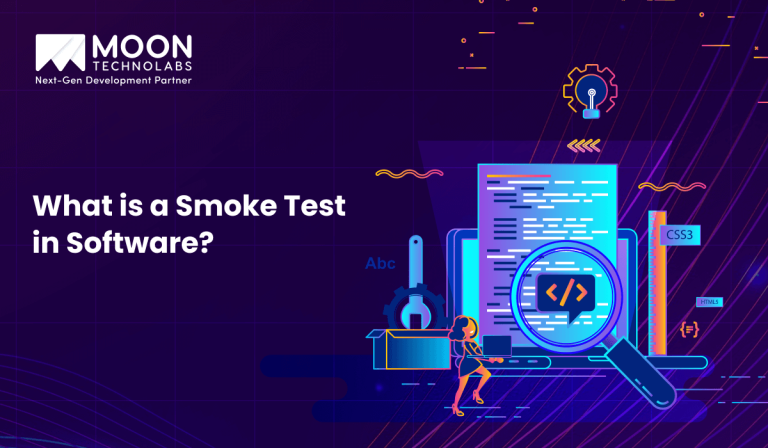
Software testing has many layers, ranging from unit testing to regression testing, but not every build requires full-scale validation immediately. That’s where smoke testing in software comes into play. Think of it as the “first gate” — a quick check to determine whether the most critical functions of a software build are working. If these fail, there’s no point in moving forward with deeper tests.
Now, let’s explore in detail what a smoke test in software is, why it’s important, and how it can be implemented effectively.
In software development, ensuring that applications work as expected after every build is crucial. One of the simplest yet most effective ways to validate a new release is through smoke testing. Often referred to as “build verification testing”, smoke testing quickly checks whether the most important functionalities of a software application are working before moving on to more detailed testing phases.
A smoke test is a preliminary test performed on new software builds to verify basic functionality. If the application fails this test, it is considered unstable and not ready for further testing.
The name comes from the hardware world: when technicians first powered on a new circuit, if it smoked, there was no need for further testing. Similarly, in software, if a build fails the smoke test, testers stop there and reject the build.
The main objectives of smoke testing are:
Imagine you are testing an e-commerce website:
If any of these fail, the build is rejected and returned to developers before further testing.
Although often confused, smoke testing is different from sanity testing:
| Feature | Smoke Testing | Sanity Testing |
|---|---|---|
| Scope | Broad & shallow | Narrow & deep |
| Purpose | Verify the stability of the build | Verify specific functionality or bug fix |
| Automation | Often automated | Mostly manual |
| When performed | On initial builds | On subsequent builds |
Smoke testing can be automated using test frameworks such as Selenium (for web apps), JUnit (for Java), or Pytest (for Python).
Here’s a simple example using Selenium with Python for a login smoke test:
from selenium import webdriver

from selenium.webdriver.common.by import By

# Initialize WebDriver

driver = webdriver.Chrome()

# Open the application

driver.get("https://example-ecommerce.com")

# Smoke Test: Check if login works

try:

    driver.find_element(By.ID, "username").send_keys("test_user")

    driver.find_element(By.ID, "password").send_keys("test_pass")

    driver.find_element(By.ID, "loginButton").click()

    # Verify successful login

    if "Dashboard" in driver.title:

        print("Smoke Test Passed: Login successful.")

    else:

        print("Smoke Test Failed: Login not successful.")

except Exception as e:

    print("Smoke Test Failed:", e)

# Close the browser

driver.quit()
This simple smoke test verifies if the login functionality works. If it fails, testers know the build is unstable.
In Agile and DevOps practices, where builds are frequent and continuous integration (CI) is used, smoke testing becomes essential. Automated smoke tests are integrated into the CI/CD pipeline, ensuring that any unstable build is detected immediately before it reaches QA or production.
For example, in Jenkins pipeline:
pipeline {

stages {

stage('Build') {

steps {

sh 'mvn clean install'

}

}

stage('Smoke Test') {

steps {

sh 'pytest tests/smoke'

}

}

}

}
This ensures that smoke tests are executed automatically after every build.
A smoke test in software is a crucial step to ensure that new builds are stable enough for further testing and deployment. It acts as a gatekeeper, preventing broken builds from wasting testers’ time. Whether manual or automated, smoke testing improves software quality, saves effort, and integrates seamlessly into Agile and DevOps workflows.
For modern teams, incorporating automated smoke tests into CI/CD pipelines ensures that only stable builds move forward—making the entire development process more efficient and reliable.

Jayanti Katariya is the CEO of Moon Technolabs, a fast-growing IT solutions provider, with 18+ years of experience in the industry. Passionate about developing creative apps from a young age, he pursued an engineering degree to further this interest. Under his leadership, Moon Technolabs has helped numerous brands establish their online presence and he has also launched an invoicing software that assists businesses to streamline their financial operations.


Submitting the form below will ensure a prompt response from us.
We refine our expertise to deliver innovative business solutions.





500 N Michigan Avenue, #600, Chicago IL 60611
13500 Long Is Dr, Pflugerville, TX 78660, USA

C-105, Ganesh Meridian, S.G. Highway, Ahmedabad, GJ 380060


Ayse D.
Co-Founder France
“ I highly recommend Moon Technolabs as the quality of service is wonderful. We have hired this company to develop the product based on some complex & technical issues. We get the best quality services as compared with others in the market. Huge Thanks to Moon Technolabs as the team is always ready to give the solution all time.”

Justin G.
Founder & CEO USA
USA“ Moon Technolabs is a pioneer in the WebRTC based project as they have fixed complicated segments of the module by fulfilling different product lines by providing 24X7 customer support. We really recommended Moon Technolabs as they are able to develop products as per the module deadline and project timeline.”

Flavio S.
Founder & Managing Director Germany
“I am happy to recommend Moon Technolabs for their app development services. They successfully developed apps for me, and I am highly satisfied with the overall outcomes. The development team has swiftly addressed the issues with responsive and effective communication to understand the requirement quickly and actively resolve the back-and-forth problems that arose...”

Jay M.
Founder & CEOUSA“Moon Technolabs is the best company that provides advanced apps and websites development services in the USA and Europe. I am a newbie to develop my app with an external team. I am really happy to work with them as I am not that much mobile apps user. Here, the team and specially the CEO of Moon Technolabs helps me to let me know about the benefits of my app to generate revenue....”


Our Offices
India
C-105, Ganesh Meridian, S.G. Highway, Ahmedabad, GJ 380060USA
500 N Michigan Avenue, #600, Chicago IL 60611Contact Information