Total View: 93
If you’re confused about choosing between Docker and Kubernetes during deployment, picking the wrong approach can impact scalability and ops efficiency. Get clarity before you build.
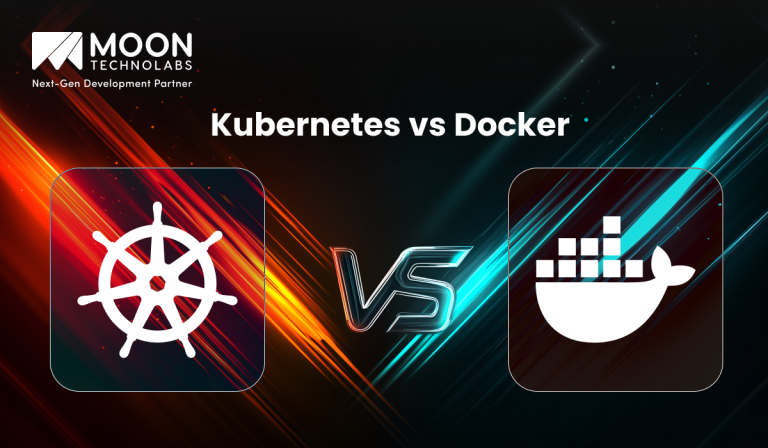
In modern application development, containers have become the foundation for building scalable and portable systems. Two of the most commonly discussed technologies in this space are Docker and Kubernetes. While they are often compared, they are not direct competitors but rather complementary tools.
Understanding the difference between Kubernetes and Docker is essential for DevOps teams and developers. Docker focuses on container creation and packaging, while Kubernetes handles the orchestration and management of those containers at scale.
Docker is a platform that allows developers to build, package, and run applications inside containers. These containers include everything needed to run the application, such as code, libraries, and dependencies.
It simplifies development by ensuring that applications behave the same across different environments. Docker is widely used for creating lightweight, portable applications that can run consistently on any system.
You Might Also Like:
Docker uses containerization to isolate applications from the underlying system. Each container runs independently while sharing the host operating system kernel.
Developers define application environments using Dockerfiles, which specify dependencies and configurations. These containers can then be built, shared, and deployed easily across environments.
FROM node:18
WORKDIR /app
COPY . .
RUN npm install
CMD ["npm", "start"]
This ensures consistent application behavior across development and production.
You Might Also Like:
Kubernetes is an open-source container orchestration platform designed to manage, deploy, and scale containerized applications. It automates the management of large-scale container systems across clusters.
Unlike Docker, Kubernetes focuses on handling multiple containers across multiple machines. It ensures high availability, scalability, and fault tolerance for distributed applications.
Kubernetes organizes containers into units called pods and manages them across a cluster of nodes. It automatically schedules workloads, balances traffic, and ensures system stability.
It also provides features like self-healing, auto-scaling, and rolling updates, which are essential for production-grade systems.
apiVersion: apps/v1
kind: Deployment
metadata:
name: app-deployment
spec:
replicas: 3
This configuration ensures multiple instances of an application run reliably.
Kubernetes and Docker serve different purposes in the container ecosystem, even though they are often compared together. While Docker focuses on creating and running containers, Kubernetes is responsible for managing those containers at scale across multiple environments. Understanding this distinction helps in choosing the right tool based on your project needs.
| Aspect | Docker | Kubernetes |
|---|---|---|
| Purpose | Used to build, package, and run containers | Used to orchestrate and manage containers |
| Scope | Works on a single container or host | Manages multiple containers across clusters |
| Functionality | Focuses on containerization | Focuses on orchestration and automation |
| Scaling | Manual or limited scaling | Automatic scaling based on demand |
| Management Level | Handles individual containers | Coordinates multiple containers and services |
| Use Case | Development, testing, and small deployments | Large-scale production environments |
Understanding their differences helps in choosing the right tool based on your project needs.
Docker is primarily used for container creation and packaging. It helps developers build and run applications in isolated environments.
Kubernetes, on the other hand, focuses on orchestration. It manages container deployment, scaling, and networking across multiple systems.
Docker alone does not provide advanced scaling capabilities. It requires additional tools or manual configuration for scaling.
Kubernetes automatically scales applications based on demand. It ensures optimal resource utilization and maintains performance under varying loads.
Docker simplifies application deployment through container images. Developers can deploy applications quickly using simple commands.
Kubernetes automates deployment across clusters. It supports rolling updates and rollback mechanisms for safer releases.
Docker provides basic networking features for containers. It allows communication between containers on the same host.
Kubernetes offers advanced networking capabilities, including service discovery and load balancing. It enables seamless communication across distributed systems.
Docker does not provide built-in fault tolerance for container failures. Developers need to handle failures manually.
Kubernetes includes self-healing capabilities. It automatically restarts failed containers and replaces unhealthy instances.
Docker is ideal for development environments and small-scale applications. It simplifies container creation and ensures consistency across systems.
It is commonly used for local development, testing, and CI/CD pipelines. For simple use cases, Docker alone may be sufficient.
Kubernetes is best suited for large-scale applications requiring high availability and scalability. It is designed for managing distributed systems across multiple nodes.
It is widely used in production environments where automation, reliability, and performance are critical.
Docker and Kubernetes are often used together rather than as alternatives. Docker is used to create container images, while Kubernetes manages those containers.
This combination provides a complete solution for building, deploying, and scaling modern applications.
A typical workflow involves building a container with Docker and deploying it using Kubernetes.
# Build Docker image
docker build -t myapp .
# Push to registry
docker push myapp
Then deploy using Kubernetes:
apiVersion: apps/v1
kind: Deployment
metadata:
name: myapp
spec:
replicas: 3
This ensures scalable and reliable deployment.
Using these tools effectively requires following best practices to ensure stability and performance.
Always containerize applications using Docker to ensure consistent environments across development and production.
Leverage Kubernetes for managing and scaling applications in production environments. This ensures high availability and efficient resource usage.
Use monitoring tools to track performance and optimize resource utilization. This helps maintain system stability.
Implement security practices such as role-based access control and secure image management. This protects your applications and data.
Moon Technolabs helps businesses implement Docker and Kubernetes solutions for scalable, secure, and efficient application deployment.
Moon Technolabs provides end-to-end DevOps solutions, including containerization and orchestration. The team helps businesses implement Docker and Kubernetes to build scalable and reliable systems.
By leveraging modern tools and best practices, organizations can improve deployment efficiency and achieve better performance in production environments.
Kubernetes and Docker are essential tools in modern DevOps, but they serve different purposes. Docker focuses on containerization, while Kubernetes handles orchestration and scaling.
Choosing the right tool depends on your project requirements. For small applications, Docker may be sufficient, while large-scale systems benefit from Kubernetes. Together, they provide a powerful solution for building and managing modern applications.

Jayanti Katariya is the CEO of Moon Technolabs, a fast-growing IT solutions provider, with 18+ years of experience in the industry. Passionate about developing creative apps from a young age, he pursued an engineering degree to further this interest. Under his leadership, Moon Technolabs has helped numerous brands establish their online presence and he has also launched an invoicing software that assists businesses to streamline their financial operations.

Submitting the form below will ensure a prompt response from us.
We refine our expertise to deliver innovative business solutions.





205 N Michigan Avenue, #810, Chicago, 60601, Illinois, United States
13500 Long Is Dr, Pflugerville, TX 78660, USA

C/105 Ganesh Meridian, S.G. Highway, Ahmedabad, GJ 380060


Ayse D.
Co-Founder France
“ I highly recommend Moon Technolabs as the quality of service is wonderful. We have hired this company to develop the product based on some complex & technical issues. We get the best quality services as compared with others in the market. Huge Thanks to Moon Technolabs as the team is always ready to give the solution all time.”

Justin G.
Founder & CEO USA
USA“ Moon Technolabs is a pioneer in the WebRTC based project as they have fixed complicated segments of the module by fulfilling different product lines by providing 24X7 customer support. We really recommended Moon Technolabs as they are able to develop products as per the module deadline and project timeline.”

Flavio S.
Founder & Managing Director Germany
“I am happy to recommend Moon Technolabs for their app development services. They successfully developed apps for me, and I am highly satisfied with the overall outcomes. The development team has swiftly addressed the issues with responsive and effective communication to understand the requirement quickly and actively resolve the back-and-forth problems that arose...”

Jay M.
Founder & CEOUSA“Moon Technolabs is the best company that provides advanced apps and websites development services in the USA and Europe. I am a newbie to develop my app with an external team. I am really happy to work with them as I am not that much mobile apps user. Here, the team and specially the CEO of Moon Technolabs helps me to let me know about the benefits of my app to generate revenue....”


Our Offices
India
C/105 Ganesh Meridian,S.G. Highway, Ahmedabad, GJ 380060USA
205 N Michigan Avenue, #810, Chicago, 60601, Illinois, United StatesContact Information