Top 12 Cloud-Native Security Practices for Building Secure Modern Applications

Marketing Team
Last Updated: May 05, 2026 Total View: 211
Security Gaps in Your Cloud-Native Setup?
If your cloud-native apps face risks from misconfigurations, weak access controls, or runtime threats, it’s time to strengthen your security practices before issues escalate.
- Identity & access control
- Container & workload security
- DevSecOps integration
- Continuous threat monitoring


As organizations move toward cloud-native architectures using containers, microservices, and Kubernetes, the security landscape has changed significantly. Traditional security approaches are no longer sufficient because cloud-native systems are dynamic, distributed, and constantly evolving.
To protect these environments, organizations must adopt modern security strategies that are built specifically for cloud-native systems. Following the right security practices ensures that applications remain secure, scalable, and compliant while reducing the risk of breaches and misconfigurations.
Why Cloud-native Security Practices Important?
Cloud-native applications operate in highly dynamic environments where services scale automatically and infrastructure changes frequently. This makes it harder to detect and manage security risks using traditional methods.
Security practices designed for cloud-native systems help protect workloads, ensure compliance, and provide visibility across distributed environments. They also enable teams to respond quickly to threats and maintain system integrity.
Top 12 Cloud-native Security Practices
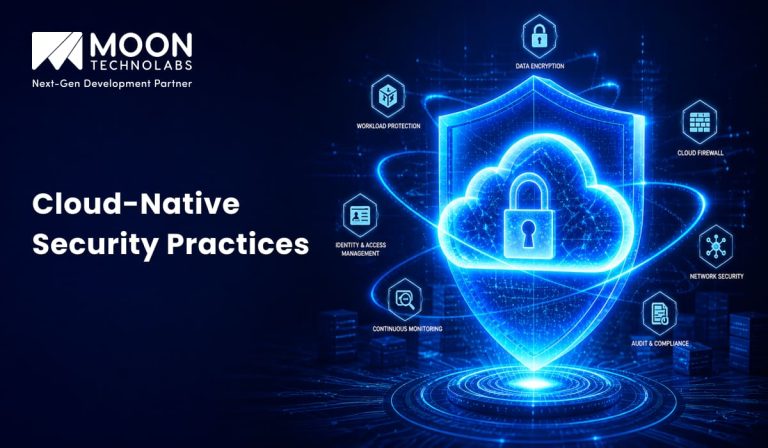
Securing cloud-native applications requires a combination of development, infrastructure, and operational practices. Below are the most important strategies to ensure a strong security posture.
Implement Zero Trust Architecture
Zero Trust assumes that no user or service is trusted by default, even within the network. Every request must be verified before access is granted.
This approach minimizes the risk of unauthorized access and lateral movement within the system. It is especially important in distributed environments where services communicate frequently.
Secure Container Images
Container images should be scanned for vulnerabilities before deployment. Using trusted base images and keeping them updated is critical.
Example:
docker scan myimageRegular scanning ensures that vulnerabilities are identified and fixed early in the development cycle.
Use Role-Based Access Control (RBAC)
RBAC ensures that users and services have only the permissions they need. This reduces the risk of unauthorized access and privilege escalation.
Example (Kubernetes):
kind: Role
apiVersion: rbac.authorization.k8s.io/v1
Proper access control is essential for maintaining security in cloud-native environments.
Encrypt Data in Transit and at Rest
Encryption protects sensitive data from unauthorized access. Data should be encrypted both in transit and at rest.
Using HTTPS and secure storage ensures that data remains protected throughout its lifecycle.
Implement Network Segmentation
Network segmentation isolates services and limits communication between them. This reduces the impact of potential breaches.
By controlling traffic between services, organizations can prevent attackers from moving laterally within the system.
Use Secrets Management
Sensitive information like API keys and passwords should never be hardcoded. Instead, use secure secrets management tools.
Example:
kubectl create secret generic db-password --from-literal=password=12345
This ensures that sensitive data is stored securely and accessed only when needed.
Monitor and Log All Activities
Continuous monitoring and logging provide visibility into system behavior. This helps detect suspicious activities and respond quickly.
Tools like Prometheus, Grafana, and ELK Stack help collect and analyze logs effectively.
Automate Security in CI/CD
Security should be integrated into the development pipeline. Automated scans and checks ensure that vulnerabilities are identified early.
npm audit
This approach, known as DevSecOps, improves security without slowing down development.
Use Kubernetes Security Policies
Kubernetes provides policies to control how containers operate. These policies restrict privileges and enforce security rules.
Example:
securityContext:
runAsNonRoot: true
This ensures that containers run with minimal privileges.
Regularly Update and Patch Systems
Keeping systems updated is essential to protect against known vulnerabilities. Regular updates ensure that security patches are applied.
This reduces the risk of attacks targeting outdated software.
Implement Runtime Security
Runtime security monitors applications while they are running. It detects abnormal behavior and prevents attacks in real time.
This adds an extra layer of protection beyond static security checks.
Perform Regular Security Audits
Regular audits help identify weaknesses in the system. They ensure that security practices are followed consistently.
Audits also help maintain compliance with industry standards and regulations.
You Might Also Like:
Benefits of Cloud-native Security Practices
Cloud-native security practices help organizations safeguard applications while fully leveraging the flexibility of modern cloud environments. By integrating security directly into development and deployment processes, teams can proactively address risks rather than reacting to them later. This approach not only improves protection but also supports faster innovation and scalability. Over time, it creates a more resilient and secure application ecosystem.
Improved Security Posture
Implementing strong security controls reduces vulnerabilities across infrastructure, applications, and workloads. Continuous security checks help identify weaknesses before they can be exploited. This proactive approach strengthens the overall defense against cyber threats.
Faster Threat Detection
With real-time monitoring and automated alerting, teams can quickly identify unusual activity or potential attacks. Faster detection enables quicker response times, minimizing the impact of security incidents. This leads to more efficient incident management and recovery.
Better Compliance
Cloud-native security practices make it easier to align with regulatory and industry standards. Automated policies and audits ensure that compliance requirements are consistently met. This reduces the risk of legal issues and financial penalties.
Increased Trust
A strong security foundation builds confidence among users, customers, and stakeholders. It shows that the organization takes data protection seriously. Increased trust can enhance brand reputation and strengthen long-term relationships.
Challenges in Cloud-native Security
While cloud-native security offers significant advantages, it also introduces complexities that organizations need to manage carefully. The dynamic and distributed nature of cloud environments can make traditional security approaches less effective. Addressing these challenges requires the right tools, processes, and skilled teams. Without proper planning, these issues can impact both security and operational efficiency.
Complexity
Managing security across multiple services, containers, and cloud platforms can quickly become overwhelming. Each component may have its own configuration and security requirements. This increases the risk of misconfigurations if not handled properly.
Dynamic Environments
Cloud-native systems change frequently due to scaling, updates, and deployments. Keeping security policies consistent in such a fast-moving environment is challenging. Continuous monitoring and automation are essential to maintain protection.
Skill Gaps
Implementing cloud-native security requires expertise in modern tools, architectures, and best practices. Many organizations face a shortage of professionals with these specialized skills. This gap can slow down adoption and increase the risk of security missteps.
You Might Also Like:
How Moon Technolabs Helps with Cloud-Native Security?
Moon Technolabs helps organizations implement secure cloud-native architectures by integrating security into every stage of development. The focus is on building scalable, secure, and compliant systems using modern tools and practices.
By leveraging DevSecOps, container security, and automation, businesses can protect their applications and maintain a strong security posture.
Is Your Cloud Environment Truly Secure?
We help you implement cloud-native security practices like zero trust, container protection, and Kubernetes security to safeguard your infrastructure.
Conclusion
Cloud-native security requires a shift from traditional approaches to modern, automated practices. By following the right strategies, organizations can protect their applications and data effectively.
Implementing these top cloud-native security practices ensures that systems remain secure, scalable, and ready for future challenges.


Jayanti Katariya is the CEO of Moon Technolabs, a fast-growing IT solutions provider, with 18+ years of experience in the industry. Passionate about developing creative apps from a young age, he pursued an engineering degree to further this interest. Under his leadership, Moon Technolabs has helped numerous brands establish their online presence and he has also launched an invoicing software that assists businesses to streamline their financial operations.
Get in Touch With Us
Submitting the form below will ensure a prompt response from us.