
Jayanti Katariya
Last Updated: March 26, 2026 Total Views: 86
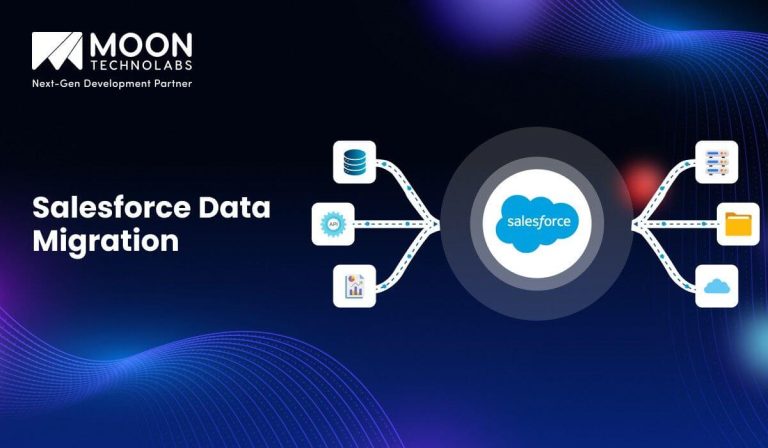
Table of Content


Blog Summary:
Salesforce Data Migration lets you move business data from existing systems into Salesforce through key phases: preparation, execution, and quality assurance. Choose the right migration type, plan carefully, and use the right tools to ensure your migration stays on budget. When done well, it can deliver cleaner data and better visibility. Read on to understand the migration types, tools, benefits, and challenges involved to make it a success.
Table of Content
According to Gartner, 83% of data migration projects miss deadlines, exceed budgets, or both. Eight out of ten teams walk into a migration thinking they have a plan and walk out having paid heavily for that assumption.
If you are moving to Salesforce, that stat is the benchmark to beat. The team that beats this number doesn’t have more resources. They have better clarity on why Salesforce fits their business. They know which migration types suit their data and what a watertight process looks like.
That’s what this guide covers: Salesforce data migration business case, migration types, phases, and challenges most teams don’t see coming. You will learn everything to stay in the 17%.
Salesforce data migration is the process of moving your business data from the existing system into Salesforce. You will be moving your contacts, accounts, leads, and opportunities cleanly without data loss.
This process is akin to relocating your business memory. Every customer interaction, deal history, and pipeline record must be added and mapped correctly so that it’s ready to use from day one.
Data migration isn’t a one-click transfer. It is a deliberate process that requires planning and preparation.
Migration is a team effort. CRM admins configure the Salesforce environment, migration consultants and data engineers manage the technical transfer and internal business stakeholders decide what data will go into the new system.
Moving to Salesforce isn’t just a technical decision; it is a business one. Organizations don’t migrate because it is trendy. They do so because their current systems are holding them back. Here is what you will consistently gain by making this switch:
Salesforce brings customer touchpoints, such as emails, calls, purchases, and support tickets, into a single platform. You can use the system to build a single source of truth for all your functions, such as sales, marketing, and service. This enables faster decision-making, fewer handoff errors, and coordinated customer experiences.
As your business grows, your CRM should grow too. Salesforce can scale without a complete system overhaul. You can easily add new users, markets, or entire business units with simple configurations. This helps you build a more future-proof solution for your business.
Repetitive tasks like follow-up emails, lead assignment, and pipeline updates take up more manual hours. These processes are automated inside Salesforce. Consequently, your team spends less time on admin and more time on what moves the needle. With time, this shift compounds, resulting in fewer dropped leads and a shorter sales cycle. Eventually, your team doesn’t have to play catch-up continuously.
Legacy systems were never built for the speed at which businesses operate today. Salesforce uses Einstein AI to position your data for AI-backed insights. It turns all your historical data into actionable forecasts, smart recommendations, and even predictive scoring.
Migrating isn’t just about modernizing your systems. It is also about laying the foundation for how your business will operate in the future.
Migration is also an opportunity to clean your data. You can remove duplicate records, outdated contacts, and inconsistent formats before they enter Salesforce.
Once inside, the system’s enterprise-grade security and role-based access controls keep your data protected. Eventually, you migrate the data you can trust.
Are You Ready to Move Your Data to Salesforce?
Stop second-guessing your migration plan. Talk to our certified Salesforce specialists to get a clear and customized roadmap aligned with your data and business goals.
Not every migration looks the same. The migration type you choose depends on where your data currently resides and what your business needs in the future. You don’t need all four types; you just need the right approach.
This is the most common migration type. In this, you move structured data, transaction histories, contact lists, and customer records from the existing database into Salesforce. Use this method if your core business data is stored in a legacy CRM or an SQL-based system. This approach provides a clean and direct transfer without changing the structure.
In this migration type, you move business applications along with their data into Salesforce. You aren’t just moving the records; you will also move workflows, logic, and integrations your team requires to the new system.
You should choose this approach if you are retiring your existing platform and need Salesforce to maintain a record of all your operations.
This migration type prioritizes moving large volumes of files, documents, and unstructured data into Salesforce or other connected cloud storage. You will move everything from contracts to proposals and documentation. If your team is wasting its time looking for files across disconnected systems, you should choose this approach.
In this, you move on-premise data to Salesforce’s cloud environment. With this type, you will change where your data lives and how it is accessed or maintained. You should choose this approach when you need to reduce infrastructure costs and enable remote access.
Understanding the migration process before you get started helps separate smooth migrations from those that spiral. These three phases will cover everything you need to know, clarifying the expertise required for a Salesforce migration.
This is the most important yet underestimated phase of Salesforce data migration. Everything that happens in this phase determines how clean the migration will be.
The actual data transfer begins in this phase. The data is extracted from the source system. Then, it is transformed to align them with Salesforce’s structure and finally loaded into the new platform using the ETL (Extract, Transform, Load) process.
Tools like Salesforce Data Loader, MuleSoft, and third-party migration platforms manage technical lifting. Precision is crucial at this point. Misconfigured field mapping or an interrupted data load can cause corrupted records and duplicate entries in Salesforce.
The team’s current bandwidth and technical depth will determine if you can manage this phase internally. If you are a mid-sized business with a complex environment, you need a migration specialist to avoid costly rework.
The migration process isn’t over when the data lands; it ends only when it’s fully verified. With QA and testing, you can cross-check all the migrated records against the source system. This allows you to check whether automated workflows and triggers are working properly and that nothing is lost or duplicated during migration.
You should include your technical team and other stakeholders in this phase. The tech teams will validate the data structure, while business users will check for context.
Turn Your Data into Your Biggest Business Asset
Drive decisions, automate workflows, and power growth with data-backed insights from Salesforce. Connect with our specialists to get more value from your migration.
A successful migration isn’t just about moving the data. It is about a plan that manages everything so that nothing goes wrong. These five strategies are the backbone of every clean and successful migration.
Start by understanding the business requirements. What systems do you aim to migrate? Categorize the data into three segments: business-critical, archived, and discarded. By defining your requirements, you can align the technical team and business stakeholders before choosing the tools. If there is no alignment, you carry forward all your current mistakes into the new platform.
While requirements tell you what to move, the planning question shows you how to do it. Ask questions like:
Create the field mapping document before you move the records. Every source field requires a confirmed field in Salesforce. An exception should be mentioned in the document.
With migration templates, you can standardize the process, reduce human error during execution, and provide the team with a reference point for QA. This document will help your team throughout the project.
How much data will be moved and how often? The volume will impact your tool selection, overall timeline, and server load during migration.
The frequency will matter if you are managing a phased or parallel migration, wherein the data updates in the source system are continuous. If you don’t consider either aspect, you might create bottlenecks for the process, delaying your go-live date.
Validation isn’t a single checkpoint; it is a discipline you must apply throughout the migration process. For this, you must build validation rules, run sample loads to identify mapping errors,s and establish acceptance criteria.
This would help define what constitutes a successful data loss. Your stakeholders, along with the technical team, must sign off on the validation results.
The right tool will help you move and protect your data. Each tool mentioned here serves a different need. You should consider data volume, technical capabilities, and the level of control you need over the process before selecting a data migration tool.
This is Salesforce’s native tool for handling bulk imports, exports, deletions, and updates directly from the platform. It supports up to 5 million records, making it ideal for mid- to large-scale migrations. It is the best fit for teams having admins who are well-versed with Salesforce and need a straightforward, cost-effective solution.
This is a user-friendly and free alternative to the native Salesforce loader. It simplifies complex migration with an intuitive interface. This reduces the technical barrier for the non-developers in your team. This tool can handle automated scheduling and supports multiple data formats. That’s why it is a practical choice for teams that manage recurring data loads.
This web-based tool is built for developers who need granular control over their data operations. It supports SQL queries, metadata exploration, and bulk API operations. Your technical team has the precision to manage complex migrations that standard loaders cannot handle. It isn’t for non-technical users on your team.
It is built for enterprise-scale migrations. This tool offers advanced data transformation, cleansing, and mapping capabilities. You can integrate it seamlessly with Salesforce to manage high-volume, complex data environments where data quality and compliance are critical.
Flosum data migrator is a purpose-built tool for Salesforce environments. It combines data migration, release management, and version control. The tool provides complete visibility into what has moved, when, and why, making it valuable for organizations where audits matter.
At this point, you have the phases, processes, and tools needed for Salesforce data migration. Now comes the question every decision-maker should ask before signing off. What does your business gain from this migration? Here’s what Salesforce promises to deliver once your data is settled into the platform.
When every member across teams, such as sales, marketing, and service, pulls the same data, it eliminates conflicts and accelerates decision-making. Salesforce also eliminates the version-control problem that businesses with multiple disconnected systems face. Everyone uses the same data, which is updated in real time.
As a complete customer history is recorded in one place, your teams won’t ask customers to repeat themselves. Every interaction has context from open tickets, past purchases, and previous conversations on the platform. This continuity builds trust and retention.
Salesforce activates the data that you have stored on the platform. You can automate approvals, follow-ups, lead routing, and renewals by defining the rules. This will replace manual work that slows your operations, letting you run workflows without intervention.
When inside Salesforce, your migrated data becomes a strategic asset for your business. With real-time dashboards and reporting, your leadership gains complete visibility into pipeline health, team performance, and customer behaviour. This transforms information buried in your spreadsheets into confident decisions.
Salesforce evolves as your business grows. This way, it can accommodate new teams, new markets, and even new products through configurations. This helps you invest in an infrastructure that matures on your terms.
No migration is complete without friction. You should be aware of these challenges before you get started so you can prepare better. Here are all the challenges to expect during data migration.
Most businesses only discover the true state of their data when they start a migration. They start noticing duplicate and incomplete data along with outdated or inconsistent formats. During migration, you are forced to clean the data, allowing only clean data to enter Salesforce.
If you run multiple systems, the migration process is complex. Custom fields, cross-system dependencies, and even relational data may not translate into Salesforce structure. You must hire a specialist rather than mapping these conflicts in-house to achieve better outcomes.
Older systems were never built with migration possibilities. Extracting data from these existing systems may seem technically challenging. Moreover, the integrations your team depends on may not be rebuilt into Salesforce. By identifying these dependencies in the early stages, you can prevent issues during execution.
Even if the migration is technically successful, it can hurt your business if teams resist the change. Inadequate training with unfamiliar workflows can slow down the return on investment. You should budget time and resources for onboarding after migration to improve user adoption.
Migration will compete with your team’s workload. In the absence of ownership, accountability, and realistic timelines, the project will not progress as planned. You should appoint a person who will be accountable for the project, and protect their capacity. If needed, use external support to accelerate the process.
By now, you have a complete picture of what Salesforce data migration involves. At this point, you have only one question: who should be your migration partner?
At Moon Technolabs, we have helped businesses of all sizes and across industries transition to Salesforce without any chaos. We don’t treat Salesforce migration as a data transfer exercise alone. We make it a business transformation exercise that combines strategic-level thinking with technical execution.
We invest time understanding your current data environment, existing processes, and the success metrics. This helps us prepare the timeline, budget, and scope for migration before executing it.
Our certified Salesforce specialists begin execution, managing everything from data mapping to cleansing and testing. With us as your partners, you can focus on your business. Our team will ensure clean, accurate, and ready-to-use data arrives in Salesforce.
Salesforce data migration isn’t something you figure out as you proceed with it. It is a defined process that rewards preparation and punishes shortcuts. If planned properly, it can deliver real value to your business.
You know now what is involved in Salesforce data migration. From the tools, phases, and challenges, you have understood it all. If you want Salesforce to work for you, it’s crucial to understand these processes and how it works. Having clean data and well-defined workflows is a plus.
If you are ready to move forward with Salesforce migration, the next step is finding the right partner for it. Whether you are mapping out requirements or getting started, Moon Technolabs can help move forward without guesswork.
Connect with our Salesforce migration specialists to learn what your migration should look like before committing.
01
02
03
04
05

Jayanti Katariya is the CEO of Moon Technolabs, a fast-growing IT solutions provider, with 18+ years of experience in the industry. Passionate about developing creative apps from a young age, he pursued an engineering degree to further this interest. Under his leadership, Moon Technolabs has helped numerous brands establish their online presence and he has also launched an invoicing software that assists businesses to streamline their financial operations.


Submitting the form below will ensure a prompt response from us.
We refine our expertise to deliver innovative business solutions.





205 N Michigan Avenue, #810, Chicago, 60601, Illinois, United States
13500 Long Is Dr, Pflugerville, TX 78660, USA

C/105 Ganesh Meridian, S.G. Highway, Ahmedabad, GJ 380060


Ayse D.
Co-Founder France
“ I highly recommend Moon Technolabs as the quality of service is wonderful. We have hired this company to develop the product based on some complex & technical issues. We get the best quality services as compared with others in the market. Huge Thanks to Moon Technolabs as the team is always ready to give the solution all time.”

Justin G.
Founder & CEO USA
USA“ Moon Technolabs is a pioneer in the WebRTC based project as they have fixed complicated segments of the module by fulfilling different product lines by providing 24X7 customer support. We really recommended Moon Technolabs as they are able to develop products as per the module deadline and project timeline.”

Flavio S.
Founder & Managing Director Germany
“I am happy to recommend Moon Technolabs for their app development services. They successfully developed apps for me, and I am highly satisfied with the overall outcomes. The development team has swiftly addressed the issues with responsive and effective communication to understand the requirement quickly and actively resolve the back-and-forth problems that arose...”

Jay M.
Founder & CEOUSA“Moon Technolabs is the best company that provides advanced apps and websites development services in the USA and Europe. I am a newbie to develop my app with an external team. I am really happy to work with them as I am not that much mobile apps user. Here, the team and specially the CEO of Moon Technolabs helps me to let me know about the benefits of my app to generate revenue....”


Our Offices
India
C/105 Ganesh Meridian,S.G. Highway, Ahmedabad, GJ 380060USA
205 N Michigan Avenue, #810, Chicago, 60601, Illinois, United StatesContact Information


