
Jayanti Katariya
Last Updated: February 09, 2026 Total Views: 3526
Table of Content


Blog Summary:
The Feit Electric App allows users to control and customize smart lighting and electrical products directly from their smartphone. It includes features like remote access, scheduling, energy monitoring, brightness control, and voice commands, along with easy setup steps. The content also explains how to develop a similar app and the estimated cost involved.
Table of Content
Feit Electric is a leading manufacturer of energy-efficient lighting solutions and electrical products. Their innovative Feit Electric app offers users a convenient way to manage their home’s lighting and electrical needs.
The Feit Electric app is a comprehensive tool that lets users control and customize their home’s lighting and electrical systems from their smartphone or tablet. With this app, you can set schedules, adjust brightness levels, and turn lights on and off remotely. You can also monitor your energy usage and receive alerts when it’s time to replace a bulb.
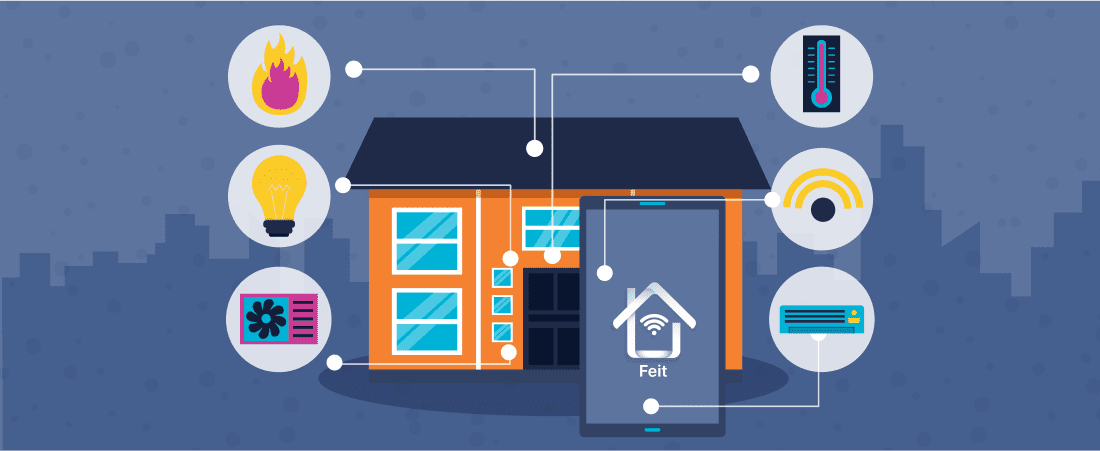
To use the feit electric app, you’ll need to first download it from the App Store or Google Play. Once it’s installed, you’ll need to create an account and set up your device. This typically involves connecting your phone to the same Wi-Fi network as your Feit Electric products and following the prompts to complete setup.
Once you’ve set up the app, you’ll be able to control your Feit Electric products with just a few taps. Simply select the product you want to control from the app’s menu, and use the on-screen controls to adjust settings or turn the product on or off.
Overall, the Feit Electric app is designed to be easy to use and navigate, with clear on-screen instructions and a user-friendly interface. If you have any questions or need help setting up or using the app, you can refer to the app’s built-in help center or contact Feit Electric customer support.
Look for app development companies with experience in the type of app you want to create. Check out their website and read online reviews to get a sense of their reputation and track record.
The best app development companies will have a team of developers, designers, and project managers with diverse skills and expertise. This will ensure that your app is well-designed and built to a high standard.
It’s important to choose a company with a clear, open communication style and that provides regular updates on your project’s progress.
Determine your budget upfront and look for a company that can deliver the app you want within your price range. Don’t be afraid to negotiate and ask for a detailed cost breakdown.
Ask for references from the company’s past clients, and request to see case studies or examples of previous work. This will give you a better understanding of the company’s capabilities and the types of projects they have experience with.
The cost of developing a mobile app like the Feit Electric app depends on several factors, including the app’s complexity, the number of features, and the number of platforms it will be available on (e.g., iOS, Android). In general, app development costs range from $10,000 to $50,000, while more complex apps can cost $100,000 or more. Let’s connect with Moon Technolabs to know the final estimations.
Moon Technolabs helps you develop feature-rich smart home apps with remote control, scheduling, and automation.
Get Free Consultation
The Feit Electric app is a powerful tool that lets users control and customize their home’s lighting and electrical systems from their smartphone or tablet. With features like scheduling, energy monitoring, and voice control, it makes it easy to streamline your home’s energy usage and save money on your energy bills. If you’re interested in maximizing efficiency and convenience in your home, the Feit Electric app is definitely worth checking out.
01
02
03
04

Jayanti Katariya is the CEO of Moon Technolabs, a fast-growing IT solutions provider, with 18+ years of experience in the industry. Passionate about developing creative apps from a young age, he pursued an engineering degree to further this interest. Under his leadership, Moon Technolabs has helped numerous brands establish their online presence and he has also launched an invoicing software that assists businesses to streamline their financial operations.


Submitting the form below will ensure a prompt response from us.
We refine our expertise to deliver innovative business solutions.





205 N Michigan Avenue, #810, Chicago, 60601, Illinois, United States
13500 Long Is Dr, Pflugerville, TX 78660, USA

C/105 Ganesh Meridian, S.G. Highway, Ahmedabad, GJ 380060


Ayse D.
Co-Founder France
“ I highly recommend Moon Technolabs as the quality of service is wonderful. We have hired this company to develop the product based on some complex & technical issues. We get the best quality services as compared with others in the market. Huge Thanks to Moon Technolabs as the team is always ready to give the solution all time.”

Justin G.
Founder & CEO USA
USA“ Moon Technolabs is a pioneer in the WebRTC based project as they have fixed complicated segments of the module by fulfilling different product lines by providing 24X7 customer support. We really recommended Moon Technolabs as they are able to develop products as per the module deadline and project timeline.”

Flavio S.
Founder & Managing Director Germany
“I am happy to recommend Moon Technolabs for their app development services. They successfully developed apps for me, and I am highly satisfied with the overall outcomes. The development team has swiftly addressed the issues with responsive and effective communication to understand the requirement quickly and actively resolve the back-and-forth problems that arose...”

Jay M.
Founder & CEOUSA“Moon Technolabs is the best company that provides advanced apps and websites development services in the USA and Europe. I am a newbie to develop my app with an external team. I am really happy to work with them as I am not that much mobile apps user. Here, the team and specially the CEO of Moon Technolabs helps me to let me know about the benefits of my app to generate revenue....”


Our Offices
India
C/105 Ganesh Meridian,S.G. Highway, Ahmedabad, GJ 380060USA
205 N Michigan Avenue, #810, Chicago, 60601, Illinois, United StatesContact Information


