


What Is Customer Experience Automation (CXA)? A Complete Guide

Artificial Intelligence Team
Last Updated: Oct 09, 2026 Total Views: 86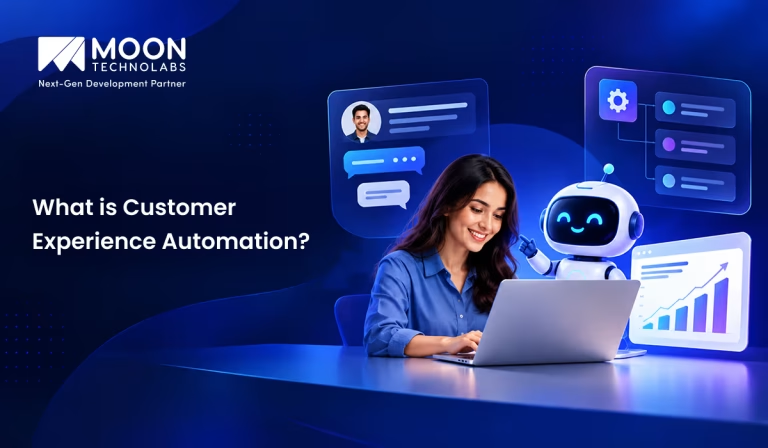
Table of Content


Blog Summary:
Customer Experience Automation (CXA) is reshaping how businesses manage customer relationships at scale. It helps teams shift from reactive interactions to proactive engagement by identifying customer needs, predicting intent, and automating actions. This guide explores CXA strategies, use cases, tools, implementation steps, and ways to maximize its business impact.
Table of Content
Delivering a seamless customer experience becomes challenging when customer data is scattered across platforms, interactions are disconnected, and teams rely on manual processes. Delayed responses, inconsistent communication, and missed opportunities can quickly affect customer satisfaction and loyalty.
To overcome these challenges, businesses need a more connected and proactive approach to managing customer interactions. Customer Experience Automation (CXA) enables businesses to streamline customer journeys by connecting data, automating workflows, and delivering relevant interactions based on customer behavior and preferences.
In this guide, we’ll explore what CXA is, how it works, its benefits, types, tools, and implementation strategies.
What is Customer Experience Automation (CXA)?
Customer Experience Automation (CXA) uses AI, automation, and customer data to streamline and improve interactions throughout the customer journey. It helps businesses deliver faster, more personalized, and consistent experiences across channels such as websites, email, chat, and social media.
By automating repetitive tasks and common customer interactions, CXA reduces manual effort and lets teams focus on complex customer needs. It can also help businesses respond faster, improve customer satisfaction, and build stronger long-term relationships.
Types of Customer Experience Automation
Here are the key types of CXA businesses can use to streamline customer interactions, personalize experiences, and improve engagement across the customer journey:
Marketing Automation
Automates marketing activities throughout the customer lifecycle, such as email campaigns, lead nurturing, audience segmentation, and personalized communications. It helps businesses engage customers at the right time while reducing repetitive manual work.
Customer Service Automation
Uses automation to streamline customer support and resolve common issues quickly. Examples include chatbots, automated ticket routing, self-service portals, FAQs, and proactive notifications. This improves response times and allows support teams to focus on more complex customer needs.
Sales Automation
Automates repetitive sales activities such as lead qualification, follow-ups, appointment scheduling, and customer communication. It helps sales teams respond faster, prioritize high-value prospects, and create a smoother buying experience.
Customer Journey Automation
Automates interactions based on where customers are in their journey—from awareness and onboarding to purchase, retention, and renewal. Businesses can trigger relevant messages or actions based on customer behavior, ensuring consistent and timely experiences across touchpoints.
Feedback and Experience Automation
Automates the collection and analysis of customer feedback through surveys, reviews, ratings, NPS, and post-interaction questionnaires. Businesses can identify customer pain points, track satisfaction, and automatically trigger follow-ups or corrective actions.
Personalized Experience Automation
Uses customer data, behavior, preferences, and past interactions to deliver individualized experiences at scale. This can include personalized product recommendations, content, offers, messages, and support based on each customer’s needs and context.
Make Every Customer Interaction More Intelligent
Transform customer journeys with tailored automation solutions designed to improve engagement, streamline operations, and deliver personalized experiences at scale.
How Does Customer Experience Automation Work?
Customer experience automation combines customer data, behavioral insights, and automated workflows to deliver relevant, timely, and personalized interactions at every stage of the customer journey. Here’s how the process typically works:
Step 1: Collect Customer Data
Businesses collect customer data from multiple touchpoints, including websites, mobile apps, purchases, emails, social media, customer support interactions, and surveys. This data helps businesses understand customer needs, preferences, and behavior.
Step 2: Create Unified Customer Profiles
The collected information is brought together to create a unified customer profile. This gives businesses a complete view of each customer, including their previous interactions, purchase history, preferences, and engagement with the brand.
Step 3: Segment Customers Based on Behavior
Customers are divided into relevant segments based on factors such as demographics, interests, purchase history, engagement levels, and online behavior. Segmentation helps businesses deliver more relevant experiences to different customer groups.
Step 4: Define Automated Customer Journeys
Businesses create automated workflows for different stages of the customer journey, such as onboarding, product discovery, purchase, customer support, retention, and renewal. Each journey is designed to respond to specific customer needs or actions.
Step 5: Trigger Personalized Interactions
When a customer performs a specific action, automation can trigger a relevant interaction. For example, a customer who abandons a cart may receive a reminder, while a new customer may automatically receive an onboarding message or helpful product information.
Step 6: Monitor Customer Engagement
Businesses continuously monitor customer interactions across different channels, including email, websites, apps, chat, and social media. Engagement metrics help teams understand how customers respond to automated communications and experiences.
Step 7: Analyze and Optimize the Experience
Finally, businesses analyze performance data, customer feedback, and engagement metrics to identify areas for improvement. Automation workflows can then be refined to improve personalization, increase engagement, reduce friction, and deliver a better overall customer experience.
Benefits of Customer Experience Automation
Here are the key benefits of CXA, from delivering faster responses and smarter interactions to improving retention, reducing operational workload, and gaining deeper customer insights:
Personalized Customer Experiences
CXA helps businesses deliver personalized interactions at every stage of the customer journey. By using customer data, preferences, and behavior, businesses can provide relevant recommendations, messages, and support that make every interaction feel more meaningful.
Faster Customer Support
Automation enables businesses to respond to customer questions and requests instantly. AI-powered chatbots, automated workflows, and self-service solutions can handle routine queries 24/7, reducing wait times and allowing support teams to focus on more complex issues.
Consistent Omnichannel Experiences
Customers interact with businesses across websites, mobile apps, email, social media, and other channels. CXA helps maintain consistent messaging, service quality, and customer information across every touchpoint, creating a seamless omnichannel experience.
Increased Customer Engagement
Timely and relevant interactions help businesses keep customers engaged. Automated notifications, personalized campaigns, follow-ups, and recommendations can reach customers at the right moment, encouraging them to interact with the brand and take meaningful actions.
Improved Customer Retention
A smooth, personalized customer experience can strengthen relationships and encourage long-term loyalty. Automation helps businesses engage customers proactively, address issues quickly, and deliver consistent value throughout the entire customer lifecycle.
Reduced Operational Costs
Automating repetitive customer-facing and internal processes reduces the manual work employees must do. This improves operational efficiency, minimizes errors, and allows teams to handle higher volumes of customer interactions without increasing costs at the same rate.
Better Customer Insights
CXA brings together valuable data from customer interactions and journeys. Businesses can analyze this information to understand customer preferences, identify pain points, track behavior, and make data-driven decisions that improve products, services, and overall customer experience.
Customer Experience Automation Use Cases
Here are the most practical CX automation use cases, showing how businesses can apply automation to onboarding, support, personalization, retention, feedback, and revenue growth:
Automated Customer Onboarding
Create a smooth, engaging onboarding experience from the first interaction. Automate welcome messages, account setup, product education, document collection, and follow-ups to help customers get started quickly and confidently.
Benefits:
- Faster customer onboarding
- Consistent communication
- Reduced manual workload
- Improved activation and adoption
- Higher customer satisfaction
AI-Powered Customer Support
Provide customers with instant, intelligent assistance across channels. AI-powered support can understand customer questions, provide relevant answers, resolve common issues, and seamlessly escalate complex queries to human agents when needed.
Benefits:
- 24/7 customer assistance
- Faster response times
- Reduced support costs
- Consistent service quality
- Improved customer satisfaction
Personalized Product Recommendations
Use customer behavior, preferences, purchase history, and engagement data to deliver highly relevant product recommendations. Automation can present the right products or services at the right moment, creating a more personalized shopping experience.
Benefits:
- Increased conversions
- Higher average order value
- More relevant customer experiences
- Improved product discovery
- Increased customer engagement
Abandoned Cart Recovery
Recover lost sales with timely and personalized automated reminders. Trigger emails, SMS, or other messages when customers leave products in their carts, and use personalized recommendations or incentives to encourage them to complete their purchases.
Benefits:
- Recover potential lost revenue
- Increase purchase completion rates
- Re-engage high-intent customers
- Deliver timely reminders
- Reduce cart abandonment
Automated Customer Feedback
Collect valuable customer feedback automatically at key moments throughout the customer journey. Send surveys, feedback requests, and satisfaction checks after purchases, interactions, or support resolutions, then use the insights to identify areas for improvement.
Benefits:
- Continuous customer insights
- Higher feedback response rates
- Faster identification of customer issues
- Improved products and services
- Better customer satisfaction
Customer Retention and Re-engagement
Keep customers engaged with automated, personalized communication based on their behavior and lifecycle stage. Identify inactive or at-risk customers and trigger targeted campaigns designed to bring them back.
Benefits:
- Reduce customer churn
- Increase repeat purchases
- Re-engage inactive customers
- Strengthen customer relationships
- Improve customer lifetime value
Proactive Customer Support
Move beyond reactive support by identifying potential customer issues before they become problems. Automation can monitor customer activity, detect unusual behavior, send helpful notifications, and provide relevant guidance at the right time.
Benefits:
- Resolve issues before escalation
- Improve customer confidence
- Reduce support volume
- Deliver more proactive experiences
- Increase customer loyalty
Automated Upselling and Cross-Selling
Identify opportunities to increase customer value through relevant upsell and cross-sell recommendations. Automation can analyze customer purchases, preferences, and behavior to suggest complementary products, premium plans, or additional services at the right moment.
Benefits:
- Increase revenue per customer
- Grow average order value
- Promote relevant products and services
- Improve customer value
- Create personalized sales opportunities
Popular Customer Experience Automation Tools
Here are some popular CXA tools businesses use to automate customer engagement and create more connected experiences:
- HubSpot: HubSpot helps businesses automate marketing, sales, customer service, and CRM processes.
- Salesforce: Salesforce enables businesses to automate sales, service, marketing, and customer engagement workflows.
- Adobe Experience Platform: Adobe Experience Platform unifies customer data to deliver personalized and connected experiences.
- Zendesk: Zendesk automates customer support through AI, chatbots, ticketing, and
self-service tools. - Intercom: Intercom helps businesses automate customer conversations, support, and proactive engagement.
- Braze: Braze enables personalized customer engagement across email, SMS, push notifications, and in-app messaging.
- Klaviyo: Klaviyo helps businesses automate personalized email and SMS marketing based on customer behavior.
How Do AI and Customer Experience Automation Work Together?
Here’s how AI and CX automation work together to make customer interactions more intelligent, responsive, and personalized:
AI-powered Personalization
AI-powered personalization analyzes customer data, including browsing behavior, purchase history, preferences, and interactions, to create relevant experiences. Businesses can automatically personalize website content, emails, offers, recommendations, and communications, ensuring every customer receives interactions aligned with their individual needs and interests.
Conversational AI and Chatbots
Conversational AI provides instant customer assistance through intelligent chatbots and virtual assistants. These automated systems can answer questions, handle routine requests, and guide customers 24/7. AI call center software extends this automation to voice interactions, helping route calls, assist agents, resolve common issues, and seamlessly escalate complex queries to human teams.
Predictive Customer Analytics
AI analyzes large volumes of customer data to identify patterns and predict future behavior. Predictive analytics helps businesses anticipate customer needs, identify churn risks, forecast demand, and uncover engagement opportunities, enabling proactive action before customers become dissatisfied or disengage.
Sentiment Analysis
Sentiment analysis uses AI to understand customer emotions across reviews, surveys, emails, chats, and social media. By identifying positive, negative, or neutral sentiment, businesses can prioritize concerns, respond appropriately, detect issues earlier, and continuously improve overall customer satisfaction.
Intelligent Recommendations
AI-powered recommendation engines analyze purchases, browsing activity, preferences, and similar customer behavior to suggest relevant products, services, or content. These personalized recommendations can be delivered across websites, apps, and email campaigns, increasing engagement, conversions, and customer lifetime value.
AI-powered Customer Journey Optimization
AI analyzes customer journeys across interactions such as discovery, purchase, onboarding, support, and retention. Combined with automation, it identifies friction points and triggers relevant actions, such as guidance, recommendations, or support, at the right moment to create smoother experiences.
Bringing AI and Automation Together
AI provides intelligence, while automation turns insights into action. Together, they help businesses deliver faster, personalized, and proactive customer experiences at scale. AI development can help businesses build intelligent solutions that analyze customer behavior, automate interactions, and integrate AI into existing workflows.
Customer Experience Automation vs Marketing Automation
Here’s how CXA differs from marketing automation and where each approach fits within the broader customer journey:
| Aspect | Customer Experience Automation | Marketing Automation |
|---|---|---|
| Primary Objective | Improve the overall customer experience and satisfaction | Generate, nurture, and convert leads |
| Customer Journey Coverage | Covers the entire customer journey, including post-purchase and retention | Primarily focuses on awareness, lead generation, nurturing, and conversion |
| Personalization | Personalized based on customer behavior, preferences, history, and real-time interactions | Personalized based mainly on demographics, interests, lead activity, and campaign engagement |
| Channels | Email, chat, SMS, WhatsApp, phone, web, apps, social media, and support channels | Primarily email, SMS, social media, advertising, landing pages, and websites |
| Data Usage | Uses customer, behavioral, transactional, support, and interaction data to deliver contextual experiences | Uses marketing, campaign, lead, and engagement data to optimize campaigns |
| Customer Support | Strong focus on automating support, service requests, feedback, and issue resolution | Limited focus; mainly supports marketing-related communication |
| Best Use Cases | Customer onboarding, proactive support, retention, feedback collection, loyalty, personalized experiences, and service automation | Lead nurturing, email campaigns, lead scoring, campaign management, customer acquisition, and conversion optimization |
AI is also making marketing automation more intelligent by enabling personalized messaging, customer behavior analysis, omnichannel optimization, and automated customer service. Learn more about AI in marketing automation and how it is transforming customer engagement.
Future of Customer Experience Automation
Customer experience is shifting from reactive support to intelligent, proactive engagement. AI, automation, customer data, and real-time analytics help businesses anticipate needs, resolve issues faster, and deliver connected experiences across channels.
The future of CX automation is about moving from “How can we respond?” to “What does this customer need next?”
Agentic AI in Customer Experience
Agentic AI goes beyond generating responses. It can understand customer intent, make decisions, and take action. AI agents can manage tasks, resolve issues, access customer information, and escalate complex cases when needed.
This enables faster, smarter interactions while allowing human teams to focus on empathy and complex decisions.
Hyper-personalized Customer Journeys
Hyper-personalization uses customer behavior, preferences, history, and real-time signals to create experiences tailored to each individual. AI can dynamically adapt content, offers, messaging, and support based on customer intent, creating journeys that evolve with every interaction.
The future of personalization is a unique journey for every customer.
Predictive Customer Engagement
Predictive engagement uses artificial intelligence and behavioral data to anticipate customer needs before they become requests. Businesses can identify purchase intent, churn risk, and support needs, then respond with the right message at the right time.
This proactive approach can enhance customer satisfaction, retention, and conversions.
Autonomous Customer Service
AI-powered customer service can handle routine interactions independently, troubleshoot issues, execute tasks, and follow up with customers. Complex cases can be seamlessly escalated to human agents with the relevant context.
The goal isn’t to replace people, but to let AI handle speed and scale while humans focus on empathy and complex decisions.
Real-Time Journey Orchestration
Customer journeys are no longer linear. Real-time orchestration uses AI and live customer signals to determine the most relevant next interaction across channels.
Whether a customer abandons a purchase, contacts support, or shows new interest, the experience can adapt instantly—creating more timely, consistent, and context-aware engagement.
Ready to Make Customer Experience More Intelligent?
Use AI and automation to anticipate your needs, streamline interactions, and deliver consistent experiences across every important customer touchpoint.
How Moon Technolabs Helps Automate Customer Experience for Businesses
Moon Technolabs helps businesses improve customer experiences through CRM integration, workflow automation, customer data management, and personalized customer journeys. From automating customer interactions and support workflows to streamlining repetitive processes, we help businesses improve efficiency while delivering more consistent customer experiences.
Our business process automation solutions help businesses connect systems, automate routine tasks, and optimize workflows across different departments. These solutions can integrate with existing business systems and scale with evolving operational and customer experience needs.
Conclusion
CXA helps businesses deliver faster, more personalized, and consistent experiences across the entire customer journey. By combining customer data, AI, automation, and connected workflows, businesses can improve engagement, streamline operations, and build stronger customer relationships.
As customer expectations continue to evolve, implementing the right CXA strategy can give businesses a competitive advantage. Businesses looking to build tailored automation solutions can hire AI developers to create intelligent, scalable, and customer-focused experiences that support long-term growth.
FAQs
01
What is Customer Experience Automation (CXA)?
CXA uses AI, automation, and customer data to improve interactions throughout the customer journey. It helps businesses automate repetitive tasks, provide faster support, personalize communications, and deliver consistent experiences across multiple channels while reducing manual effort and improving customer satisfaction.02
What is the difference between CXA and CRM?
CRM systems primarily manage customer information, relationships, sales activities, and interactions. CXA focuses on automatically improving and managing automated customer experiences using AI and workflows. While CRM helps businesses organize customer data, CXA uses that data to deliver personalized, timely, and automated customer interactions.03
How does AI improve Customer Experience Automation?
AI makes CXA more intelligent by understanding customer intent, analyzing conversations, predicting needs, and personalizing interactions. It can answer common questions, recommend next steps, prioritize requests, identify potential customer issues, and seamlessly escalate complex cases to human agents when necessary.04
Which business processes can CXA automate?
CXA can automate various customer-facing processes, including customer support, lead qualification, follow-ups, onboarding, appointment scheduling, feedback collection, email campaigns, ticket routing, order updates, renewals, and customer re-engagement. Automating these repetitive activities helps businesses save time, improve response speed, and deliver more consistent experiences.05
How much does it cost to implement Customer Experience Automation?
The cost of implementing CXA depends on business size, automation requirements, AI capabilities, integrations, number of channels, and customization. Small businesses may start with affordable automation platforms, while enterprises may require larger investments. Starting with high-impact processes can help demonstrate ROI before expanding automation.



Explore the latest insights on Artificial Intelligence, including Generative AI, Agentic AI, natural language processing, computer vision, automation, and enterprise AI solutions. This category covers industry trends, practical applications, implementation strategies, and innovations that help businesses leverage AI for smarter decision-making and digital transformation. Stay updated with evolving AI technologies that are reshaping industries worldwide.
Submitting the form below will ensure a prompt response from us.
We refine our expertise to deliver innovative business solutions.





205 N Michigan Avenue, #810, Chicago, 60601, Illinois, United States
13500 Long Is Dr, Pflugerville, TX 78660, USA

C/105 Ganesh Meridian, S.G. Highway, Ahmedabad, GJ 380060


Ayse D.
Co-Founder France
“ I highly recommend Moon Technolabs as the quality of service is wonderful. We have hired this company to develop the product based on some complex & technical issues. We get the best quality services as compared with others in the market. Huge Thanks to Moon Technolabs as the team is always ready to give the solution all time.”

Justin G.
Founder & CEO USA
USA“ Moon Technolabs is a pioneer in the WebRTC based project as they have fixed complicated segments of the module by fulfilling different product lines by providing 24X7 customer support. We really recommended Moon Technolabs as they are able to develop products as per the module deadline and project timeline.”

Flavio S.
Founder & Managing Director Germany
“I am happy to recommend Moon Technolabs for their app development services. They successfully developed apps for me, and I am highly satisfied with the overall outcomes. The development team has swiftly addressed the issues with responsive and effective communication to understand the requirement quickly and actively resolve the back-and-forth problems that arose...”

Jay M.
Founder & CEOUSA“Moon Technolabs is the best company that provides advanced apps and websites development services in the USA and Europe. I am a newbie to develop my app with an external team. I am really happy to work with them as I am not that much mobile apps user. Here, the team and specially the CEO of Moon Technolabs helps me to let me know about the benefits of my app to generate revenue....”


Our Offices
India
C/105 Ganesh Meridian,S.G. Highway, Ahmedabad, GJ 380060USA
205 N Michigan Avenue, #810, Chicago, 60601, Illinois, United StatesContact Information


