
Jayanti Katariya
Last Updated: July 25, 2025 Total Views: 2228
Table of Content


Blog Summary:
This blog presents a detailed comparison of Manual Testing vs Automated Testing to help you choose the right option for your project. We discuss details of both testing and the importance of testing choice, scenarios to use, best practices, and challenges.
Table of Content
Every decision you make related to developing a healthcare app matters significantly, especially when legal liabilities become a major concern. Even a minor flaw in a patient portal causes huge exposure of sensitive data, delays care, and triggers heavy financial repercussions.
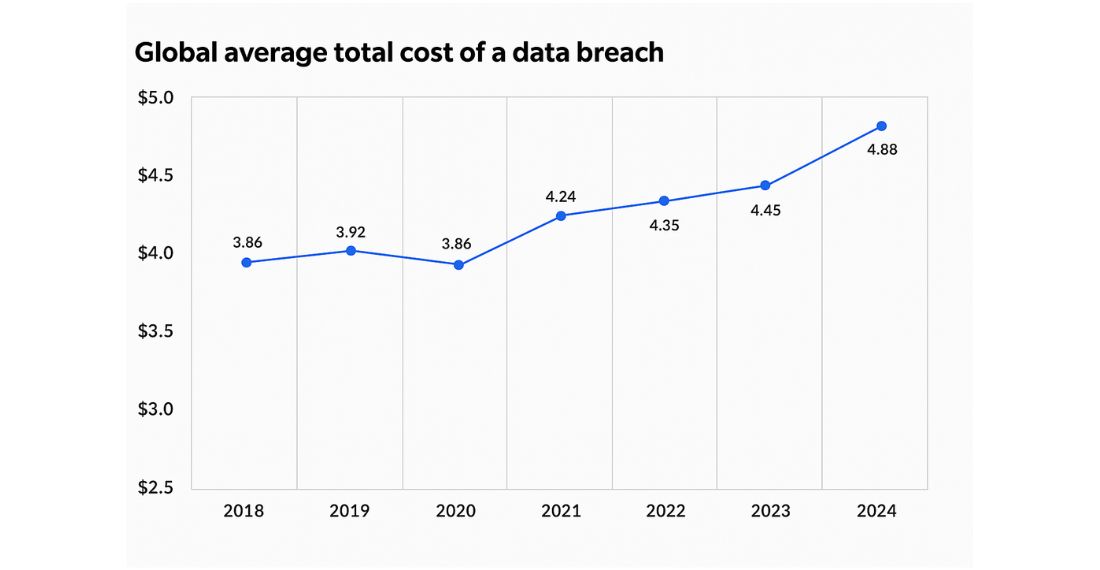
Any non-compliance causes a HIPAA fine of approximately $1.5 million. On the other hand, healthcare data breaches result in an average cost of $4.88 million per incident. That’s the reason why you need to formulate an impeccable QA strategy, whether it’s manual or automated.
However, healthcare providers often find themselves struggling between the two choices: automated vs. manual testing. Manual testing is best for human judgment, though it lacks scalability. On the other hand, automation delivers both traceability and speed, but may lack nuanced understanding of specific issues.
So, selecting the right testing method between these two influences everything, right from audit outcomes to resource allocation and release timelines. In this guide, we provide a detailed comparison between manual and automated testing to help the QA teams make informed decisions.
HIPAA establishes well-defined standards for all aspects, including security, privacy, and documentation. It advocates that every important data input, transfer, and display should be verified properly. Hence, it’s necessary to ensure full protection of healthcare information (PHI).
Any improper testing combinations, such as highly automated, poorly documented, or excessively automated, can put sensitive patient data at risk. It also causes compliance gaps. In the worst-case scenario, it leads to reputation damage, regulatory fines, and halts product rollout.
Make sure you have proper testing combinations to match security mandates, justify your QA approach, and move quickly, whether you are an IT manager or a compliance officer. You need to do all these even without compromising quality. Therefore, striking a perfect balance between the two types of testing is essential. It’s a highly important decision that can prevent your organization from making costly mistakes.
If you are looking to build your next HIPAA-compliant healthcare app, here is your go-to guide to app development.
Manual testing is vital in healthcare app QA, since it brings the power of human judgment, adaptability, intuition, and empathy, which automated tests cannot provide. Let’s delve deeper into the details of this healthcare app testing method in a HIPAA-compliant healthcare environment.
As the name suggests, manual testing is primarily done by professionals with a scenario-based approach for quality assurance. In this method, testers need to interact directly with the software.
Manual testing is essential for identifying issues that are not detectable through automation. These issues include visual inconsistencies, usability issues, and logic gaps. These appear mainly in complex user journeys.
Manual testing is also essential from a HIPAA compliance perspective. It’s useful in detecting problems that directly impact user clarity, trust, and consent. For instance, manual testing is essential to detect consent-flow gaps, ambiguous interfaces, misleading error messages, etc.
These encourage patients to share sensitive health data as well. HIPAA necessitates not only a secure system but also an ethical and smart user experience.
Manual testing is necessary for numerous use cases that are as follows;
Of course, manual testing comes with certain limitations as well. Some of them are explained below.
Automation testing is the best option for fast, accurate, and repeated validation of compliance, features, and security. It’s necessary to detect bugs fast, improve efficiency, and support HIPAA compliance in performance and regression testing.
Automation testing is the process of leveraging cutting-edge testing tools and scripts to check an app’s workflows, functionality, performance, etc. It’s also effective to validate integration and data handling on a repeated and continuous basis.
Instead of relying on human beings, it works with predefined test scripts to validate results, simulate user actions, and identify errors at scale and speed.
Automation testing is also ideal for ensuring HIPAA compliance, as it plays a crucial role in verifying the technical safeguards that are pivotal for securing patient data. Whether it involves access control mechanisms, encryption protocols, or audit log generation, it ensures that everything is in order.
Apart from this, automation testing also supports regression testing, ensuring that frequent system updates or code changes don’t break existing compliance controls.
In healthcare QA, automation testing has multiple uses. Some of them are as follows;
Of course, automation testing comes with lots of advantages. But, it also has certain limitations as well:
We provide end-to-end healthcare software testing services while ensuring flawless performance, HIPAA compliance, and patient safety.
Get Started Now
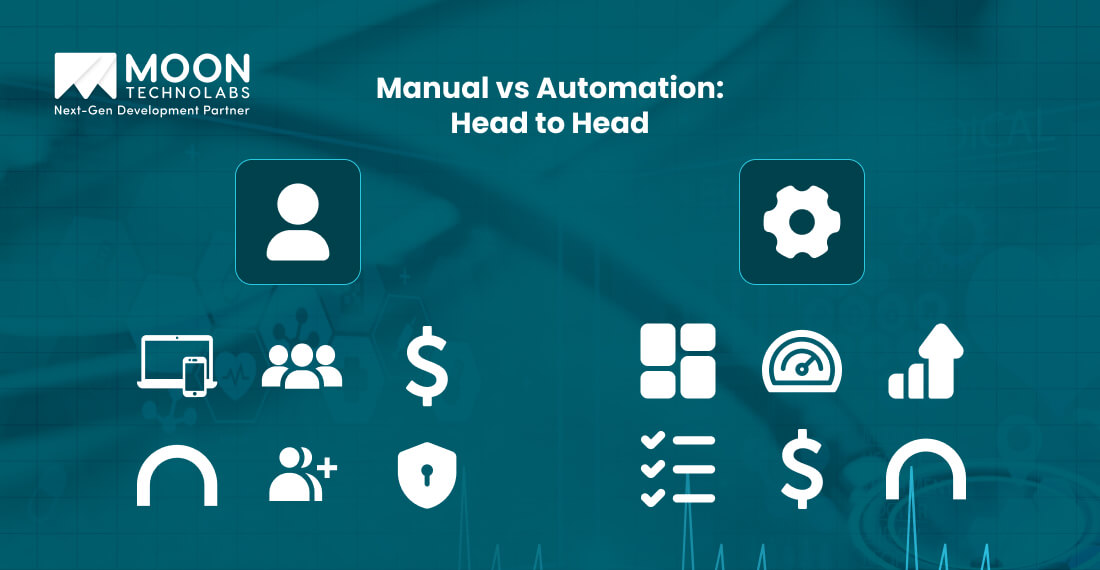
The selection of the right option between manual and automation testing is not about choosing one over the other. It’s also about gathering details of their weaknesses, strengths, and the way they fit within the HIPAA-driven QA process.
Here’s a detailed guide to help you understand the difference between manual and automation testing. Let’s go through a tabular comparison between the two through a table.
| Criteria | Manual Testing | Automation Testing |
|---|---|---|
| Human Judgment | High | Low |
| Compliance Gaps | It includes risks like inconsistent evidence, missed logs, etc. | It includes strong traceability with consistent outputs. |
| Speed/Scale | Manual testing is slow and indeed resource-intensive. | It’s fast and also scalable across different environments and builds. |
| Flexibility | It adapts quickly to the new changing requirements. | It requires the updated scripts with every change. |
| Documentation for Audit | It’s screenshots, prone to gaps. | It generates logs and reports automatically. |
| Cost Curve | It has a low upfront cost but a higher labor cost. | Its initial cost is high. But affordable for the long term. |
| Error Detection | It can easily find contextual/visual bugs. | It easily detects data issues, regressions, and security flaws. |
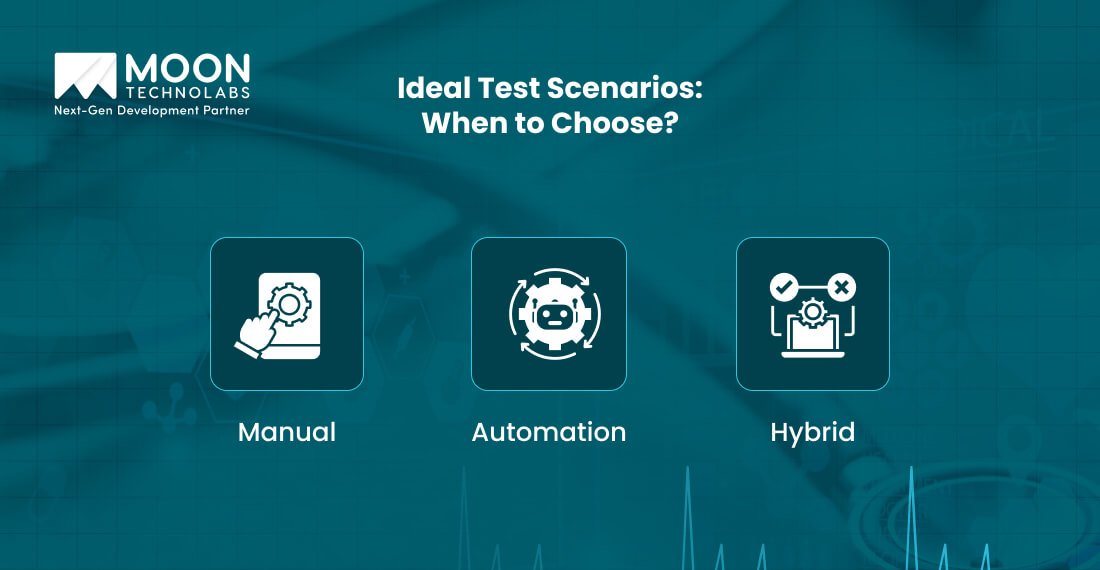
While selecting the best option between manual and automation testing, you need to be familiar with the different scenarios in which you can use them. It gives you a clear understanding of the right option for your projects. We discuss the scenarios for both types of testing below.
You can opt for manual testing for the following scenarios;
Automation testing is the perfect choice for the following scenarios;
The hybrid model is a good option for the following scenarios;
Now it’s time to explore the latest practices and various tools to leverage for healthcare software testing. Let’s discuss in detail.
Selection of the perfect tool is necessary to create a HIPAA-compliant QA process. Some of the popular tools are as follows:
These are important tools that help QA teams craft script-driven and scalable validation across mobile and web healthcare software. They are also ideal for supporting integration with CI/CD pipelines for automated and frequent checks.
For defect tracking and test case management, various platforms, such as TestRail, Jira, and Zephyr, offer versioning, documentation, and traceability. These are vital elements for audit readiness.
It’s essential to document every manual test case for compliance and coverage. These test cases encompass PHI display, consent flows, access control, and additional features. It supports traceability and highlights due diligence, especially during audits.
After completing this step, you need to create automated test scripts for various important areas, such as export, data access, and encryption. Then, you need to develop a regular regression cycle that emphasizes compliance checkpoints, such as audit lot consistency, encryption validation, and authentication workflows.
Once you combine reliable tools with a regular testing cadence and structured documentation, QA teams can proactively manage risks, meet HIPAA requirements, and support fast releases without compromising patient safety or software quality.
We ensure full regulatory compliance with zero-defect releases by creating a QA process tailored exclusively to user demands and the unique functionality of your app.
Speak to An Expert
No matter how solid your QA strategy is, it falls short when you ignore certain critical missteps. We discuss below some of these missteps you need to address quickly.
After reviewing the above discussion, you may have understood that testing is necessary rather than optional in HIPAA-driven healthcare development. It’s advisable to work with a balanced approach to minimize risk, rapid releases, and offer long-term product integrity.
Get in touch with our testing experts at Moon Technolabs to implement the right QA framework matching HIPAA standards. Whether it’s manual or automation testing for healthcare apps, we help you plan a smart and compliant testing process.
01
02
03
04

Jayanti Katariya is the CEO of Moon Technolabs, a fast-growing IT solutions provider, with 18+ years of experience in the industry. Passionate about developing creative apps from a young age, he pursued an engineering degree to further this interest. Under his leadership, Moon Technolabs has helped numerous brands establish their online presence and he has also launched an invoicing software that assists businesses to streamline their financial operations.


Submitting the form below will ensure a prompt response from us.
We refine our expertise to deliver innovative business solutions.





205 N Michigan Avenue, #810, Chicago, 60601, Illinois, United States
13500 Long Is Dr, Pflugerville, TX 78660, USA

C/105 Ganesh Meridian, S.G. Highway, Ahmedabad, GJ 380060


Ayse D.
Co-Founder France
“ I highly recommend Moon Technolabs as the quality of service is wonderful. We have hired this company to develop the product based on some complex & technical issues. We get the best quality services as compared with others in the market. Huge Thanks to Moon Technolabs as the team is always ready to give the solution all time.”

Justin G.
Founder & CEO USA
USA“ Moon Technolabs is a pioneer in the WebRTC based project as they have fixed complicated segments of the module by fulfilling different product lines by providing 24X7 customer support. We really recommended Moon Technolabs as they are able to develop products as per the module deadline and project timeline.”

Flavio S.
Founder & Managing Director Germany
“I am happy to recommend Moon Technolabs for their app development services. They successfully developed apps for me, and I am highly satisfied with the overall outcomes. The development team has swiftly addressed the issues with responsive and effective communication to understand the requirement quickly and actively resolve the back-and-forth problems that arose...”

Jay M.
Founder & CEOUSA“Moon Technolabs is the best company that provides advanced apps and websites development services in the USA and Europe. I am a newbie to develop my app with an external team. I am really happy to work with them as I am not that much mobile apps user. Here, the team and specially the CEO of Moon Technolabs helps me to let me know about the benefits of my app to generate revenue....”


Our Offices
India
C/105 Ganesh Meridian,S.G. Highway, Ahmedabad, GJ 380060USA
205 N Michigan Avenue, #810, Chicago, 60601, Illinois, United StatesContact Information


