


How to Build an MCP Server? A Step-by-Step Guide

Artificial Intelligence Team
Last Updated: Sep 10, 2026 Total Views: 124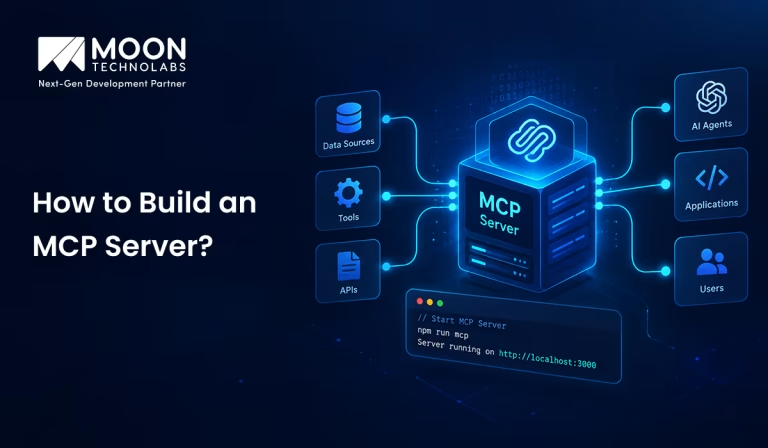
Table of Content


Blog Summary:
Learn how to build an MCP server with this practical step-by-step guide. Discover the prerequisites, development environment setup, MCP SDK installation, tool and resource creation, transport configuration, client connection, testing, and deployment. Whether you’re exploring MCP for the first time or planning a custom implementation, this guide covers the essential steps to build a reliable server for AI integrations.
Table of Content
AI applications are becoming more capable, but their usefulness often depends on how well they can connect with external tools and business data. Model Context Protocol (MCP) provides a standardized way to make these connections, allowing AI models to interact with APIs, databases, files, and other services through MCP servers.
If you’re wondering how to build an MCP server, the process involves more than simply creating a few tools. You need to define the server’s purpose, choose the right development environment, implement tools and resources, configure communication, and test everything before deployment. This guide walks you through each step to help you build a functional and reliable MCP server.
What is an MCP Server?
An MCP server is a service that lets AI applications connect to external tools, data, and services in a standardized way. It bridges an AI model and systems such as APIs, databases, files, and business applications.
MCP servers expose capabilities through tools, resources, and prompts. Tools let AI applications perform actions, resources provide access to information, and prompts offer reusable instructions for specific tasks.
The main benefit of an MCP server is simpler and more consistent integration. Instead of building a separate connection for every AI application and external service, developers can use the MCP standard to make capabilities available through a common interface.
Advantages of Building an MCP Server
Here are the key advantages of building an MCP server, along with the practical benefits it brings to AI development, tool integration, data access, and application workflows:
Standardized AI Tool Integration
An MCP server provides a standardized way for AI applications to connect with tools, APIs, databases, and other external services. Instead of building custom integrations for every AI model or application, organizations can expose their capabilities through a consistent interface, making integrations easier to develop and maintain.
Reusable Connections to External Systems
MCP servers allow teams to build integrations once and reuse them across multiple AI applications. Whether connecting to databases, CRM platforms, internal APIs, cloud services, or business tools, the same MCP server can provide access to different AI agents and workflows without duplicating integration logic.
Better Context and Data Access
AI systems can provide more accurate and useful responses when they have access to relevant, real-time information. An MCP server can securely expose the data and tools an AI needs, enabling it to retrieve business information, query systems, and perform actions based on current context rather than relying only on static training data.
Easier AI Workflow Automation
With MCP, AI agents can interact with external tools and systems to complete multi-step tasks. This makes it easier to automate workflows such as retrieving customer information, updating records, generating reports, processing requests, or coordinating actions across multiple applications.
Scalable Integration Architecture
An MCP-based server architecture makes it easier to scale AI integrations as business requirements grow. You can add new tools and services to the MCP server without redesigning the entire AI application. This creates a flexible foundation for expanding AI capabilities while keeping integrations modular, maintainable, and easier to manage.
Challenges to Consider Before Building an MCP Server
Before building an MCP server, it’s important to understand the challenges involved, from implementation and integration to security, maintenance, scalability, and overall system complexity. Here are the challenges, businesses should consider while building an MCP server:
Authentication and Authorization
MCP servers need to verify who is accessing the server and what they are allowed to do. Combine strong authentication with fine-grained authorization so users cannot access tools or data beyond their permissions.
For example, a user may be allowed to search customer records but not modify or delete them. Check permissions on every tool request rather than relying only on the initial connection.
Data Security and Privacy
MCP tools may expose databases, internal documents, customer information, or business systems to AI models. This makes it important to control exactly what data is exposed and how it is handled.
Use encryption, minimize sensitive data in tool responses, protect credentials and secrets, and apply appropriate data-retention policies. Validate input and output to prevent accidental exposure of confidential information.
Tool Permission Management
Giving an AI model access to too many powerful tools can increase the impact of mistakes or misuse. Tools should therefore follow the principle of least privilege.
Separate read-only operations from actions that modify data or trigger real-world processes. High-risk operations, such as deleting records or sending external messages, may require additional authorization or user confirmation.
Error Handling and Reliability
AI-generated tool calls may contain invalid parameters, unexpected inputs, or requests that fail because of downstream services. The MCP server should handle these failures gracefully without exposing internal system details.
Timeouts, retries, rate limits, validation, idempotency, and clear error responses can help prevent a single failure from affecting the entire workflow.
Monitoring and Debugging
Once deployed, MCP servers need visibility into which tools are being used, how often they are called, how long they take, and why they fail.
Logging, metrics, and distributed tracing can help developers investigate failed tool calls and performance issues. However, design logs carefully so they don’t unnecessarily store passwords, tokens, personal information, or sensitive tool responses.
Facing Roadblocks Building Your MCP Server?
Our experts help you overcome technical complexities, streamline integrations, and develop reliable MCP solutions built for your specific needs.
Key Considerations Before Starting an MCP Server Project
Here are the essential prerequisites you should have in place before getting started with building an MCP server, ensuring a smoother development process and successful implementation:
Choose a Programming Language
Select a programming language supported by an MCP SDK, such as Python, TypeScript, Java, or another suitable option. Choose based on your team’s experience and the systems your server needs to integrate with.
Set Up the Development Environment
Install the required runtime, package manager, code editor, and version control tools. Create a dedicated project directory and configure environment variables for API keys, database credentials, and other sensitive settings.
Install the MCP SDK
Install the MCP SDK for your chosen programming language. The SDK provides the components needed to create the server, define tools, handle requests, and communicate with MCP clients.
Identify Tools, Resources, and Prompts
Decide what your MCP server will expose. Tools perform actions, resources provide information, and prompts offer reusable instructions. Defining these capabilities in advance helps you build a focused, well-structured server.
Prepare External APIs or Data Sources
Identify the APIs, databases, files, or other systems your MCP server will access. Make sure you have the necessary credentials and permissions, and verify that these services are accessible from your development environment.
How to Build an MCP Server: 7 Key Phases for Business Owners
Here are the seven essential steps to follow when building an MCP server, from initial setup and configuration to development, testing, and deployment:
Step 1: Define the MCP Server’s Purpose
Start by deciding what your server should do. Identify the tools, data sources, or services you want AI applications to access, such as databases, APIs, files, or internal systems.
Keep the scope focused so the server remains secure and easy to maintain.
Step 2: Set Up Your MCP Development Environment
Choose an MCP SDK for your preferred programming language and set up the required runtime, dependencies, and development tools.
You’ll typically need:
- A programming language and runtime
- An MCP SDK
- An IDE or code editor
- Git for version control
- API or database credentials
Store sensitive credentials in environment variables or a secrets manager rather than in your code.
Step 3: Initialize the MCP Server
Create your project and initialize the MCP server using the appropriate SDK. Organize the code into logical components such as tools, resources, prompts, and tests.
Set up basic logging and error handling from the start to simplify debugging.
Step 4: Define and Implement MCP Tools
Tools allow AI applications to perform specific actions through your server.
For example, you might create tools such as:
- search_customers
- get_order
- create_ticket
- search_documents
Give each tool a clear name, description, input schema, and defined behavior. Validate all inputs server-side, and keep tools focused on individual tasks.
Step 5: Add Resources and Prompts
MCP servers can also provide resources and prompts.
Resources give AI applications access to information such as documents, files, or database content. Prompts provide reusable instructions for common tasks.
Use tools for actions, resources for information, and prompts for repeatable workflows.
Step 6: Configure Transport and Connect an MCP Client
Configure the appropriate MCP transport for your environment and connect the server to an MCP-compatible client.
Pay attention to authentication, authorization, network security, timeouts, and error handling. Sensitive operations should always have appropriate access controls.
Step 7: Test, Debug, and Deploy the MCP Server
Test your tools with both valid and invalid inputs. Also test authentication, external service failures, timeouts, and unexpected responses.
Once the server is reliable, deploy it with appropriate monitoring, logging, health checks, and secure secret management. Good documentation should explain the available tools, inputs, authentication, and client setup.
How to Secure an MCP Server?
Here are the key steps to follow when securing an MCP server, helping you protect connected tools, data, credentials, and interactions from potential security risks:
Implement Authentication and Authorization
Use strong authentication such as OAuth, API keys, or service identities to verify clients. Then apply authorization controls to ensure each user or application can access only the tools and resources they are permitted to use.
Apply Least-Privilege Access
Give users, tools, and services only the permissions they actually need. Avoid unnecessary access to databases, files, operating-system functions, or cloud resources. Limiting permissions reduces the impact of a compromised account or tool.
Validate Tool Inputs
Treat all tool inputs as untrusted. Validate inputs using strict schemas, expected data types, and allowlists. For database, file, or command-related tools, use safe APIs and parameterized queries to prevent injection and other attacks.
Protect Credentials and Secrets
Never hard-code API keys, passwords, or tokens. Store secrets securely using environment-based configuration or a dedicated secrets manager. Rotate credentials regularly and prevent secrets from appearing in logs or error messages.
Add Logging and Monitoring
Log authentication events, authorization failures, tool usage, and suspicious activity. Monitor these logs for unusual behavior and set up alerts for potential security incidents. Avoid logging sensitive credentials or tokens.
You May Also Like:
How to Test an MCP Server?
Here are the key steps to follow when testing an MCP server, helping you verify its functionality, reliability, tool behavior, error handling, and overall performance:
Test Tool Execution
Test each tool individually to ensure it:
- Is correctly registered and discoverable.
- Handles valid and invalid inputs correctly.
- Returns the expected results.
- Provides meaningful errors for missing or incorrect parameters.
- Handles boundary cases without unexpected behavior.
Validate Resources and Prompts
Check that resources and prompts are properly exposed and accessible.
- Verify resources can be discovered and read.
- Confirm resource URIs and content are valid.
- Test prompts with valid, missing, and invalid arguments.
- Ensure prompts generate the expected output.
Test Error Handling
Test common failure scenarios, such as:
- Invalid or missing parameters
- Unknown tools or resources
- Backend failures and timeouts
- Authentication or authorization errors
- Malformed requests
Errors should be clear and should not expose sensitive information.
Verify Client-Server Communication
Test the complete communication flow between the MCP client and server.
Verify that the client can connect to the server, initialize it, discover its capabilities, send requests, and receive valid responses. Also test connection failures, server restarts, and concurrent requests.
Perform Security Testing
Ensure the remote MCP server is protected against unauthorized access and malicious input.
Test:
- Authentication and authorization
- Input validation
- Access control
- Injection attacks
- Sensitive data exposure
- Rate limiting and secure logging
Alternatives to Building an MCP Server From Scratch
Here are the alternatives to building an MCP server from scratch, including approaches that can simplify development, reduce implementation effort, and help you get your MCP integration running faster:
Use Existing MCP Servers
Leverage pre-built MCP servers that already integrate with popular databases, SaaS platforms, developer tools, file systems, and other services. This approach can significantly reduce development time because the core tool definitions, authentication flows, and integration logic may already be available.
Extend an Open-Source MCP Server
Customize an existing open-source MCP server when you need functionality that is not available out of the box. Instead of starting from zero, you can build on an established implementation, add custom tools or resources, and adapt the server to your application’s requirements.
Use Traditional API Integrations
Connect directly to existing REST, GraphQL, or other APIs when you do not specifically need the model context protocol. Traditional API integrations can be simpler when the AI application already has a well-defined backend, and you control both the application and the services it needs to access.
Build Custom Function or Tool Integrations
Define custom functions or tools directly within your AI application to expose specific capabilities. This is a good option for focused use cases where you need only a small number of actions and don’t require a reusable local MCP server or a standardized protocol-based integration.
Bring Your Next AI Integration Idea To Life
Tell us what you’re building, and our MCP specialists will help you navigate architecture, integrations, and implementation with confidence.
How Does Moon Technolabs Help You Build Custom MCP Servers?
We build custom MCP servers that connect your AI applications directly with the systems your business already uses. Whether you need access to CRM data, internal databases, SaaS platforms, or custom APIs, we design MCP tools around your actual workflows rather than using a one-size-fits-all approach.
Our team handles the complete MCP development process, from defining tools, resources, and prompts to integrating APIs, implementing authentication, and testing real-world use cases. As an AI development company, we also help identify which business operations can be safely and effectively exposed to AI through MCP.
We can also support deployment, monitoring, and ongoing improvements as your AI ecosystem grows. The result is a custom MCP server that gives your AI agents controlled access to business data and actions while fitting into your existing technology stack.
Conclusion
Building an MCP server provides a structured way to connect AI applications with your existing tools, data, APIs, and business systems. By defining the right tools, resources, and prompts, configuring the appropriate transport, and thoroughly testing each integration, you can create an MCP server that is both useful and reliable. For businesses that need tailored integrations or expert implementation, MCP server development services can help design and build solutions aligned with specific workflows and technical requirements.
As AI applications become more connected to real-world business workflows, MCP can simplify how you build and manage those connections. With the right architecture and security practices, a custom MCP server can help your AI systems access relevant information and perform tasks more effectively.
FAQs
01
How long does it take to build an MCP server?
The development timeline depends on the server’s complexity, the number of tools and resources required, integrations, authentication requirements, and testing needs. A basic MCP server can typically be developed within a few days, while a custom enterprise-grade implementation may take several weeks.02
Which programming languages can be used to build an MCP server?
You can build MCP servers using several programming languages, including TypeScript, Python, Java, Kotlin, C#, and Go. The right choice depends on your existing technology stack, integration requirements, performance needs, and your development team's expertise.03
Can an MCP server connect directly to databases and enterprise APIs?
Yes. An MCP server can be designed to securely connect with databases, REST and GraphQL APIs, SaaS platforms, internal enterprise systems, and other data sources. Implement appropriate authentication, authorization, validation, and access controls to ensure AI applications can interact securely with these systems.04
How much does custom MCP server development cost?
The cost of custom MCP server development varies based on factors such as functionality, integrations, authentication, security requirements, number of tools and resources, and deployment environment. A simple MCP server may require a relatively small development effort, while a complex enterprise solution with multiple integrations can require significantly more. We can provide a detailed estimate after evaluating your requirements.05
Can one MCP server expose multiple tools and resources?
Yes. A single MCP server can expose multiple tools, resources, and prompts, allowing an AI application to interact with different capabilities through one server. This lets you centralize related business functions, integrations, and data access while maintaining appropriate permissions and controls.




Explore the latest insights on Artificial Intelligence, including Generative AI, Agentic AI, natural language processing, computer vision, automation, and enterprise AI solutions. This category covers industry trends, practical applications, implementation strategies, and innovations that help businesses leverage AI for smarter decision-making and digital transformation. Stay updated with evolving AI technologies that are reshaping industries worldwide.
Submitting the form below will ensure a prompt response from us.
We refine our expertise to deliver innovative business solutions.





205 N Michigan Avenue, #810, Chicago, 60601, Illinois, United States
13500 Long Is Dr, Pflugerville, TX 78660, USA

C/105 Ganesh Meridian, S.G. Highway, Ahmedabad, GJ 380060




Ayse D.
Co-Founder France
“ I highly recommend Moon Technolabs as the quality of service is wonderful. We have hired this company to develop the product based on some complex & technical issues. We get the best quality services as compared with others in the market. Huge Thanks to Moon Technolabs as the team is always ready to give the solution all time.”

Justin G.
Founder & CEO USA
USA“ Moon Technolabs is a pioneer in the WebRTC based project as they have fixed complicated segments of the module by fulfilling different product lines by providing 24X7 customer support. We really recommended Moon Technolabs as they are able to develop products as per the module deadline and project timeline.”

Flavio S.
Founder & Managing Director Germany
“I am happy to recommend Moon Technolabs for their app development services. They successfully developed apps for me, and I am highly satisfied with the overall outcomes. The development team has swiftly addressed the issues with responsive and effective communication to understand the requirement quickly and actively resolve the back-and-forth problems that arose...”

Jay M.
Founder & CEOUSA“Moon Technolabs is the best company that provides advanced apps and websites development services in the USA and Europe. I am a newbie to develop my app with an external team. I am really happy to work with them as I am not that much mobile apps user. Here, the team and specially the CEO of Moon Technolabs helps me to let me know about the benefits of my app to generate revenue....”




Our Offices
India
C/105 Ganesh Meridian,S.G. Highway, Ahmedabad, GJ 380060USA
205 N Michigan Avenue, #810, Chicago, 60601, Illinois, United StatesContact Information


