
 Total Views: 6292
Table of Content


Blog Summary:
This guide reviews the 12 best UI UX Designing Software tools that boost workflow efficiency for teams of any size. It covers essential features for prototyping, collaboration, user testing, and specialized design needs. Discover how to choose the right tool, compare pricing models, and learn how Moon Technolabs helps businesses craft tailored, scalable UI/UX solutions for superior digital user experiences.
Table of Content
For businesses of any size, your design teams are aware of how quickly a project gets stalled without the right tools. One day, they are sketching wireframes, and the very next day, they are either juggling multiple platforms or handling the feedback loops. All of this is to ensure that the prototype development proceeds without delay.
Imagine how effortless all this would look when you have the right UI/UX software by your side. Using UI/UX design software, you can move from idea to product stage with minimal effort.
Over the years, these tools have evolved, making sure you have a tool for every lifecycle stage. From simple design boards to AI-powered and accessibility-friendly platforms, these tools can streamline workflows and improve outcomes.
The real challenge lies in finding the right tool for your design lifecycle. This guide will take you through the top 12 UI/UX designing software that help boost your UX workflows.
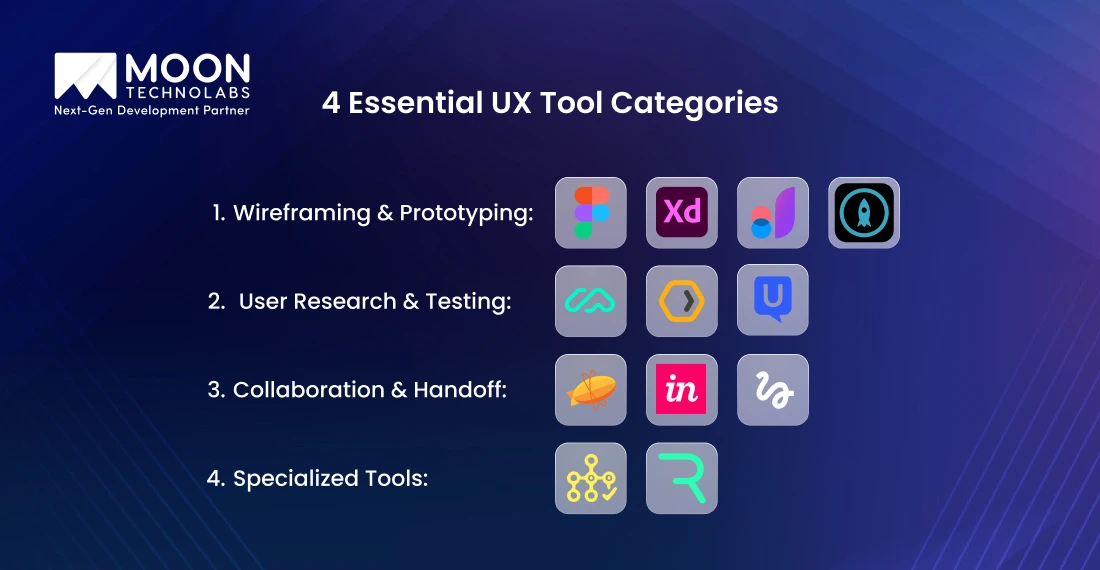
Not all UX design tools are created equal. Some tools help inspire ideas while others are useful in refining and testing them to perfection. Let’s examine the top types and how they aid in managing the design workflow.
An incredible idea is the backbone of every great product. However, when it comes to translating that idea into a tangible solution, you need wireframing and prototyping tools. These platforms can help you sketch the layouts, map user flows, and bring the concepts to life without writing a single line of code.
Additionally, these software solutions help you visualize and test ideas early, thus saving you from making costly mistakes. For example, Figma is a popular cloud-based collaboration software that allows multiple designers to connect on the same project in real-time.
Adobe XD provides smooth integration with other Adobe tools to accelerate prototyping feature development. JustinMind and Proto.io help simulate real interactions to offer accurate user testing backed by precise insights.
Designing wireframes and prototypes for the interface enables your teams to validate design decisions, gather user feedback, and refine user flows before proceeding with development. These UI/UX design software act as a creative playground to transform your ideas into a simulated product that users can interact with.
Great designs strike the right balance between an aesthetically pleasing interface and ease of access for users. That’s why user research and testing tools are important in the design lifecycle. You can use them to check if the ideas you have will work for real users before investing time, money, and resources into building them.
These tools help test the ideas early, allowing you to fix the problems when it is easy. Maze is one such software solution that simplifies the conversion of prototypes into quick tests. This will allow you to check how people will move through the design and where they will get stuck.
UXtweak offers features such as tree testing and heatmaps to determine if users can easily find information and identify areas that require improvement within the structure. Another tool is UserTesting, which enables teams to connect directly with actual users and observe them interacting with the product, receiving honest feedback in real-time.
With these insights, you can eliminate guesswork and replace design decisions with actual evidence. These tools help your teams launch functional and intuitive products that are usable.
In the absence of smooth teamwork and clear communication, even the best designs will fail. That’s why you should invest in collaboration and handoff tools. They help the designers, developers, and other stakeholders stay on the same page throughout the design process.
With these tools, you can eliminate the friction that comes with scattered feedback and messy knowledge/file transfers. These tools offer alignment and efficiency to the design teams.
With Zeplin, you can transform your designs into ready-to-code specifications that your developers can use. InVision combines prototyping with collaboration, allowing designers and developers to leave comments within designs. Freehand is your digital whiteboard, making it perfect for brainstorming and visual feedback loops.
You can enhance productivity and ensure that the design intent remains consistent from concept to code with these tools. Moreover, stakeholders feel included, and developers work without guesswork, resulting in faster and more efficient launches. These tools bind all the teams that contribute to the UX, ensuring successful product development.
To elevate your products from good to great, you must use these specialized UX tools. These tools can enhance accessibility, animation, and content design, all of which are crucial for a seamless overall user experience.
Treejack helps you map and test the information architecture to allow users to find what they need, thus enhancing accessibility. Rive is an animation software that enables you to create user-centric interfaces by incorporating smooth microinteractions. They will guide the users and help the product feel more intuitive.
Content design tools can help you plan the layout, improve information delivery, offer better language, and support clarity. By incorporating these aspects into your design flow, you can create more usable products.
While these tools seem niche, they have a significant impact on your product. Accessibility bolsters inclusivity while animations create delight. Content tools can help improve comprehension. All these tools together can help polish your product to create a truly enjoyable solution.
From design strategy to testing, we craft solutions that streamline workflows, improve collaboration, and deliver experiences that your team and customers love.
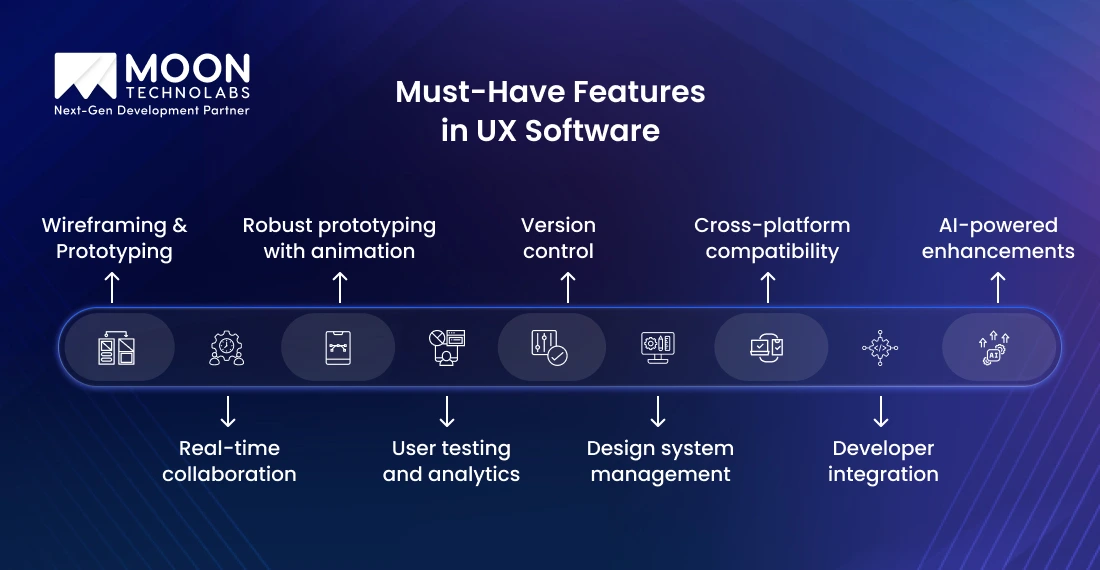
Each UX software tool offers specific features that help your design workflow. Here are a few must-have capabilities in UX design tools to help designers and other stakeholders work smart and fast.
The top UX software tools don’t come with a steep learning curve. They offer an intuitive interface that allows you to get started with them immediately. That’s why you can prioritize creativity over menus and shortcuts. Whether you are new to or experienced in UX design, ease of learning and intuitive tools can save time and improve collaboration.
Modern UX projects don’t occur in silos. You need to collaborate with other designers, developers, and stakeholders in real-time. These robust tools can reduce the need for lengthy email chains while allowing stakeholders to view the same files, leave their comments, and provide feedback immediately. The tools can help everyone stay aligned without waiting for version changes or the next meeting date.
When you implement clickable software prototypes complete with animation, the stakeholders and users can see how the product will actually work. These robust prototyping tools can help you simulate real interactions, such as transitions, micro-animations, and navigation, without coding. You can get realistic test results, actionable insights, and clear development handoff as a result.
In-built testing and analytics help you convert design into a data-backed process. This allows you to eliminate guesswork from aspects such as user preferences. Moreover, it helps you track interactions, measure the time taken for tasks, and run usability studies in the tool. Using these insights, you can validate ideas more quickly and refine designs.
Consistency is crucial for UX, and version control with design systems helps in maintaining it. With version control, the teams will work on the latest files, eliminating the confusion over duplicates. Design system management enables you to maintain a consistent branding, colour palette, and components across all projects. This will save time and help deliver seamless products.
The right UX tool would seamlessly integrate into your larger workflow. Cross-platform compatibility in these tools makes them easy to use for design and review across devices. Integration with developer tools allows you to streamline developer handoffs. Consequently, it will reduce miscommunications and improve the reliability of the design-to-development pipeline.
Accessibility is crucial to a great design. Tools that have in-built accessibility checks, colour contrast testing, and guidance can help you create products that work for everyone. You can address accessibility early in your design, thus preventing costly fixes in the later stages. It can help you create usable digital experiences for a wide audience.
AI features are transforming design processes. They auto-generate layouts, suggest design elements, and streamline repetitive tasks. As a result, you save time and improve creativity. Automation helps you focus on strategy and innovation. Eventually, you create smarter products that are adaptable to user needs.
Pricing plays a pivotal role in selecting the right UX design software. Most popular tools offer a tiered model that caters to all user types, including solo freelancers and enterprise teams.
Here’s a breakdown of common pricing structures for your review.
| Plan | Typical Price Range | Best For | What You Get |
|---|---|---|---|
| Free | NA | Students, small projects, | Basic features with limited support. Offers community support |
| Individual | $12 to $20 per month (can vary) | Freelancers or independent designers | Unlimited projects with basic collaboration and standard prototyping |
| Professional | $20 to $45 per month per user (can vary) | Small to mid-sized teams | Advanced prototyping and better collaboration tools |
| Enterprise | $50+ (custom pricing available) | Large enterprises and agencies | Centralized admin controls, better security and advanced analytics |
Best UX designing tools offer these different tiers. Figma and Adobe XD employ different pricing strategies. Figma offers numerous features in its free plan, including real-time collaboration and unlimited file storage.
Adobe XD offers a free starter plan, ideal for individuals experimenting with design, which provides basic features. Figma offers advanced features, including SSO and analytics, in its enterprise tier. However, Adobe XD doesn’t have an enterprise plan. It provides a creative cloud ecosystem that may not be convenient for pure UX needs.
When you are a startup, your budget is crucial. Free or individual plans are great for getting started during the early stages, as many tools include prototyping and collaboration in their lower-tier options.
Enterprises need scale, security, and centralized administration. That’s why large-scale companies should prefer enterprise-grade plans or custom pricing strategies for designing UX and UI.
Almost all major tools offer a free plan or trial version that allows you to use it before investing in them. Figma, Adobe XD, and Proto.io offer a free starter version that helps you test the solutions. UserTesting offers a limited trial run that allows you to gauge the value of the best UX software.
While it is easy to favour a particular tool because of its features, you must assess your needs before investing in it. For example, if you don’t need extensive usability studies, you don’t need an enterprise plan. At the same time, if you require collaboration for design workflows, consider opting for a professional or enterprise plan. Always strike a balance between features, needs, and budget before making a decision.
From workflow optimization to tool integration, our solutions empower your teams to collaborate better and deliver user experiences that truly connect.
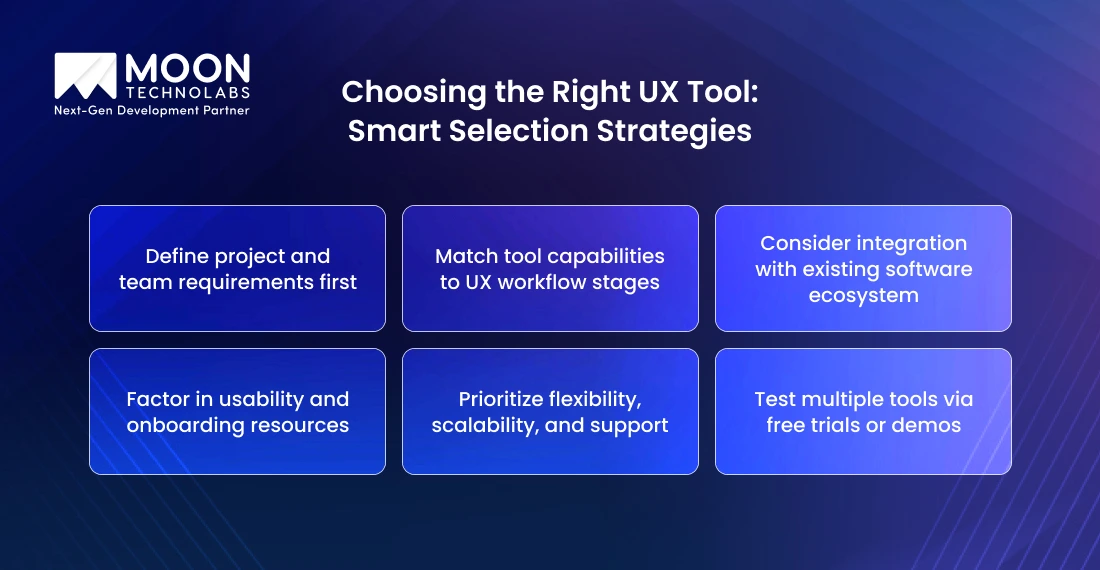
Choosing the right UX design software from the multiple options available can seem overwhelming. With these best practices, you can make confident decisions and choose a tool that supports your team’s workflow.
Clarify your team’s current requirements before you begin choosing the best UX design tools. Do you want quick prototypes? Are you building large-scale enterprise products or a research-heavy project? Knowing your ultimate goals, along with the team size and collaboration style, helps narrow down the tools that fit your workflows.
Different tools are useful for each stage of the design process. Some can help with wireframing, while others are better suited for user testing. You should map the UX design lifecycle and then carefully align the tools to support these features. This way, you can avoid paying for features you won’t use.
If your tool works with others, it can help your business. Verify that it integrates seamlessly with other project management platforms, developer handoff tools, and analytics systems. This can reduce friction while enabling your team to work more efficiently.
A complex tool can be difficult to use, even when they are the best for the particular phase. When selecting a tool, look for intuitive interfaces and robust onboarding resources. It will help you adopt the tool faster without a steep learning curve.
You should always consider the long-term implications when choosing tools, ensuring they scale with your business. The tool should offer robust vendor support, advanced features, and flexible pricing options. The platform should evolve with the trends.
You should never commit to a tool without careful consideration. Gauge the tool’s abilities by taking the free plan or demos in advance. You can test the usability, performance, and whether the tool fits the actual workflow during this time.
Assess the support before you finalize the tool. If there is a strong community supporting the tool, offering resources, and resolving issues, you will benefit. Effective support systems enable usability and promote long-term adoption.
UX design tools are continuously evolving to enhance the ways teams build, collaborate, and deliver digital products. Here are all the trends that are transforming these platforms.
AI is becoming your practical design partner in the current times. From suggesting layouts to generating design variations and automating prototype development, AI is helping in diverse ways. It has also streamlined repetitive tasks, allowing designers to focus on creativity and innovation.
Accessibility has become a must-have for modern tools. That’s why several software platforms include contrast tools, inclusive design features, and accessibility checkers. This helps the product reach a wider audience and adhere to global standards.
Cloud-first tools are crucial for distributed teams, as they facilitate real-time collaboration. They offer features like live editing, shared workspace, and integrated feedback to ensure the designers, developers, and stakeholders are aligned.
With the rise of virtual and augmented reality, UX is moving beyond screens. The design platforms must adapt to support the development of interactive prototypes, 3D environments, and immersive testing. This trend can create new opportunities for gaming, education, and e-commerce industries.
Data backs most of the design decisions in the modern world. UX platforms have started integrating analytics, heatmaps, and user testing data into the workflows. As a result, you gain real-time insights into how users interact with products, enabling you to make informed and evidence-based decisions.
At Moon Technolabs, we don’t limit UX design to the aesthetics of design; it enables us to deliver delightful experiences to users while aligning with their business goals. With years of industry experience and deep expertise in creating user journeys across diverse sectors, we help build unique and creative UI/UX designs and software for startups and large enterprises.
What sets us apart is our ability to deliver customized solutions that meet the unique needs of each individual. Instead of creating a “one-size-fits-all” design, we combine the right software with tailored strategies to deliver solutions that align with our clients’ goals. We combine technology with creative expertise to create efficient, scalable, and user-centric UX designs.
If you want to elevate your UX design, now is the time, and we are the team to get you started.
As mentioned earlier, great digital experiences don’t happen by chance; they happen when you choose the right UX tools to support your journey. You must understand your team’s needs, design workflow, and emerging trends, such as AI and accessibility, to choose the right tool.
That’s where an expert UX/UI software development partner helps. At Moon Technolabs, we couple the best UX platforms with our proven design strategies to deliver user-focused experiences.
To efficiently convert your ideas into products, connect with our team. We will elevate your project with the right tools and integrations and even help you build one right from scratch.
01
02
03
04

Jayanti Katariya is the CEO of Moon Technolabs, a fast-growing IT solutions provider, with 18+ years of experience in the industry. Passionate about developing creative apps from a young age, he pursued an engineering degree to further this interest. Under his leadership, Moon Technolabs has helped numerous brands establish their online presence and he has also launched an invoicing software that assists businesses to streamline their financial operations.


Submitting the form below will ensure a prompt response from us.
We refine our expertise to deliver innovative business solutions.





500 N Michigan Avenue, #600, Chicago IL 60611
13500 Long Is Dr, Pflugerville, TX 78660, USA

C-105, Ganesh Meridian, S.G. Highway, Ahmedabad, GJ 380060


 France
“ I highly recommend Moon Technolabs as the quality of service is wonderful. We have hired this company to develop the product based on some complex & technical issues. We get the best quality services as compared with others in the market. Huge Thanks to Moon Technolabs as the team is always ready to give the solution all time.”

 USA
USA“ Moon Technolabs is a pioneer in the WebRTC based project as they have fixed complicated segments of the module by fulfilling different product lines by providing 24X7 customer support. We really recommended Moon Technolabs as they are able to develop products as per the module deadline and project timeline.”

 Germany
“I am happy to recommend Moon Technolabs for their app development services. They successfully developed apps for me, and I am highly satisfied with the overall outcomes. The development team has swiftly addressed the issues with responsive and effective communication to understand the requirement quickly and actively resolve the back-and-forth problems that arose...”
 USA
USA“Moon Technolabs is the best company that provides advanced apps and websites development services in the USA and Europe. I am a newbie to develop my app with an external team. I am really happy to work with them as I am not that much mobile apps user. Here, the team and specially the CEO of Moon Technolabs helps me to let me know about the benefits of my app to generate revenue....”


