TypeScript vs JavaScript: Key Differences, Benefits, and Which One to Choose

Marketing Team
Last Updated: Jul 02, 2026 Total View: 158
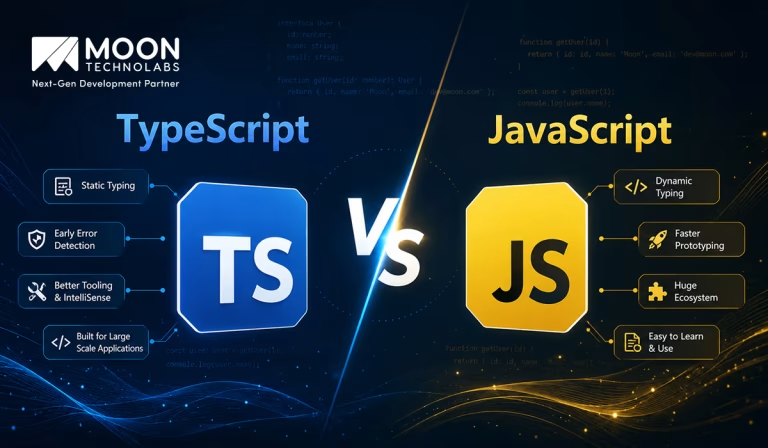
Choosing Between TypeScript and JavaScript?
If you’re unsure whether to build with TypeScript or JavaScript, the wrong choice can affect code quality, scalability, and development speed. Pick the best fit for your project from the start.
- Project scalability planning
- Type safety advantages
- Faster development workflow
- Long-term code maintenance


JavaScript has been the foundation of web development for decades. It powers websites, web apps, mobile apps, backend APIs, and even desktop applications. However, as applications became larger and more complex, developers started facing challenges with code maintainability, runtime errors, and scalability.
This is where TypeScript became popular. TypeScript builds on JavaScript by adding static typing, better tooling, and improved code structure. While both are closely related, they serve slightly different development needs.
In this guide, we will compare TypeScript vs JavaScript, understand their differences, benefits, use cases, and help you decide which one is better for your project.
What is JavaScript?
JavaScript is a lightweight, dynamic programming language mainly used for building interactive web applications. It runs directly in browsers and is supported by almost every modern web platform.
JavaScript is flexible and easy to start with, which makes it beginner-friendly. Developers use it for frontend development, backend development with Node.js, mobile apps, automation, and more.
Example of JavaScript
{function greet(name) {
return "Hello, " + name;
}
console.log(greet("John"));
In JavaScript, variables and function parameters do not require explicit types. This makes development fast, but it can also lead to errors when projects grow larger.
What is TypeScript?
TypeScript is a programming language developed as a superset of JavaScript. This means every valid JavaScript code is also valid TypeScript, but TypeScript adds extra features such as static typing, interfaces, enums, and advanced developer tooling.
TypeScript code does not run directly in browsers. It must be compiled into JavaScript before execution. This compilation step helps detect many errors before the application runs.
Example of TypeScript
function greet(name: string): string {
return "Hello, " + name;
}
console.log(greet("John"));
Here, name: string ensures that only a string value can be passed to the function. If someone passes a number, TypeScript will show an error during development.
TypeScript vs JavaScript: Core Difference
TypeScript and JavaScript are closely connected, but their biggest difference is type safety. JavaScript is dynamically typed, while TypeScript supports static typing.
This means JavaScript checks types while the program runs, but TypeScript checks many type-related errors before execution. That makes TypeScript more suitable for large and complex applications.
| Aspect | JavaScript | TypeScript |
|---|---|---|
| Type System | Dynamic typing | Static typing |
| Execution | Runs directly in browser or Node.js | Compiles to JavaScript |
| Learning Curve | Easier for beginners | Slightly harder initially |
| Error Detection | Mostly runtime errors | Compile-time error checking |
| Best For | Small to medium projects, quick scripts | Large apps, teams, scalable systems |
| Tooling | Good | Excellent |
| Browser Support | Directly supported | Needs compilation |
Why is JavaScript Still Important?
JavaScript remains one of the most important languages in software development. It is supported natively by browsers and has a massive ecosystem of libraries, frameworks, and tools.
Even when developers use TypeScript, the final output is still JavaScript. So understanding JavaScript is essential before learning TypeScript.
Easy to Learn and Start
JavaScript is easier for beginners because it does not require strict type definitions. Developers can write code quickly and see results immediately in the browser.
This makes it useful for small projects, prototypes, and learning core programming concepts. Its flexibility also allows developers to experiment without heavy setup.
Huge Ecosystem
JavaScript has a massive ecosystem with tools like React, Vue, Angular, Node.js, Express, and Next.js. Almost every web development workflow supports JavaScript.
Because of this, developers can find libraries, documentation, and community support easily. This makes JavaScript a practical choice for many projects.
Direct Browser Execution
JavaScript runs directly in browsers without needing compilation. This makes it simple for frontend development and quick testing.
Developers can write a script, attach it to an HTML file, and run it immediately. This simplicity is one of JavaScript’s biggest strengths.
Why TypeScript is Becoming Popular?
TypeScript is widely used because modern applications are becoming bigger, more complex, and more team-driven. In such environments, JavaScript’s flexibility can sometimes create hidden bugs.
TypeScript improves reliability by catching errors early and making code easier to understand. It is especially useful when multiple developers work on the same project.
Static Typing
Static typing is the main advantage of TypeScript. It allows developers to define the expected type of variables, function parameters, and return values.
This reduces mistakes such as passing a string where a number is expected. It also makes code more predictable and easier to debug.
function calculateTotal(price: number, quantity: number): number {
return price * quantity;
}
calculateTotal(100, 2);
If a developer passes “100” instead of 100, TypeScript can detect the mistake before runtime.
Better Code Maintainability
TypeScript makes large codebases easier to manage. Types act like documentation, helping developers understand what data a function expects and returns.
This is useful when teams scale or when developers revisit old code. Clear typing reduces confusion and improves long-term maintainability.
Strong IDE Support
TypeScript provides excellent editor support in tools like VS Code. Developers get better autocomplete, type hints, refactoring support, and error detection.
This improves productivity and helps developers write safer code faster. It also reduces the chances of bugs reaching production.
TypeScript vs JavaScript: Detailed Comparison
Choosing between TypeScript and JavaScript depends on project size, team skills, timeline, and long-term goals. Both languages are useful, but each performs better in different situations.
Below is a practical comparison to help understand where each one fits best.
Type Safety
JavaScript is dynamically typed, meaning variables can change types during runtime. This gives flexibility but can also cause unexpected errors.
TypeScript adds static typing, which helps catch errors during development. This makes TypeScript safer for applications where reliability matters.
Development Speed
JavaScript is faster to start with because it requires less setup and fewer rules. Developers can write code quickly without defining types.
TypeScript may take slightly longer at the beginning because developers need to define types and configure the compiler. However, it saves time later by reducing bugs and improving maintainability.
Scalability
JavaScript works well for small and medium-sized projects. However, large JavaScript codebases can become harder to maintain if structure is poor.
TypeScript is better for scalable applications because it provides stronger structure and predictable code behavior. This is why many enterprise projects prefer TypeScript.
Error Detection
In JavaScript, many errors appear only when the code runs. This means bugs may reach testing or production before they are discovered.
TypeScript catches many errors during compilation. This early feedback helps developers fix issues before the application is deployed.
You Might Also Like:
Example: Runtime Error in JavaScript vs Compile-Time Error in TypeScript
JavaScript allows flexible values, but this can sometimes cause unexpected runtime issues.
JavaScript Example
function getUserName(user) {
return user.name.toUpperCase();
}
console.log(getUserName({ age: 25 }));
This code may fail because name does not exist in the object. JavaScript will only show the error when the function runs.
TypeScript Example
type User = {
name: string;
};
function getUserName(user: User): string {
return user.name.toUpperCase();
}
getUserName({ age: 25 });
TypeScript will show an error during development because the object does not match the expected User type. This prevents runtime failure.
Advantages of JavaScript
JavaScript is still a strong choice for many projects. Its simplicity, flexibility, and universal browser support make it extremely practical.
For teams that need fast development and simple functionality, JavaScript can be the right option.
Beginner-Friendly
JavaScript has a lower learning curve than TypeScript. Developers can start writing useful code without understanding types, interfaces, or compiler configuration.
This makes JavaScript ideal for beginners, quick prototypes, and small web projects.
Faster Prototyping
Because JavaScript is flexible, developers can build and test ideas quickly. There is less setup required compared to TypeScript.
For startups, MVPs, or quick experiments, JavaScript can speed up initial development.
Large Community Support
JavaScript has one of the largest developer communities in the world. This means developers can easily find tutorials, libraries, frameworks, and solutions.
The ecosystem is mature and supports almost every type of application development.
Advantages of TypeScript
TypeScript is preferred when applications need structure, reliability, and long-term maintainability. It adds safety without replacing JavaScript completely.
For larger projects and teams, TypeScript often reduces technical debt and improves collaboration.
Fewer Runtime Errors
TypeScript catches many common mistakes before the code runs. This helps reduce production bugs and improves application stability.
This is especially valuable in enterprise apps, SaaS platforms, fintech apps, healthcare software, and large dashboards.
Better Team Collaboration
Types make code easier for teams to understand. When one developer writes a function, another developer can clearly see what inputs and outputs are expected.
This improves collaboration and reduces confusion during development.
Easier Refactoring
Large applications often require frequent changes. TypeScript makes refactoring safer because the compiler identifies affected code areas.
This helps teams update features confidently without breaking unrelated parts of the application.
Can You Use TypeScript and JavaScript Together?
Yes. TypeScript and JavaScript can work together in the same project. This makes migration easier for teams that already have JavaScript applications.
Developers can gradually convert JavaScript files into TypeScript files without rewriting the entire project at once.
Gradual Migration Example
A project can start with:
app.js
utils.js
server.js
Then slowly migrate to:
app.ts
utils.ts
server.ts
This allows teams to adopt TypeScript step by step while keeping the application functional.
Common Mistakes When Choosing Between TypeScript and JavaScript
Many teams choose a language based only on trends instead of project needs. Both TypeScript and JavaScript are useful, but selecting the wrong one can create unnecessary complexity. Understanding common mistakes helps teams make better technical decisions.
Using TypeScript for Very Small Scripts
For very small scripts, TypeScript may add unnecessary setup. If the task is simple, plain JavaScript may be faster and more practical. Not every project needs strict typing, especially if the code will not grow much.
Ignoring TypeScript in Large Projects
Large JavaScript projects can become difficult to maintain without strong structure. Ignoring TypeScript in such cases may lead to more runtime bugs and higher maintenance costs. For scalable applications, TypeScript is often a better long-term investment.
Mixing Poorly Typed Code
Using TypeScript without properly defining types reduces its benefits. If developers overuse any, they lose much of TypeScript’s safety.
Example:
let data: any = "hello";
Overusing any makes TypeScript behave more like JavaScript and should be avoided where possible.
Best Practices for Using TypeScript and JavaScript
Using either language effectively requires clean coding practices. Good structure matters more than the language itself.
Whether you choose TypeScript or JavaScript, maintaining readable and organized code improves long-term project success.
Keep Code Modular
Break code into smaller reusable modules. This makes applications easier to test, maintain, and scale.
Modular code also helps teams collaborate better because each part of the system has a clear responsibility.
Use TypeScript Strict Mode
When using TypeScript, enable strict mode for better type safety.
{
"compilerOptions": {
"strict": true
}
}
Strict mode catches more potential errors and improves code reliability.
Avoid Unnecessary Complexity
Do not over-engineer simple features. TypeScript provides advanced features, but using too many complex types can make code harder to read.
Balance type safety with readability for the best development experience.
TypeScript vs JavaScript: Which One is Better?
There is no universal winner between TypeScript and JavaScript. The better choice depends on your project requirements.
JavaScript is better for speed, simplicity, and smaller projects. TypeScript is better for large applications, team collaboration, and long-term maintainability.
For most modern business applications, TypeScript is becoming the preferred choice because it improves reliability and development confidence.
How Moon Technolabs Helps with TypeScript and JavaScript Development?
Moon Technolabs helps businesses build scalable web, mobile, and backend applications using modern JavaScript and TypeScript technologies. Whether the goal is to create a fast MVP, modernize an existing application, or develop a large-scale SaaS platform, the team selects the right technology based on business goals and technical requirements.
Our developers work with React, Angular, Next.js, Node.js, NestJS, and other modern frameworks to deliver secure, maintainable, and high-performance applications. By following clean architecture, strong coding standards, and scalable development practices, Moon Technolabs helps businesses build reliable digital products that are ready for long-term growth.
Build Modern Web Applications With the Right Technology
Whether you’re starting a new project or migrating existing code, we help you leverage JavaScript and TypeScript for long-term scalability and performance.
Conclusion
TypeScript and JavaScript are not competing technologies in the traditional sense. JavaScript is the foundation of web development, while TypeScript enhances JavaScript with static typing, better tooling, and improved maintainability.
If you are building a small project, quick prototype, or beginner-level application, JavaScript is simple and effective. But if you are building a large, scalable, or business-critical application, TypeScript offers better structure, fewer runtime errors, and stronger collaboration support.
The best choice depends on your project size, team experience, and long-term goals. In many modern projects, JavaScript is the starting point, while TypeScript becomes the smarter choice as the application grows.


Jayanti Katariya is the CEO of Moon Technolabs, a fast-growing IT solutions provider, with 18+ years of experience in the industry. Passionate about developing creative apps from a young age, he pursued an engineering degree to further this interest. Under his leadership, Moon Technolabs has helped numerous brands establish their online presence and he has also launched an invoicing software that assists businesses to streamline their financial operations.
Get in Touch With Us
Submitting the form below will ensure a prompt response from us.