


Enterprise Workflow Automation: Best Tools, Benefits, and Business Use Cases

Jayanti Katariya
Last Updated: May 28, 2026 Total Views: 547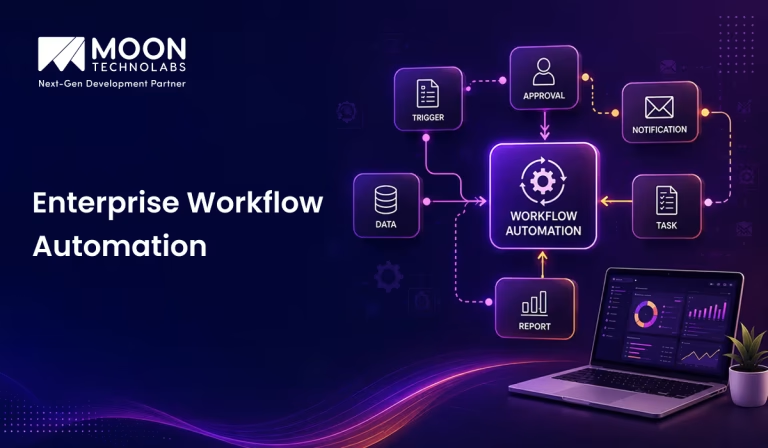
Table of Content


Blog Summary:
Missed deadlines, manual errors, and process bottlenecks are signs your enterprise needs automation immediately. This guide walks you through ten best enterprise workflow automation tools. You will learn how AI powers intelligent workflows along with the key benefits and use cases across functions.
Table of Content
Nobody starts a Monday morning excited about manually updating spreadsheets, copy-pasting data between tools that should have been communicating years ago, or chasing down approvals. Yet, that’s reality for most enterprises.
At scale, these small frustrations turn into serious bottlenecks, slowing your growth, burning out teams, and hurting your bottom line. Enterprise workflow automation changes that by connecting your systems and letting your processes run themselves.
However, picking the right automation tool isn’t a decision you should rush into. The wrong one will cost you more than the problem it was supposed to solve.
This guide covers the best tools, benefits, use cases and everything else you need to automate smarter.
What is Enterprise Workflow Automation?
Enterprise workflow automation is when you use technology to manage all your repetitive and rule-based tasks across business operations. You no longer need a human to trigger or manage every step in the process.
It is like building a system where your tools, teams, and data communicate seamlessly, moving work forward automatically using pre-defined rules or AI-backed logic. Enterprise workflow automation operates at scale, unlike your basic task automation. It connects departments like IT, HR, finance, sales and orchestrates complex multi-step processes across them.
Whether you need to route invoices for approval, onboard new employees, or trigger customer follow-ups, automation ensures nothing falls through the cracks. It’s how modern enterprises stop reacting to process failures and start running proactively.
How Can AI Automate Enterprise Workflows?
AI takes workflow automation beyond rule-based triggers. It continuously learns, adapts, and makes intelligent decisions that traditional automation frameworks cannot. Here’s what AI actually does inside your enterprise workflow:
AI-driven Task Automation
Using AI, you can eliminate the need for manual intervention. It automatically executes repetitive tasks like data entry, file routing, and notifications. It also identifies patterns in your workflow, handles tasks faster, and learns from them more accurately than any manual process could.
Intelligent Decision-making and Process Optimization
AI doesn’t just execute tasks; it evaluates them. By analyzing historical data and real-time inputs, it helps you make smart decisions at key workflow junctures, flagging exceptions and reducing bottlenecks. It continuously optimizes how your processes run without waiting for human intervention.
Real-time Workflow Monitoring and Analytics
AI monitors your workflows round-the-clock, flagging anomalies as they appear and tracking performance metrics. You get real-time visibility with actionable insights that help course-correct before things escalate.
You Might Also Like:
Automated Document and Data Processing
AI-backed tools can extract, read, classify, and process documents like invoices, contracts, reports, and even forms at scale without human intervention. You will notice reduced processing time, minimized errors, and smooth data flow across systems without any slowdown.
Predictive Workflow Automation
This is AI’s true power. AI predicts workflow issues instead of reacting to them. By analyzing historical trends and patterns, it can anticipate bottlenecks, resource shortfalls, and process delays before they happen, allowing your teams to act proactively.
Reduce errors by up to 90%, cut processing time in half, and free your teams from repetitive tasks that automation handles better.
10 Best Enterprise Workflow Automation Tools in 2026
Choosing the right automation tool is important to make workflow implementation a success. Here are 10 best enterprise workflow automation tools in 2026 that you can choose from:
Zapier
Zapier is one of the most widely used automation platforms to connect apps and automate workflows without writing a single line of code. It supports 7000+ app integrations, making it a versatile choice if you are using multiple tools.
You can easily build multi-step workflows called Zaps to trigger actions automatically across your stack. This tool works best if you need quick, no-code automation without involving your IT team. It is a simple and efficient tool. If you own complex enterprise-grade workflows, you might need a more robust tool.
Make
Make, formerly known as Integromat, is a visual workflow automation platform, giving you complete control over how your automations are built and executed. It offers a drag-and-drop builder that lets you design complex, multi-step workflows using conditional logic, data transformation and error handling built into it.
It is suited for enterprises that need flexibility without jumping into full coding. Make supports 100+ app integrations and is significantly more affordable than other enterprise-grade alternatives. That’s why it is a smart choice for most mid-to-large teams that have a strict automation budget.
n8n
If you want complete control on your automation infrastructure, you can consider n8n. With an open-source workflow automation, it lets you self-host, giving you complete ownership of data and processes. This is a critical advantage if you belong to an industry with strict compliance requirements.
You can build custom code, complex branching logic and hundreds of integration with this tool. It needs more technical expertise compared to no-code platform, rewarding you with unmatched flexibility and zero per-task pricing. If you have an in-house development team, this tool offers customization that most platforms cannot match.
Workato
Workato is built for enterprise-grade integration and automation. Combining iPaaS capabilities with intelligent automation, it allows you to connect systems, and automate workflows. You can even build recipes (pre-built automation templates) to reduce setup time.
It manages complex and cross-functional workflows for HR, finance, sales and IT with ease. You can get strong governance and security features, making Workato a natural fit for large enterprises having compliance needs. Consider this tool if your organization needs serious automation abilities with enterprise-grade reliability.
Pipedream
Pipedream sits at the intersection of developer-grade power and no-code simplicity. You can build workflows by combining pre-built actions with custom code to automate virtually anything. Pipedream connects with thousands of APIs and is a strong choice for automating data pipelines, event-driven workflows and webhook handling.
It is a great fit for enterprises where developers need speed without sacrificing control. Its free tier makes the tool accessible for teams that want to test automation capabilities before making a larger investment.
UiPath
UiPath is a powerful robotic process automation platform. It prioritizes automating repetitive and UI-based tasks that require interactions with web browsers, desktop applications, and legacy systems without modern APIs.
This tool combines RPA with AI to extend intelligent document processing, natural language understanding, and computer vision. It is purpose-built for enterprises dealing with high-volume and complex processes across healthcare, manufacturing, and finance industries. You can consider this tool if your workflows involve legacy systems that most automation tools are unable to connect with.
Automation Anywhere
Automation Anywhere is a cloud-native RPA platform designed to automate complex business processes at enterprise scale. With AI-powered bots to handle everything, from structured data processing to unstructured document handling, it delivers versatility across industries.
It comes with AARI, an AI assistant that lets employees trigger automations with natural language, bringing automation closer to everyday users without technical barriers. This tool is a strong solution for banking, insurance, and healthcare companies where high-volume and compliance-heavy workflows demand compliance with auditability and reliability.
Microsoft Power Automate
Power Automate is a natural choice if you are using Microsoft 365. It integrates with Teams, Outlook, Dynamics 365 and SharePoint, letting you automate workflows without leaving the tools your team already uses.
You get flexibility across both modern and legacy systems as it supports both cloud flows and desktop RPA. The low-code interface makes it accessible to non-technical users while offering advanced automation to the technical ones. For a Microsoft-first organization, this tool delivers strong automation capability with minimal additional licensing complexity.
Kissflow
A process automation and work management platform, Kissflow makes workflow automation easy and accessible to business users and IT teams. You can build, manage and optimize workflows using an intuitive and no-code interface. It covers everything from approvals and to complex multi-department processes.
The tool is particularly strong for HR, finance and procurement workflows. With its in-built analytics, you get clear visibility into process performance, helping you identify and solve bottlenecks early.
Kissflow is the best choice if you want to democratize automation across departments without relying on technical teams.
Monday.com
Monday.com started out as a project management tool before it evolved into a capable workflow platform for enterprise teams. The visual, board-based interface makes automating task assignments, status updates, and notifications without coding knowledge easy.
You can integrate this tool with Slack, Salesforce, HubSpot, and Google Workspace, making it easier to connect your current stack. It works best for teams that want automation built into their projects and operations, rather than as a standalone layer.
If you need workflow automation with strong visibility and built-in collaboration, Monday.com works best.
What is the Difference Between Workflow Automation and AI?
Workflow automation and AI are often used interchangeably. However, they are not the same thing. Here is a clear breakdown of how they differ across five key areas:
Rule-based vs Intelligent Automation
Workflow automation follows fixed and pre-defined rules. It executes the same action every time it is triggered without deviation or judgement. AI-powered automation, on the other hand, dives deeper by learning from data, adapting to new situations and making decisions that rule-based approaches cannot handle.
Human Dependency and Decision-making
Traditional workflow automation has humans at the centre, who help define every rule and manage exceptions. AI reduces this dependency significantly. It evaluates context, interprets unstructured data and makes judgment calls at decision points. It can handle edge cases as well.
Learning and Adaptability
Workflow automation doesn’t learn; it simply repeats. If your process changes, you must update it manually. AI continuously learns from new data, adapting its behavior accordingly. With time, it gets smarter and more accurate at handling nuances for your specific workflows.
Process Optimization Capabilities
Standard workflow automation executes processes as designed without questioning them. AI analyzes your workflow actively, identifies inefficiencies and recommends improvements as needed. It doesn’t just run processes; it builds better ones over time without waiting for manual reviews.
Scalability and Operational Efficiency
Workflow automation scales well but within the boundaries of its rules. AI scales smarter, handling increasing complexity, volume and variety without proportional increase in manual oversight. AI-backed automation adapts and maintains efficiency even where rule-based systems start showing limits as your system grows.
| Dimension | Workflow Automation | AI-powered Automation |
|---|---|---|
| Approach | Rule-based, fixed triggers | Learns, adapts, and then decides |
| Decision-making &Dependency | Follows-pre-defined rules only. High dependency on humans | Low dependency on humans. Evaluates context and handles exceptions |
| Adaptability | Doesn’t learn; repeats consistently | Continuously learns from new data |
| Process Optimization | Executes as designed without self improvement | Identifies inefficiencies and improves over time |
| Scalability | Scales within rule boundaries | Scales with increasing complexity and volume |
You Might Also Like:
Benefits of Enterprise Workflow Automation
Automation does more than just save your time. When implemented correctly, it transforms how your entire organization operates. Here are five key benefits you can expect from enterprise workflow automation:
Improved Operational Efficiency
Automation eliminates manual efforts behind repetitive tasks, freeing your teams to focus on high-value work. Processes that took hours to complete are done in minutes. This compounds into significant time savings and a leaner, productive operation across departments.
Reduced Manual Errors
Manual processes are prone to human errors like missed steps, incorrect data entries, and overlooked approvals. Automation executes tasks the same way every time, eliminating these inconsistencies. Your data stays cleaner and processes compliant, ensuring your teams spend less time fixing mistakes they didn’t need to make.
Faster Business Process Execution
Automated workflows don’t wait. Approvals move instantly, notifications trigger in real-time and hand-offs between teams occur without delays. What used to take days in manual processes happens in hours, giving your business a meaningful speed advantage over competitors.
Better Cross-team Collaboration
You can build a shared and transparent system that every team works within with workflow automation. Task approvals and updates move seamlessly across departments without emails getting lost or responsibilities falling through the cracks. Everyone on the team knows what is happening, who is accountable and what happens next.
Increased Scalability and Productivity
Manual processes struggle to keep up as your business grows. Automation scales with you. It can handle higher volumes, more complex workflows and additional. teams without increasing headcount or effort. Your people are focused on strategic work while automation manages operational load.
Moon Technolabs delivers end-to-end enterprise workflow automation implementation support, from single department automation to complex workflows, completely tailored to your needs.
Common Use Cases of Enterprise Workflow Automation
Workflow automation isn’t limited to a single department or industry. Here are the top five most common and impactful ways in which enterprises have used it:
HR and Employee Onboarding Automation
Onboarding a new employee includes multiple steps across teams like offer letters, system access, compliance documentation and training schedules. Automation manages it all seamlessly, ensuring a new hire gets a consistent experience, without HR coordinating it manually.
Finance and Invoice Processing
Manual invoicing is a slow, error-prone, and expensive process. Automation captures invoice data, matches it against your purchase order, routes it for approval, and updates accounting systems without manual intervention. Your finance team spends less time on data entry and more on strategic financial decisions.
Customer Support Workflow Automation
When a customer raises a ticket, automation categorizes it, assigns it to the right agent and triggers relevant response based on issue type immediately. Resolution times drop, and customer satisfaction improves. Your support team can handle higher volumes without burning out or dropping the ball on critical issues.
Sales and CRM Automation
Your sales team should be selling and not updating CRM records manually. Automation manages everything from lead assignment, follow-up reminders to pipeline updates and reporting automatically. Your team enjoys a cleaner CRM with better visibility into the pipeline. They have more time for conversations that actually close deals.
IT Operations and DevOps Automation
IT workflows involve repetitive and high-stakes tasks ranging from server provisioning to incident alerts and software deployments. Your IT team spends less time on routine operations and more on innovation, security, and infrastructure decisions that move your business forward.
How We Help to Implement Enterprise Workflow Automation?
Knowing the right tools and benefits is an incredible thing. However, implementing enterprise workflow automation across your organization is the real challenge. That is where Moon Technolabs comes in.
We help businesses design, build, and deploy workflow automation solutions tailored to specific operational needs. Whether you are automating a single department or orchestrating complex and cross-functional workflows across the entire organization, our team brings its technical expertise and industry experience to get it right.
Our team handles every step of the implementation process, from tool selection and integration to custom automation development and post-deployment support.
You stay focused on running your business while we handle the complexity of making automation work for you every single time.
You Might Also Like:
Conclusion
Enterprise workflow automation is no longer another nice-to-have feature or function for your organization. It is how modern businesses stay competitive, efficient, and scalable. Whether you are eliminating manual bottlenecks or building smarter processes with AI, the right automation strategy transforms how your organization operates.
The tools are out there, and the use cases, along with the benefits, have been proven. What matters now is taking that first step in the right direction. If you are ready to move from manual to automated, Moon Technolabs can help you get out there. Connect with our team for the next steps.
FAQs
01
What is enterprise workflow automation?
Enterprise workflow automation is the use of technology to manage and execute repetitive and rule-based business tasks across departments without constant human intervention to improve efficiency, accuracy and operational speed at scale.02
Which industries benefit the most from workflow automation?
Industries like healthcare, finance, manufacturing, retail and banking benefit the most from this automation. Reason being these sectors deal with high-volume, compliance heavy and repetitive processes that automation manages reliably and accurately.03
What is the difference between RPA and workflow automation?
RPA automates UI-based tasks by mimicking human actions on screens. Workflow automation connects the systems and manages end-to-end process flows. Both of them complement each other, serving different automation needs.04
How much does enterprise workflow automation implementation cost?
The cost varies based on complexity, tools chosen and scope of implementation. Basic automation starts at a few thousand dollars while enterprise-grade solutions need higher investments.05
How long does it take to automate enterprise workflows?
The simple workflows can be automated within days. However, it takes anywhere between weeks to months to automate complex and cross-functional implementations. This depends on the number of systems, processes and integrations involved in your organization.




Jayanti Katariya is the CEO of Moon Technolabs, a fast-growing IT solutions provider, with 18+ years of experience in the industry. Passionate about developing creative apps from a young age, he pursued an engineering degree to further this interest. Under his leadership, Moon Technolabs has helped numerous brands establish their online presence and he has also launched an invoicing software that assists businesses to streamline their financial operations.
Submitting the form below will ensure a prompt response from us.
We refine our expertise to deliver innovative business solutions.





205 N Michigan Avenue, #810, Chicago, 60601, Illinois, United States
13500 Long Is Dr, Pflugerville, TX 78660, USA

C/105 Ganesh Meridian, S.G. Highway, Ahmedabad, GJ 380060


Ayse D.
Co-Founder France
“ I highly recommend Moon Technolabs as the quality of service is wonderful. We have hired this company to develop the product based on some complex & technical issues. We get the best quality services as compared with others in the market. Huge Thanks to Moon Technolabs as the team is always ready to give the solution all time.”

Justin G.
Founder & CEO USA
USA“ Moon Technolabs is a pioneer in the WebRTC based project as they have fixed complicated segments of the module by fulfilling different product lines by providing 24X7 customer support. We really recommended Moon Technolabs as they are able to develop products as per the module deadline and project timeline.”

Flavio S.
Founder & Managing Director Germany
“I am happy to recommend Moon Technolabs for their app development services. They successfully developed apps for me, and I am highly satisfied with the overall outcomes. The development team has swiftly addressed the issues with responsive and effective communication to understand the requirement quickly and actively resolve the back-and-forth problems that arose...”

Jay M.
Founder & CEOUSA“Moon Technolabs is the best company that provides advanced apps and websites development services in the USA and Europe. I am a newbie to develop my app with an external team. I am really happy to work with them as I am not that much mobile apps user. Here, the team and specially the CEO of Moon Technolabs helps me to let me know about the benefits of my app to generate revenue....”


Our Offices
India
C/105 Ganesh Meridian,S.G. Highway, Ahmedabad, GJ 380060USA
205 N Michigan Avenue, #810, Chicago, 60601, Illinois, United StatesContact Information


