


10 Best API Management Tools for Building, Securing, and Scaling APIs

Software Development Team
Last Updated: Sep 23, 2026 Total Views: 89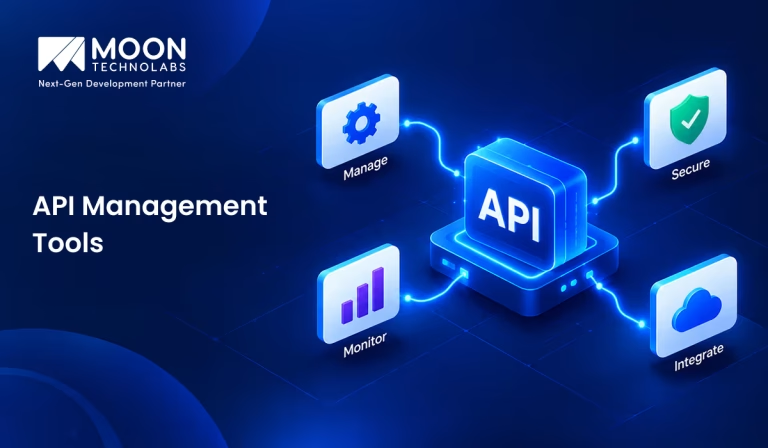
Table of Content


Blog Summary:
Modern applications rely on secure, scalable API infrastructure to drive microservices, cloud integrations, and real-time streaming. Effective API management requires robust security policies, low-latency routing, and clear developer portals. This guide evaluates the 10 best API management tools—comparing features, pros & cons, and pricing to help engineering teams choose the ideal gateway for their tech stack.
Table of Content
APIs form the operational backbone of modern software. From microservices and cloud integrations to LLM context orchestration and real-time streaming, software ecosystems rely entirely on secure, reliable API infrastructure.
Managing APIs at scale presents clear challenges: unmonitored endpoints invite security risks, poor routing causes performance bottlenecks, and weak documentation stalls developer productivity. A right-fit API management platform is essential for enforcing security policies, ensuring low-latency routing, and scaling across cloud environments.
Here is a quick look at the 10 best API management tools to help you choose the best fit for your stack.
What is an API Management Tool?
An API management tool is software that helps businesses create, publish, monitor, and control APIs. It provides a central platform to manage APIs and make them easy for developers and applications to access.
These tools also improve API security by managing authentication, access permissions, traffic limits, and usage policies. They can monitor API performance, identify issues, and help protect APIs from unauthorized access or excessive traffic.
API management tools are useful for organizations that rely on multiple APIs and integrations. They make it easier to manage the API lifecycle, track usage, improve performance, and provide developers with a reliable way to connect different applications and services.
How We Reviewed and Selected These API Management Tools?
We reviewed API management tools based on the features, usability, performance, and value they provide to businesses and development teams. Our evaluation focused on the following key criteria:
API Security
We looked at robust API security practices, including authentication, authorization, access controls, encryption, rate limiting, and threat protection. These strong security measures help organizations protect their APIs and the critical data they expose.
API Gateway Capabilities
We evaluated how effectively each tool handles API traffic, routing, request transformation, rate limiting, load balancing, and access policies. A capable API gateway can make managing and controlling API traffic much easier.
Analytics and Monitoring
We considered the quality of analytics, reporting, dashboards, alerts, and real-time monitoring. These features help teams understand API usage, identify performance issues, and troubleshoot problems.
Developer Experience
We assessed how easy the tools are for developers to use, including API documentation, testing tools, developer portals, SDK support, and overall interface usability. A better developer experience can speed API adoption and integration.
Integration Capabilities
We examined how well each platform connects with existing applications, cloud services, databases, development tools, and third-party systems. Flexible integrations are important for organizations with complex technology environments.
Scalability
We considered how well each tool supports growing API traffic, increasing user numbers, and expanding API portfolios. A scalable platform should continue to perform reliably as business requirements grow.
Pricing
We compared pricing structures, available plans, usage limits, and included features to understand the overall value offered. We also considered whether pricing suits different business sizes and use cases.
Transform Complex Systems Into Seamless Workflows
Bridge data silos, automate complex workflows, and unify your digital infrastructure with tailored enterprise integration solutions.
Quick Glance: 10 Best API Management Tools
For a fast side-by-side comparison, we summarized key evaluation points across performance, deployment models, and cost structures. Use this glance to narrow down the best API management tools for your engineering requirements and budget:
| Tool | Target Use Case | Starting Pricing | Primary Deployment Model |
|---|---|---|---|
| Google Apigee | Multi-cloud enterprise governance & monetization | ~$365/mo (Pay-as-you-go) | Hybrid / Multi-cloud |
| Microsoft Azure API Management | Deep integration with Microsoft cloud services | ~$0.035/10k calls (Pay-as-you-go) | Azure Cloud / Hybrid |
| AWS API Gateway | Serverless & microservices infrastructure on AWS | $1.00 / 1 million calls | Managed Cloud (AWS) |
| MuleSoft Anypoint Platform | Complex legacy ESB integrations & orchestration | ~$40,000+/year | Hybrid / On-Premise / Cloud |
| Kong | Ultra-fast, cloud-native microservices routing | Free (Open Source) | Kubernetes / Cloud-Native |
| IBM API Connect | Highly regulated industries needing strict security | Custom Enterprise | Multi-cloud / On-Premise |
| Postman | API-first design, testing, & collaboration | Free tier ($14/user/mo paid) | Cloud / Desktop SaaS |
| Tyk | Go-based lightweight gateway with native GraphQL | Free (Open Source) | Cloud / Hybrid / Self-Hosted |
| Gravitee | Native management for REST, Kafka, & AI traffic | Free (Open Source) | Hybrid / Multi-cloud |
| WSO2 API Manager | Full-lifecycle open-source API management | Free (Apache 2.0 license) | Kubernetes / VM / Cloud |
10 Best API Management Tools to Consider in 2026
Navigating the API ecosystem requires a gateway that balances rapid developer velocity with enterprise-grade security and uptime. We reviewed top tools for features, scalability, usability, and pricing to narrow your choices. Here is an in-depth look at the best API management tools to consider:
Google Apigee
Google Apigee is an enterprise-grade API management platform built for full lifecycle control across multi-cloud and hybrid environments. It abstracts complex backend infrastructure behind secure API proxies and offers deep analytics, monetization capabilities, and AI-driven security features.
Best Features
- Advanced AI-powered threat protection and automated traffic anomaly detection.
- Full API monetization lifecycle support, including custom rate plans and billing.
- Built-in developer portal with interactive documentation, sandbox tools, and self-serve onboarding.
- Seamless native integration with Google Cloud Platform services and hybrid-cloud deployments.
Best For
- Large enterprises with complex multi-cloud hybrid setups requiring advanced governance, deep analytics, and native monetized API ecosystems.
Pros & Cons
- Pros: Top-tier security policies; comprehensive analytics dashboards; high SLA reliability.
- Cons: Steep learning curve; setup can be complex; among the highest price points in the market.
Pricing
- Evaluation: Free 60-day sandbox.
- Pay-as-you-go: Base environment fees starting at ~$365/month per region plus ~$20 per 1 million API calls.
- Standard & Enterprise Subscriptions: Quote-based custom enterprise billing (often $20,000 to $100,000+ ACV).
Microsoft Azure API Management
Microsoft Azure API Management acts as a unified facade that abstracts, protects, and publishes APIs running across Azure or on-premises servers. It streamlines developer access through customizable portals while integrating directly with Microsoft’s enterprise security and identity frameworks.
Best Features
- Seamless integration with Microsoft ecosystem services (Entra ID, Azure Functions, Azure App Service).
- Multi-region deployment capabilities for global low-latency API traffic routing.
- Self-service developer portals are customizable via a visual drag-and-drop interface.
- Serverless tier that scales down to zero when unutilized.
Best For
- Enterprises heavily invested in the Azure Cloud ecosystem needing unified API orchestration and access control.
Pros & Cons
- Pros: Granular access controls via Entra ID; excellent hybrid capability with Arc; consumption-based entry option.
- Cons: Developer portal customization can be rigid; performance tuning requires deep Azure knowledge.
Pricing
- Consumption Tier: Pay-per-execution model (first 1 million calls free/month, then ~$0.035 per 10k calls).
- Developer Tier: Static environment for non-production usage starting around ~$48/month.
- Basic, Standard & Premium: Dedicated production instances scaling from ~$140/month to over $2,800/month per unit.
AWS API Gateway
AWS API Gateway is a fully managed service that allows developers to create, publish, maintain, and secure APIs at any scale. As the entrance to backend applications, it excels in serverless architectures by connecting directly to services like AWS Lambda and DynamoDB without infrastructure management overhead.
Best Features
- First-class integration with serverless architectures (AWS Lambda, DynamoDB, ECS).
- Supports REST, HTTP, and WebSocket APIs for real-time messaging.
- Built-in API authorization with IAM, AWS Cognito, and custom Lambda authorizers.
- Fine-grained throttling, rate-limiting, and staging environments.
Best For
- Development teams building cloud-native microservices or serverless applications within Amazon Web Services.
Pros & Cons
- Pros: Zero cluster management required; highly cost-effective for variable traffic; native AWS IAM security.
- Cons: Weak built-in analytics compared to dedicated enterprise suites; limited standalone developer portal features.
Pricing
- AWS Free Tier: 1M HTTP/REST API calls and 1M WebSocket messages free for 12 months.
- HTTP APIs: $1.00 per 1 million requests.
- REST APIs: $3.50 per 1 million requests (with volume discounts dropping past 333M).
- WebSocket APIs: $1.00 per 1 million messages + $0.25 per million connection minutes.
MuleSoft Anypoint Platform
MuleSoft Anypoint Platform combines API management with powerful enterprise integration and ESB (Enterprise Service Bus) capabilities. It allows organizations to connect disparate legacy systems, SaaS products, and custom databases using reusable API assets and low-code data integrations.
Best Features
- Full-lifecycle API management coupled with powerful Enterprise Service Bus (ESB) integrations.
- Pre-built connectors for thousands of SaaS and legacy enterprise applications.
- API designer with native OpenAPI/RAML modeling and automated mocking services.
- Visual data mapping tool (DataWeave) for complex data transformations.
Best For
- Large organizations require complex integration orchestration, legacy modernizations, and ESB workflows alongside API control.
Pros & Cons
- Pros: Exceptionally robust integration capabilities; strong reuse ecosystem; comprehensive governance.
- Cons: High cost footprint; vendor lock-in; requires specialized developer skills (DataWeave).
Pricing
- Quote-based pricing based on platform capacity (Mule vCores) and API volume, typically starting around $40,000–$80,000+ per year for entry enterprise tiers.
Kong
Kong is a lightweight, ultra-fast API gateway optimized for high-throughput and low-latency microservices routing. Built on NGINX, it provides an extensible plugin-driven framework that operates seamlessly across cloud, on-premises, and Kubernetes architectures.
Best Features
- Built on NGINX for sub-millisecond routing and high-throughput performance.
- Massive plugin ecosystem covering auth, rate-limiting, transformations, and AI guardrails.
- Kong Konnect: Cloud-managed SaaS control plane with hybrid data planes.
- Full Kubernetes-native deployment (Kong Ingress Controller).
Best For
- High-volume microservices architectures, cloud-native tech stacks, and Kubernetes-first environments requiring ultra-fast routing.
Pros & Cons
- Pros: Blazing-fast latency; versatile deployment models; strong open-source foundation.
- Cons: Enterprise features (like advanced security plugins and GUI monitoring) locked behind paid tiers.
Pricing
- Kong Gateway Open Source: Free.
- Kong Konnect / Enterprise: Tiered licensing based on services/data planes; mid-market deployments typically start around $30,000–$60,000+ per year.
IBM API Connect
IBM API Connect is an enterprise API lifecycle management solution built around security, compliance, and multi-cloud operations. It enables businesses to automate API creation, enforce strict governance, and run API gateways across modern container platforms like Red Hat OpenShift.
Best Features
- Automated API generation directly from database schemas and backend code.
- A highly secure enterprise gateway with built-in, financial-grade security profiles.
- Comprehensive analytics and operational health telemetry.
- Flexible multi-cloud support (IBM Cloud, AWS, Azure, or on-premises).
Best For
- Highly regulated enterprises (banking, finance, insurance, healthcare) with strict security, compliance, and multi-cloud mandates.
Pros & Cons
- Pros: High security standards; strong enterprise governance capabilities; robust offline development workflow.
- Cons: Complex initial deployment; UI can feel dated compared to modern developer-centric tools.
Pricing
- Reserved Cloud / On-Premise: Tiered subscription quotes based on API call volumes and managed compute capacity (enterprise contracts generally start at five figures annually).
Postman
Postman is an API development platform centered around API-first engineering, design, testing, and collaboration. While it isn’t a traditional production traffic gateway, it provides essential developer tooling for prototyping, documenting, mocking, and monitoring APIs throughout their development lifecycle.
Best Features
- API-first development workspace covering testing, mocking, documenting, and monitoring.
- Automated API documentation generation directly from collections.
- Postman API Network for private internal discovery and public API distribution.
- Seamless CI/CD build pipeline integration via Newman CLI.
Best For
- Engineering teams focused on API design, testing, internal collaboration, and the documentation lifecycle rather than edge gateway enforcement.
Pros & Cons
- Pros: Industry standard for developer experience; rapid setup; great for testing and mocking.
- Cons: Not a traditional runtime API Gateway for heavy production traffic enforcement.
Pricing
- Free Tier: Basic workspace capabilities with limited team sharing.
- Basic & Professional: ~$14 to $29 per user/month billed annually.
- Enterprise: ~$49 per user/month with advanced governance, security, and SSO controls.
Tyk
Tyk is an open-source API gateway and management platform written natively in Go for lightweight, high-performance runtime execution. It offers complete API management capabilities without JVM overhead, with out-of-the-box support for REST, GraphQL, and modern developer portals.
Best Features
- Pure Go-based architecture offering high performance without external dependencies.
- Native GraphQL engine with dynamic stitching and federation capabilities.
- Out-of-the-box multi-tenant portal for internal and external developers.
- Flexible deployment: Open Source, Self-Hosted Enterprise, or Tyk Cloud SaaS.
Best For
- Modern engineering teams that want a light, open-source alternative with native GraphQL support.
Pros & Cons
- Pros: Uncomplicated architecture (no JVM overhead); excellent GraphQL federation; transparent pricing options.
- Cons: Smaller community ecosystem compared to Kong or AWS.
Pricing
- Open Source: Free self-hosted gateway.
- Cloud & Hybrid Enterprise: Pay-as-you-grow tiers starting around ~$1,000–$1,500/month for production deployments, with enterprise-wide custom plans.
Gravitee
Gravitee is an event-native API management tool designed to manage both traditional REST APIs and real-time asynchronous streaming data streams. It features an intuitive visual interface for designing policies and controlling traffic across systems like Kafka, MQTT, and WebSockets.
Best Features
- Event-native API management supporting both synchronous (REST) and asynchronous protocols (Kafka, MQTT, WebSockets).
- Drag-and-drop policy studio for flow design and access control.
- Integrated Access Management (IAM) module for identity federation and step-up auth.
- Real-time threat detection and schema validation.
Best For
- Organizations adopting event-driven architectures (Kafka/AsyncAPI) alongside traditional REST services.
Pros & Cons
- Pros: Industry-leading support for asynchronous and event-driven architectures; intuitive visual policy designer.
- Cons: Relatively newer ecosystem; fewer third-party community extensions than older tools.
Pricing
- Community Edition: Free open-source deployment.
- Enterprise Edition: Quote-driven subscription model based on features and gateway nodes.
WSO2 API Manager
WSO2 API Manager is a fully open-source, full-lifecycle API management solution that supports REST, GraphQL, gRPC, and event-driven architectures. It equips enterprises with secure access control, analytics, and identity management without locking core capabilities behind enterprise licensing walls.
Best Features
- 100% open-source core with full-lifecycle management, including portal, gateway, and analytics.
- Native support for REST, SOAP, GraphQL, gRPC, and AsyncAPIs.
- Deep integration with WSO2 Identity Server for fine-grained OAuth2 and CIAM.
- Flexible deployment across Kubernetes, VM, and multi-cloud topologies.
Best For
- Enterprises needing a fully featured open-source platform without feature locks or proprietary runtime gates.
Pros & Cons
- Pros: Complete features available in the open-source version; no license fee required to self-host.
- Cons: Configuration overhead can be high; administrative UI requires a learning curve.
Pricing
- Open Source: Free (Apache 2.0 license) for unlimited usage.
- Commercial Enterprise Support: Paid subscription plans starting around ~$15,000–$25,000+ per year for production support SLAs and cloud hosting.
API Management Tools vs API Gateways
While both layers work together to deliver robust APIs, they serve fundamentally different functions across runtime execution and operational governance; here’s the difference:
| Feature | API Management Tools | API Gateways |
|---|---|---|
| Primary Purpose | Manage APIs across the complete lifecycle. | Route, control, and secure API traffic. |
| API Lifecycle Management | Design, publish, version, document, monitor, and retire APIs. | Mainly handles API traffic at runtime. |
| Security | Authentication, authorization, rate limiting, access policies, and threat protection. | Authentication, authorization, TLS, and traffic filtering. |
| Analytics and Monitoring | Detailed analytics, dashboards, reports, alerts, and performance insights. | Traffic metrics, logs, errors, and basic monitoring. |
| Developer Portal | Documentation, API discovery, testing, and developer onboarding. | Usually limited or not included. |
| Best Use Cases | Complete API lifecycle management and governance. | API routing, security, traffic management, and backend service protection. |
How to Choose the Right API Management Tool?
Selecting the right API management tool depends on aligning your engineering architecture, security standards, traffic demands, and budget. Here is a framework to guide your decision-making process:
Define Your API Requirements
Identify your API types, traffic levels, users, and business goals. Determine essential features such as gateways, rate limiting, analytics, documentation, monitoring, and lifecycle management to find platforms that match your requirements.
Evaluate Security Capabilities
Review security features including authentication, authorization, OAuth, API keys, encryption, rate limiting, and access controls. Monitoring, auditing, and threat detection capabilities also help protect APIs from unauthorized access and security risks.
Consider Cloud and Deployment Options
Choose a deployment model that matches your infrastructure, whether cloud, on-premises, or hybrid. Check support for preferred cloud providers, regions, and environments to ensure smooth deployment, flexibility, and easier long-term management.
Check Integration Requirements
Ensure the API management platform integrates with your existing technology stack. Consider compatibility with identity providers, CI/CD pipelines, monitoring tools, databases, developer platforms, and service meshes to simplify implementation and streamline API management workflows.
Evaluate Scalability and Performance
Assess the platform’s ability to handle increasing API traffic, users, and workloads. Consider latency, throughput, availability, caching, load balancing, and autoscaling to ensure reliable performance as your API ecosystem grows.
Compare Pricing and Total Cost
Compare subscription fees alongside costs for API calls, users, data transfer, infrastructure, support, implementation, and maintenance. Evaluating total cost of ownership clarifies the platform’s long-term financial impact.
Consider Developer Experience
Choose a platform that makes APIs easy to discover, understand, test, and integrate. Features such as developer portals, clear documentation, SDKs, testing tools, self-service access, and analytics can improve adoption and productivity.
Ready to Build, Secure, and Scale Your Enterprise APIs?
Partner with our experts to design, integrate, and optimize high-performance API architectures tailored specifically to your business goals.
How Does Moon Technolabs Help With API Management and Integration?
As a leading custom API development company, Moon Technolabs delivers end-to-end API engineering to help businesses design, build, and secure bespoke RESTful, SOAP, and GraphQL APIs.
We build scalable architectures with robust authentication, rate-limiting, and encryption. By leveraging modern frameworks, we ensure high-throughput, low-latency routing backed by automated testing and clean documentation.
Beyond development, we specialize in seamless integration services that bridge legacy enterprise software, cloud platforms, and third-party SaaS tools. We eliminate data silos by enabling real-time synchronization and automating complex workflows. Whether connecting payment gateways, AI services, or IoT networks, our team delivers secure, reliable enterprise connectivity tailored to your needs.
Key Takeaways
Selecting the right API management platform is pivotal to building a resilient enterprise architecture that balances velocity, security, and uptime. While your choice between open-source gateways, cloud-native services, and enterprise integration suites depends on traffic demands and team expertise, long-term success ultimately depends on flawless implementation.
Partnering with experienced professionals for custom software development services ensures your gateways are expertly configured, backend systems are securely bridged, and your digital infrastructure scales effortlessly to support modern microservices and AI workloads.
FAQs
01
What are API management tools used for?
API management tools help organizations create, secure, publish, monitor, and manage APIs. They provide features such as authentication, rate limiting, analytics, documentation, traffic control, and lifecycle management to simplify API operations.02
What is the difference between an API gateway and an API management tool?
An API gateway primarily handles API traffic, routing, security, authentication, and policies. An API management tool offers broader capabilities, including gateway functionality plus API analytics, documentation, developer portals, lifecycle management, and governance.03
Which API management tools are suitable for enterprise applications?
Enterprise applications typically require platforms that support scalability, security, integrations, governance, monitoring, and multiple deployment models. The right choice depends on factors such as existing infrastructure, API complexity, compliance requirements, traffic volume, and budget.04
How much do API management tools cost?
Pricing varies by platform, API traffic, number of users, features, deployment model, and support requirements. Some providers offer free tiers, while enterprise solutions may use usage-based, subscription, or customized pricing models.05
What features should I look for when choosing an API management platform?
Key features include API gateways, authentication, authorization, rate limiting, analytics, monitoring, documentation, developer portals, lifecycle management, scalability, integrations, and flexible deployment options. Before selecting a platform, consider security, performance, ease of use, and total cost.



The Software Development Team at Moon Technolabs includes experienced developers, solution architects, and technology consultants who contribute content on software engineering, application development, system architecture, and digital innovation. Their articles are based on real-world project experience and aim to help businesses make informed technology decisions.
Submitting the form below will ensure a prompt response from us.
We refine our expertise to deliver innovative business solutions.





205 N Michigan Avenue, #810, Chicago, 60601, Illinois, United States
13500 Long Is Dr, Pflugerville, TX 78660, USA

C/105 Ganesh Meridian, S.G. Highway, Ahmedabad, GJ 380060


Ayse D.
Co-Founder France
“ I highly recommend Moon Technolabs as the quality of service is wonderful. We have hired this company to develop the product based on some complex & technical issues. We get the best quality services as compared with others in the market. Huge Thanks to Moon Technolabs as the team is always ready to give the solution all time.”

Justin G.
Founder & CEO USA
USA“ Moon Technolabs is a pioneer in the WebRTC based project as they have fixed complicated segments of the module by fulfilling different product lines by providing 24X7 customer support. We really recommended Moon Technolabs as they are able to develop products as per the module deadline and project timeline.”

Flavio S.
Founder & Managing Director Germany
“I am happy to recommend Moon Technolabs for their app development services. They successfully developed apps for me, and I am highly satisfied with the overall outcomes. The development team has swiftly addressed the issues with responsive and effective communication to understand the requirement quickly and actively resolve the back-and-forth problems that arose...”

Jay M.
Founder & CEOUSA“Moon Technolabs is the best company that provides advanced apps and websites development services in the USA and Europe. I am a newbie to develop my app with an external team. I am really happy to work with them as I am not that much mobile apps user. Here, the team and specially the CEO of Moon Technolabs helps me to let me know about the benefits of my app to generate revenue....”


Our Offices
India
C/105 Ganesh Meridian,S.G. Highway, Ahmedabad, GJ 380060USA
205 N Michigan Avenue, #810, Chicago, 60601, Illinois, United StatesContact Information


