How to Use Magnet Links: A Complete Step-by-Step Guide

Marketing Team
Last Updated: Jul 09, 2026 Total View: 215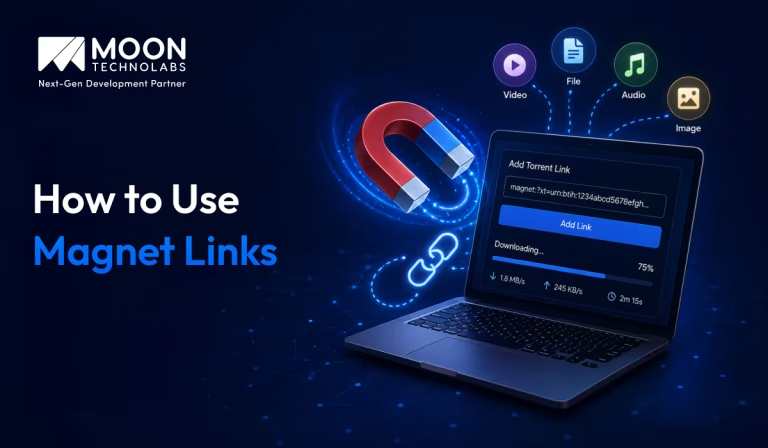
Magnet Links Not Opening as Expected?
If a magnet link won’t open or start downloading, the issue may be with your torrent client, browser settings, or link association. Get the setup right for a smoother experience.
- Torrent client setup
- Magnet link association
- Browser configuration checks
- Connection issue troubleshooting


Downloading files through the internet usually involves clicking a direct download link and receiving data from a central server. Magnet links work differently. Instead of pointing directly to a file stored on a specific server, they contain information that allows a compatible BitTorrent client to locate other users who are sharing the same content.
For beginners, magnet links can initially seem confusing because clicking one may open another application instead of starting a traditional browser download. However, once a compatible client is installed and configured, using a magnet link is generally straightforward.
This guide explains how to use magnet links, how they work, what software is required, how to open them on different devices, common problems you may encounter, and important security practices to follow.
Note: Magnet links and BitTorrent technology have legitimate uses, including distributing open-source software and other authorized content. Only download and share files you have the legal right to access.
What is a Magnet Link?
A magnet link is a type of hyperlink commonly used with peer-to-peer file-sharing technologies. Unlike a traditional URL, which points to a specific file location on a web server, a magnet link identifies content using information such as a cryptographic hash.
When you open a magnet link, a compatible BitTorrent client reads this information and attempts to find peers who are sharing the matching content. Once peers are discovered, the client can begin retrieving the available data.
A magnet link may look similar to this:
magnet:?xt=urn:btih:EXAMPLE_HASH
The magnet: portion tells your operating system or browser that the link should be handled by an application registered for the magnet protocol.
How Do Magnet Links Work?
Magnet links work through a decentralized peer-to-peer system. Rather than downloading an entire file from one centralized server, a BitTorrent client can retrieve pieces of data from multiple available peers.
The magnet link contains an identifier that represents the desired content. The BitTorrent client uses that identifier to find peers, retrieve metadata, and begin transferring the data.
A simplified process looks like this:
User Clicks Magnet Link
↓
BitTorrent Client Opens
↓
Content Identifier Is Read
↓
Client Searches for Peers
↓
Metadata Is Retrieved
↓
File Transfer Begins
This approach eliminates the need to download a separate .torrent file before starting the transfer.
Magnet Links vs Torrent Files: What is the Difference?
Magnet links and torrent files can both be used to initiate BitTorrent transfers, but they handle the initial information differently. A .torrent file is a small metadata file that must first be downloaded and opened in a compatible client.
A magnet link places the necessary content identifier directly inside the hyperlink. This makes it more convenient to share and removes the need to host a separate torrent metadata file.
| Parameter | Magnet Link | Torrent File |
|---|---|---|
| Format | Hyperlink | .torrent file |
| Separate File Required | No | Yes |
| Initial Metadata | Retrieved after opening | Included in the file |
| Sharing | Easy to copy and share | Requires sharing a file |
| Compatible Client | Required | Required |
| Central File Hosting | Not required for the link itself | Torrent file must be hosted or transferred |
| Ease of Use | Generally more convenient | Traditional approach |
What Do You Need to Open a Magnet Link?
Before using a magnet link, you need an application that supports the BitTorrent protocol. A normal web browser generally does not download the content itself.
Instead, the browser sends the magnet link to a compatible BitTorrent client installed on your device. The client then manages peer discovery, metadata retrieval, transfer progress, and file storage.
A Compatible BitTorrent Client
You need to install software that can handle magnet links. Common examples include qBittorrent, Transmission, and Deluge.
After installation, the application may ask whether you want to associate it with magnet links. Allowing this association makes it possible to open magnet links directly from your browser.
An Active Internet Connection
The BitTorrent client needs internet access to discover and communicate with peers. Download availability and speed can vary depending on how many peers are sharing the content.
If no peers are available, the client may be unable to retrieve metadata or begin the transfer.
Sufficient Storage Space
Before starting a transfer, make sure your device has enough available storage space. Some downloads can contain multiple files or require significantly more disk space than expected.
Most clients display the total content size after successfully retrieving metadata.
7 Easy Steps: How to Use Magnet Links
Using a magnet link is generally simple once the required software has been installed. The exact interface may vary depending on your operating system and BitTorrent client, but the overall process remains similar.
The following steps explain the standard process from installing a compatible client to accessing the completed files.
Step 1: Install a Compatible BitTorrent Client
Choose and install a reputable BitTorrent client that supports magnet links. Complete the normal installation process and review the application’s configuration options.
During setup, you may see an option similar to:
Associate application with magnet links
Enable this setting to have your browser automatically open magnet links in the selected client.
Step 2: Find a Legitimate Magnet Link
Obtain a magnet link from a legitimate source that distributes content you are authorized to download. Open-source software projects and creators sometimes use BitTorrent to reduce server bandwidth requirements.
A magnet link typically begins with:
magnet:?
Before opening unfamiliar content, verify the source and make sure you understand what you are downloading.
Step 3: Click the Magnet Link
Click the magnet link in your web browser.
The browser may display a message asking whether you want to open an external application. For example:
Open this link with your BitTorrent client?
Confirm the request if you trust the source and want to continue.
Step 4: Review the Content Information
Your BitTorrent client should open and begin processing the magnet link. Depending on peer availability, it may take some time to retrieve the content metadata.
Once the metadata becomes available, review information such as:
- Content name
- Included files
- Total size
- Download location
If the transfer contains multiple files, many clients allow you to deselect files you do not need.
Step 5: Choose the Download Location
Select the folder where you want the completed files to be stored.
For example:
Downloads/
Documents/
Videos/
Software/
Choosing an organized location makes the files easier to find after the transfer finishes.
Also verify that the selected drive has sufficient free storage space.
Step 6: Start and Monitor the Transfer
Confirm the download settings and begin the transfer.
Your client will typically display information such as:
- Download progress
- Transfer speed
- Number of peers
- Estimated completion time
- Uploaded data
Transfer speed depends heavily on network conditions and the availability of peers.
Step 7: Verify and Open the Completed Files
Once the client reports that the transfer is complete, navigate to the selected destination folder.
Before opening unfamiliar files, especially executable programs or archives, scan them using appropriate security software and verify that the files came from a trusted source.
You can then open or use the content normally.
How to Open Magnet Links in qBittorrent?
qBittorrent is an open-source BitTorrent client available for multiple desktop operating systems. It supports both magnet links and traditional torrent files.
After installing the client, clicking a magnet link should normally prompt your browser to open qBittorrent automatically.
Add a Magnet Link Manually
If clicking the link does not work, copy the magnet link and add it manually through the client’s option for adding a torrent link.
Paste the copied link, confirm it, wait for metadata retrieval, review the files and destination folder, and then start the transfer.
This manual approach is also useful when browser protocol associations are not configured correctly.
How to Use Magnet Links on Windows?
On Windows, magnet links are usually opened through the default BitTorrent client registered for the magnet protocol.
After installing a compatible client, click a magnet link and approve the browser prompt to open the external application.
If nothing happens, the magnet protocol may not be associated with your installed client. Check the client’s settings for file and protocol association options, then restart the browser if necessary.
How to Use Magnet Links on macOS?
The process on macOS is similar. Install a compatible BitTorrent client, allow it to handle magnet links, and then open the link through your browser.
If macOS asks you to select an application, choose your installed BitTorrent client.
For links that do not open automatically, copying and pasting the magnet URI directly into the client is often the easiest solution.
How to Use Magnet Links on Linux?
Linux users can use desktop clients such as Transmission, qBittorrent, or Deluge, depending on their distribution and preferences.
After installation, the desktop environment or browser may automatically associate the magnet: protocol with the selected application.
If automatic handling fails, manually copy the magnet link and paste it into the client’s link input option.
Why is My Magnet Link Not Working?
A magnet link may fail to open or begin transferring for several reasons. The issue could involve browser settings, client configuration, internet connectivity, peer availability, or the link itself.
Identifying whether the client fails to open or the transfer fails to start can help you find the correct solution more quickly.
No BitTorrent Client is Installed
A browser cannot normally process the complete BitTorrent transfer by itself. If no compatible application is installed, clicking the link may produce an error or no response.
Install a reputable compatible client and try opening the link again.
Browser Does Not Open the Client
The browser may not know which application should handle the magnet: protocol.
Check your browser and operating system protocol settings. You can also try copying the link and adding it directly to your client.
Metadata is Taking Too Long to Load
After opening a magnet link, you may see a message such as:
Downloading metadata
The client needs to discover peers that can provide the necessary metadata. If peer availability is low, this process may take longer or fail entirely.
No Peers are Available
Peer-to-peer transfers depend on other participants making the content available.
If no peers have the required content online, the transfer cannot progress. Waiting may help if peers return later, but permanently unavailable content may never complete.
Firewall or Network Restrictions
Firewalls, restrictive networks, or router configurations can affect peer-to-peer connectivity.
Workplace, school, or public networks may also restrict BitTorrent traffic under their acceptable-use policies. Use networks and systems only in accordance with their rules.
Is it Safe to Use Magnet Links?
The magnet technology itself is not inherently malicious. However, the safety of the downloaded content depends on its source and the files being shared.
Just as with email attachments, cloud storage files, or direct downloads, content from unknown sources may contain malicious software or misleading file types.
Verify the Source
Use magnet links from trusted, legitimate sources whenever possible. Avoid opening links from suspicious advertisements, unknown messages, or websites that attempt to disguise their content.
Source verification is one of the most effective ways to reduce security risks.
Review Files Before Opening Them
After metadata loads, inspect the list of files included in the transfer.
Be particularly careful with unexpected executable files, scripts, installers, or password-protected archives. If the content does not match what you expected, cancel the transfer.
Keep Security Software Updated
Updated operating systems and security tools can help identify known threats.
Scanning unfamiliar files before opening them provides an additional security layer, although no security measure can guarantee that every malicious file will be detected.
Common Mistakes to Avoid When Using Magnet Links
Magnet links are relatively easy to use, but beginners may make mistakes that create security, storage, or usability problems. Understanding these issues helps create a safer and more reliable experience:
Downloading Without Checking the Source
Opening unknown magnet links without verifying their origin can expose your device to unsafe or unwanted content.
Always confirm that you are authorized to download the content and that the source is trustworthy.
Opening Files Immediately After Completion
A completed transfer does not automatically mean the files are safe. Review and scan unfamiliar content before opening it, especially when the transfer includes executable files.
Ignoring Available Storage
Large transfers may fill your storage drive unexpectedly. Check the total content size and available disk capacity before beginning the download.
Forgetting About Uploading
BitTorrent is a peer-to-peer protocol, which means clients can upload pieces of content to other peers. Understand your client’s behavior, network usage, and any applicable data limits or network policies.
How Moon Technolabs Helps with Peer-to-Peer and Software Development?
Moon Technolabs helps businesses build scalable software applications, real-time platforms, cloud-based systems, and custom digital solutions based on specific technical and business requirements. Our development teams focus on designing secure architectures, efficient data transfer workflows, reliable backend systems, and user-friendly applications.
Whether you need a custom web platform, mobile application, distributed software system, cloud solution, or high-performance backend architecture, Moon Technolabs provides end-to-end development support. Our approach focuses on security, scalability, performance, and long-term maintainability to help businesses create reliable software products.
Need Expert Help Building Secure File-sharing Solutions?
We help businesses develop scalable and reliable software solutions with secure data transfer, seamless integrations, and optimized performance.
Conclusion
Learning how to use magnet links is straightforward once you understand how they differ from traditional download links. Instead of connecting to a single central server, a magnet link provides information that a compatible BitTorrent client can use to discover peers and retrieve the associated content.
The basic process involves installing a compatible client, opening a legitimate magnet link, reviewing the retrieved metadata, selecting a storage location, and monitoring the transfer until completion. If a magnet link does not work, checking the protocol association, client installation, peer availability, and network settings can resolve many common problems.
Most importantly, magnet links should be used responsibly. Verify sources, review downloaded files, maintain updated security software, and only download or share content you are legally authorized to access. With the right tools and practices, magnet links provide a convenient way to use legitimate peer-to-peer file distribution.


Jayanti Katariya is the CEO of Moon Technolabs, a fast-growing IT solutions provider, with 18+ years of experience in the industry. Passionate about developing creative apps from a young age, he pursued an engineering degree to further this interest. Under his leadership, Moon Technolabs has helped numerous brands establish their online presence and he has also launched an invoicing software that assists businesses to streamline their financial operations.
Get in Touch With Us
Submitting the form below will ensure a prompt response from us.