


What is a DevOps Pipeline? A Complete Guide to CI/CD Workflows

Jayanti Katariya
Last Updated: May 04, 2026 Total Views: 264
Table of Content


Blog Summary:
DevOps pipelines are necessary to drive software delivery by fostering collaboration and ensuring consistent and quality releases. This comprehensive guide covers everything about the DevOps pipeline, including its benefits, configuration files, CI/CD pipelines, and more. It also describes the development process for the DevOps pipeline, best practices, and tips for selecting the right DevOps pipeline for your project.
Table of Content
Imagine you are all set to launch a new feature, but then encounter unexpected delays, bugs, or even last-minute failures during deployment. This is one of the common challenges that most businesses face nowadays. It makes the entire software delivery process more stressful, less reliable, and more time-consuming.
These issues prompt most organizations to adopt DevOps practices to simplify or speed up their workflows. To get the most out of this approach, you need to know first What Is a DevOps Pipeline.
A DevOps pipeline automates the entire process to build, test, and implement software – it enables teams to work together and release updates fast.
In this guide, you will get a complete explanation of how DevOps pipelines function and also their impact on making your software delivery smooth and efficient.
What is a DevOps Pipeline?
A DevOps pipeline is an automated, structured set of processes that moves code from developers’ devices to the production environment. It essentially acts as an assembly line for software, where every crucial change undergoes rigorous development, testing, and deployment with minimal human intervention.
It minimizes the gap between the development and operations teams, making the software delivery process faster, more reliable, and more repeatable. A DevOps pipeline includes various important things, which are as follows:
- Automated Builds: It involves code compilation into deployable artifacts
- Source Code Management: It involves analyzing and versioning even a small code change.
- Testing Stages: It catches bugs even before they reach users.
- Deployment Automation: It involves pushing updates to staging or even production environments.
Why Use a DevOps Pipeline?
With a DevOps pipeline, your development team can structure and automate workflows to deliver software efficiently while maintaining system stability and team productivity. Let’s explore some other reasons why the DevOps pipeline is useful:
Faster Software Delivery
A DevOps pipeline speeds up the entire development process with minimal possibility of error. It enables teams to ship code at different times of the day rather than once every few weeks. It helps the team minimize issues and reduce the time between coding and seeing it live.
Improved Collaboration Between Teams
A DevOps pipeline minimizes walls between development and operations teams. These teams work towards a similar objective with shared visibility, tools, and a common workflow. It minimizes overall finger-pointing, enhances communication, and fosters a strong sense of ownership of the products.
Reduced Deployment Errors
Software deployment fails mainly due to human error, which occurs when the entire process is handled manually. A DevOps pipeline standardizes the entire process, whether it’s the same order, the same steps, or even every single time. Rollback mechanisms and automated checks reveal that if something goes out of control, the system detects it early and recovers fast.
Continuous Testing and Monitoring
A DevOps pipeline is not just limited to code deployment – it also validates the code at every single step. Automated tests run with every commit, catching regressions, especially when they are affordable to resolve. Post deployment helps you keep an eye on app health and alerts teams the moment that something behaves unexpectedly.
Better Scalability and Reliability
When you design it well, a DevOps pipeline scales with minimal effort. It handles more services, developers, and deployments, even without falling apart. Whether it’s an automated or consistent process, it reflects how your infrastructure behaves predictably, whether you deploy weekly or even several times a day.
We help you upgrade your workflow with advanced DevOps solutions that improve quality, speed, reliability, and more. Let’s start with expert guidance.
What is a Pipeline Configuration File?
As a text-based file, a pipeline configuration file defines the actual behavior of your CI/CD pipeline, including which steps to run, in what order, and under what conditions. You don’t need to set up your pipeline by clicking through a UI. Instead, you can write it as code, version it alongside your app, and let your CI/CD tool read and implement it automatically.
Role of YAML and Pipeline-as-Code
YAML has emerged as a go-to language for creating pipeline configuration files across advanced CI/CD platforms. It comes with a human-readable, clean syntax, making it convenient to define complex workflows without a steep learning curve.
Common Pipeline Configuration Formats
Most platforms have their own configuration file. The following are some of those:
- GitHub Actions: It uses .github/workflows/*.yml
- GitLab CI: It depends mainly on .gitlab-ci.yml
- Jenkins: It uses mainly Jenkinsfile.
Benefits of Defining Pipelines as Code
Well, defining Pipelines as Code includes a plethora of benefits. The following are some of those:
- Reproducible
- Version Controlled
- Portable
- Collaborative
You Might Also Like:
What is a CI/CD Pipeline?
A CI/CD pipeline acts as a practical implementation of DevOps principles. It automates the entire coding journey, right from the moment developers push a change to the moment it reaches the end users. Instead of being just a tool, it’s basically a philosophy backed by automation.
Continuous Integration (CI) Explained
CI is a practice that involves frequently combining different code changes into a shared repository. Every merge automatically triggers a build and a complete suite of automated tests. The key objective is to catch integration issues early, when they are small and affordable to resolve.
Continuous Delivery (CD) Explained
Once the code passes all CI checks, it’s automatically prepared and packaged for release to a staging or production-like environment. The most important thing here is that manual approval is still necessary. In this state, the code is deployable, which lets the team gain both speed and control.
Continuous Deployment Explained
CD eliminates the final manual step – every change that goes through all automated checks is implemented to production automatically, even without any human intervention. This approach requires greater confidence in your test coverage and monitoring setup.
Relationship Between DevOps Pipeline and CI/CD
A CI/CD pipeline is basically a subset of the vast DevOps pipeline. DevOps is a combination of collaboration, culture, and end-to-end practices. These mainly include monitoring, infrastructure, security, and more. CI/CD primarily focuses on automating the development, testing, and deployment processes.
Different Types of DevOps Pipelines
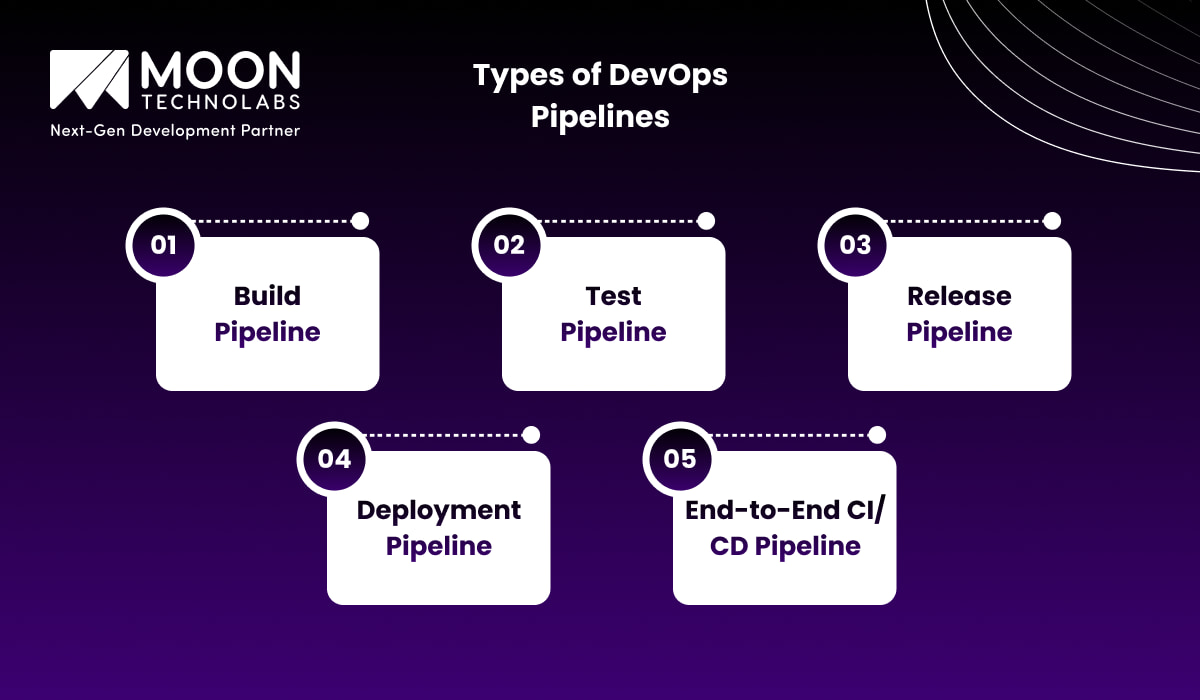
Since there are different types of DevOps pipelines available, you can leverage the right type of pipeline based on the needs of your team and the complexity of your software. We will describe here some of the important types of DevOps pipelines:
Build Pipeline
Building pipelines takes even raw source code and then transforms it into a completely deployable artifact. It includes a Docker image, compiled binary, or packaged application. Every time a developer implements code, the build pipeline kicks in automatically.
Test Pipeline
The test pipeline serves as a gateway to your complete workflow. It includes a variety of tests, such as integration tests, unit tests, security scans, and code quality checks. When your test pipeline is more comprehensive, it increases your team’s confidence with every release.
Release Pipeline
The release pipeline involves both preparing and packaging your app for delivery. It’s responsible for managing versioning, creating release notches, and ensuring the right artifact is tagged and also stored in the perfect place. You need to consider it as a final quality checkpoint before code is handed off for implementation.
Deployment Pipeline
As far as the deployment pipeline is concerned, it generally takes a fully validated artifact and pushes it to the target environment, whether staging, QA, or production. It can handle environment-based configurations, infrastructure provisioning, and post-deployment health checks to confirm that releases are indeed successful.
End-to-End CI/CD Pipeline
As for the end-to-end CI/CD pipeline, it connects all of the above into a smooth, automated workflow. Every stage flows seamlessly into the next, even without manual handoffs, from a coding commit to production deployment.
You Might Also Like:
How to Create a DevOps Pipeline?
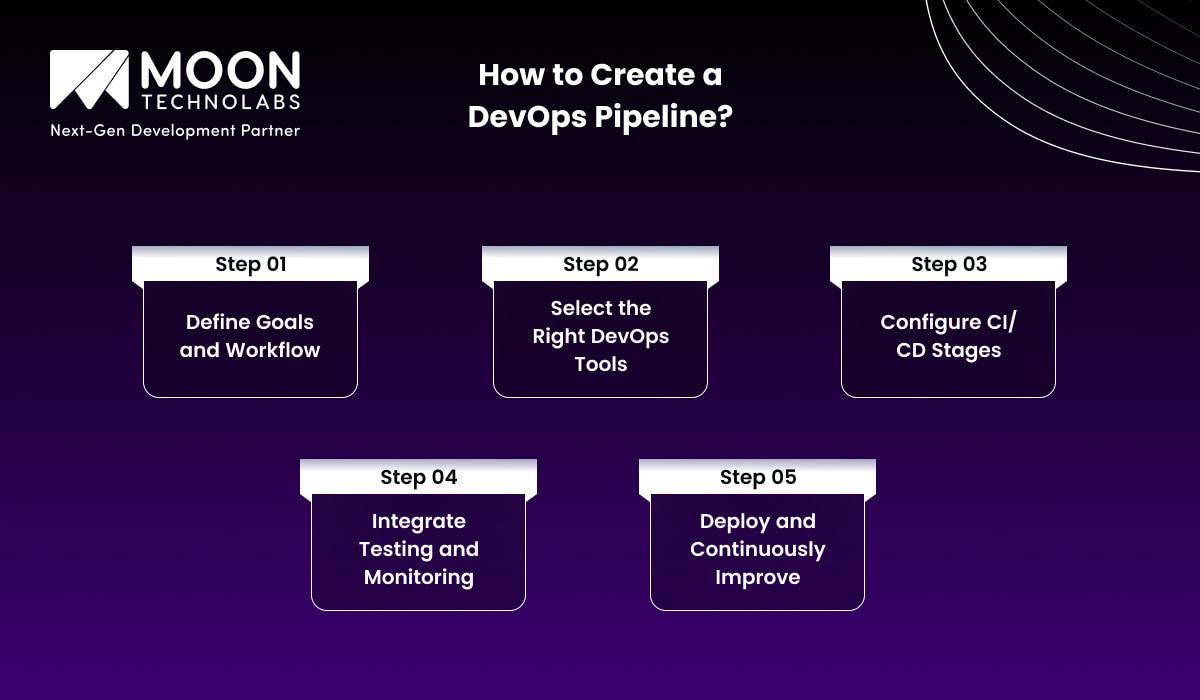
Creating a DevOps pipeline from scratch can be complex, but you can simplify it by breaking the process into multiple steps. Let’s describe each step separately:
Define Goals and Workflow
It is important to establish clear objectives for your pipeline and outline how it will be implemented and deployed. You also need to consider the environment you require, whether for development, production, or staging. Once you define your workflow properly, you prevent costly rework later.
Select the Right DevOps Tools
Your pipeline can only be good when you use the right tool to power it. You need to select a version control system and CI/CD platforms (such as GitLab CI, GitHub Actions, and Jenkins) that best match your infrastructure, whether it’s Azure, AWS, Kubernetes, or a traditional server.
Configure CI/CD Stages
Now, it’s time to define your pipeline stages, including build, test, and deploy, with the use of a configuration file. You need to keep your stages fully modular and then name them clearly. Every stage should have a defined responsibility. It makes the entire debugging process quite convenient.
Integrate Testing and Monitoring
Make sure you embed automated testing at every single step of the pipeline. You can run unit tests during CI, integration tests before deployment, and smoke tests right after. You can pair it with monitoring tools such as Prometheus, Datadog, or even CloudWatch.
Deploy and Continuously Improve
Even after deployment, you need to put in continuous effort to improve your pipeline. All you need to do is collect feedback and then iterate on it. You can also observe metrics such as deployment frequency, failure rate, and lead time. You need to continuously use the data to identify bottlenecks and refine your workflow over time.
We help you develop scalable, fast, and smart CI/CD workflows to speed up releases and enhance software quality. With us, streamline automation with fewer errors.
Choosing the Right DevOps Pipeline for Your Project
Selecting the right DevOps pipeline plays a critical role in optimizing deployment speed, maintaining stability, and supporting scalable development. The following factors will help you make the right decision:
Based on Project Size and Complexity
A lightweight pipeline with basic build and test stages is indeed sufficient for small projects or early-stage startups. Furthermore, you need a sophisticated pipeline with different environments, parallel stages, and strict quality gates.
Based on Team Structure
Whether it’s a small team or a solo developer, they can achieve the same with a linear pipeline. Larger teams mainly work across different microservices requiring pipelines that support independent deployments, parallel workflows, and clear ownership boundaries. Your pipeline structure should indicate how your team actually works.
Based on Deployment Frequency
Teams that deploy weekly have different needs from teams that deploy several times a day. A higher frequency deployment requires robust rollback mechanisms, heavy automation, and thorough monitoring. Lower-frequency teams may focus more on manual approval gates and detailed release documentation than on raw speed.
Based on Cloud or On-premise Environment
Cloud-native teams can get the full benefits of managed CI/CD services and serverless deployment options that minimize infrastructure overhead. On-premise environments need self-hosted pipeline tools and complete manual infrastructure management. Hybrid setups are indeed common and require pipelines that are flexible enough to handle deployments across both worlds, even without added complexity.
Best Practices for DevOps Pipelines
To build a secure and reliable DevOps pipeline, it is essential to implement established industry best practices. The following are some of the most important ones:
Automate Everything Possible
When you automate everything, it not only saves your valuable time but also eliminates the fatigue and inconsistency that come with manual processes. It’s advisable to start the automation process with those tasks that are not just time-consuming but also way down the list.
Use Version Control for Pipeline Configuration
You can treat your pipeline as just code, store it in version control alongside your app, review changes via pull requests, and maintain a history of important modifications. This makes it convenient to roll back a broken pipeline change, audit who changed what and when, and onboard new team members even without lengthy knowledge transfer sessions.
Implement Continuous Testing
You can implement automated testing at every important stage of your pipeline, whether it’s unit tests, integration tests, or end-to-end tests in staging. The earlier the bug is caught in the pipeline, the cheaper and faster it is to resolve it properly. The culture of continuous testing generally builds great confidence during every release.
Secure Secrets and Credentials
The next thing you can do is to avoid putting passwords, API keys, tokens, etc., in your pipeline files. Instead, you can leverage secure tools such as AWS Secrets Manager and HashiCorp Vault to store them safely.
Monitor Pipeline Performance
A flaky or even slow pipeline is better known as a productivity killer. You are advised to analyze key metrics, including failure rates, pipeline duration, and the most common failure points. You can use the same data to identify issues and resolve them proactively.
How Moon Technolabs Helps You Build and Optimize DevOps Pipelines?
As a DevOps development company, we understand that a fully developed DevOps pipeline is the backbone of advanced software delivery. We have a team of experienced DevOps engineers who work closely with your team to design, optimize, and implement tailored pipelines that match your specific business requirements.
Types of Services Our DevOps Pipelines Development Cover
We perform multiple tasks under our core service, like DevOps pipeline development and optimization:
- Custom Pipeline Design
- CI/CD Implementation
- Automated Testing Integration
- Security and Compliance
- Ongoing Optimization
Conclusion
So, by now, you understand the importance of the DevOps pipeline in building, testing, and delivering software more efficiently. You can adopt top CI/CD workflows, best practices, tools, etc., to accelerate releases, boost collaboration, and ensure higher-quality, more consistent outcomes.
Whether you require a small or complex system, getting in touch with a leading DevOps development company helps you build the right solution to redefine your delivery process and ensure long-term success.
FAQs
01
What is the main purpose of a DevOps pipeline?
The major purpose of a DevOps pipeline is to automate and improve software development, testing, and implementation processes. It enables fast releases, consistent quality, improved collaboration, and minimized risk of errors.02
How is a DevOps pipeline different from a CI/CD pipeline?
A DevOps pipeline encompasses the entire software lifecycle, from planning and development to testing, deployment, and monitoring. On the other hand, CI/CD focuses mainly on automating code integration, delivery processes, and testing.03
Which tools are commonly used in DevOps pipelines?
Common DevOps pipeline tools mainly include Git, Jenkins, Kubernetes, Docker, Ansible, Terraform, and more. These are useful for various purposes, such as integration, automation, and deployment.04
How long does it take to implement a DevOps pipeline?
The overall time to implement the DevOps pipeline ranges from 2 to 12 weeks. It also depends on many important factors, such as team maturity, project complexity, toolchain integration, existing infrastructure, and level of automation.05
What are the challenges of building a DevOps pipeline?
Building a DevOps pipeline involves numerous challenges. These mainly include tool integration complexity, handling scalability, managing security, reliable automation, and more.




Jayanti Katariya is the CEO of Moon Technolabs, a fast-growing IT solutions provider, with 18+ years of experience in the industry. Passionate about developing creative apps from a young age, he pursued an engineering degree to further this interest. Under his leadership, Moon Technolabs has helped numerous brands establish their online presence and he has also launched an invoicing software that assists businesses to streamline their financial operations.
Submitting the form below will ensure a prompt response from us.
We refine our expertise to deliver innovative business solutions.





205 N Michigan Avenue, #810, Chicago, 60601, Illinois, United States
13500 Long Is Dr, Pflugerville, TX 78660, USA

C/105 Ganesh Meridian, S.G. Highway, Ahmedabad, GJ 380060


Ayse D.
Co-Founder France
“ I highly recommend Moon Technolabs as the quality of service is wonderful. We have hired this company to develop the product based on some complex & technical issues. We get the best quality services as compared with others in the market. Huge Thanks to Moon Technolabs as the team is always ready to give the solution all time.”

Justin G.
Founder & CEO USA
USA“ Moon Technolabs is a pioneer in the WebRTC based project as they have fixed complicated segments of the module by fulfilling different product lines by providing 24X7 customer support. We really recommended Moon Technolabs as they are able to develop products as per the module deadline and project timeline.”

Flavio S.
Founder & Managing Director Germany
“I am happy to recommend Moon Technolabs for their app development services. They successfully developed apps for me, and I am highly satisfied with the overall outcomes. The development team has swiftly addressed the issues with responsive and effective communication to understand the requirement quickly and actively resolve the back-and-forth problems that arose...”

Jay M.
Founder & CEOUSA“Moon Technolabs is the best company that provides advanced apps and websites development services in the USA and Europe. I am a newbie to develop my app with an external team. I am really happy to work with them as I am not that much mobile apps user. Here, the team and specially the CEO of Moon Technolabs helps me to let me know about the benefits of my app to generate revenue....”


Our Offices
India
C/105 Ganesh Meridian,S.G. Highway, Ahmedabad, GJ 380060USA
205 N Michigan Avenue, #810, Chicago, 60601, Illinois, United StatesContact Information


