


SaaS vs PaaS vs IaaS Explained: The Complete Cloud Computing Guide

Jayanti Katariya
Last Updated: Jul 02, 2026 Total Views: 152
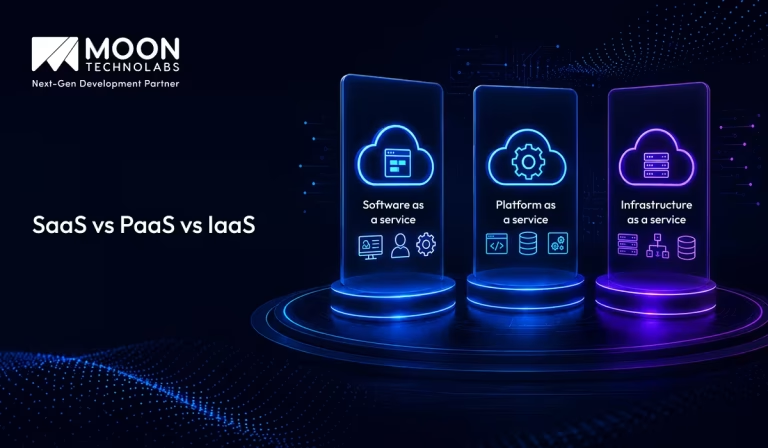
Table of Content


Blog Summary:
Are you exploring cloud services and models? Then, this guide is for you to analyze the core cloud service models: SaaS, PaaS, and IaaS. You’ll explore the key components, real-world use cases, and integration with emerging AI trends of all the service models. This comprehensive blog also includes a clear comparison table to help you choose the right model for your business efficiency.
Table of Content
According to Holori’s data, the global cloud market will grow at an accelerated pace, and total cloud spending will exceed $1 trillion by early this year. The use of generative AIs and enterprise modernization is a major contributor to the rapid transition from legacy hardware to modern cloud technology.
When you look at the demand to create a modern technology stack, it’s necessary to fully understand how your existing infrastructure is structured. To maximize your ability to scale efficiently, you must become familiar with the 3 structural components of cloud computing: SaaS, PaaS, and IaaS.
In this guide, we’ve stripped away the technical jargon so you can understand these 3 components, their differences & how to choose which one best fits your business objectives by analyzing their key characteristics.
What is Software as a Service (SaaS)?
SaaS is a cloud-based software delivery model that allows businesses and individuals to access applications over the internet without the need for installation, maintenance, or complex infrastructure.
Instead of purchasing software outright, users subscribe to a service and can access it from any device with an internet connection. Popular examples include CRM, accounting, project management, and collaboration tools that help organizations streamline business operations and improve productivity.
SaaS offers significant advantages, including lower upfront costs, automatic updates, scalability, and enhanced accessibility. Businesses can quickly deploy software. Reduce IT management burdens and adapt their use to changing needs. As digital transformation continues to accelerate across industries, SaaS has become a preferred choice for organizations seeking flexible, cost-effective, and efficient technology solutions.
SaaS Components
Cloud-based SaaS systems enable seamless performance, robust security, and scalability for modern businesses, ensuring greater efficiency and long-term value. Here are the components:
Data Storage and Management
Data storage and management form the backbone of any SaaS application. This component is responsible for securely storing, organizing, and retrieving user data. Modern SaaS platforms typically use cloud-based databases that ensure high availability, scalability, and reliable backup systems. Effective data management enables businesses to handle large volumes of information while maintaining data integrity and performance.
Automatic Updates
One of the key advantages of SaaS solutions is automatic updates. Software providers regularly deploy new features, bug fixes, and security patches without requiring user intervention. This ensures that customers always have access to the latest version of the application, reducing maintenance effort and downtime while improving the overall user experience.
User Interface
UI is the visual layer through which users interact with the SaaS application. A well-designed UI focuses on simplicity, accessibility, and responsiveness across different devices. An intuitive interface enhances user satisfaction, improves productivity, and reduces the learning curve for new users, contributing to higher adoption rates.
Security and Compliance Controls
Security and compliance controls protect sensitive data and ensure adherence to industry regulations. These controls may include data encryption, multi-factor authentication, role-based access control, audit logs, and compliance standards such as GDPR, HIPAA, or ISO 27001. Strong security measures help build customer trust and reduce the risk of data breaches.
Integration Tools
Integration tools allow SaaS applications to connect with third-party systems, services, and platforms. Through APIs, webhooks, and connectors, businesses can streamline workflows, automate processes, and synchronize data across multiple applications. Effective integration capabilities increase flexibility and enable organizations to maximize the value of their software ecosystem.
SaaS Use Cases
Organizations use SaaS solutions to simplify workflows, improve accessibility, and drive operational efficiency in a connected environment. Some of the most common SaaS applications include the following:
Customer Relationship Management (CRM)
CRM SaaS solutions help businesses manage customer interactions, track sales opportunities, and automate marketing activities. They centralize customer data, improve team collaboration, and provide insights that enhance customer engagement, retention, and overall sales performance.
Finance and Accounting
Finance and accounting SaaS platforms automate invoicing, expense management, payroll, and financial reporting. Through accounting software development, businesses can implement customized solutions that improve accuracy, streamline financial operations, support compliance, and provide real-time visibility into business finances.
HR
HR SaaS simplifies recruitment, onboarding, attendance tracking, and performance management, and integrates with payroll software to automate salary calculations and ensure accurate, compliant payroll. It reduces administrative tasks, improves employee experiences, and helps organizations efficiently manage workforce data.
Communication and Collaboration
Communication and collaboration SaaS tools support messaging, video meetings, file sharing, and project coordination. They enable teams to work together seamlessly, increase productivity, and support remote or hybrid work environments through real-time connectivity.
Create resilient cloud ecosystems that support innovation, agility, and operational efficiency.
What is PaaS (Platform as a Service)?
PaaS is a cloud computing model that provides developers with a complete platform to build, test, deploy, and manage applications without the complexity of maintaining underlying infrastructure.
By offering ready-to-use development tools, databases, middleware, and operating systems, PaaS enables businesses to accelerate software development, reduce operational costs, and focus on innovation rather than server management.
Organizations across industries are adopting PaaS solutions to streamline application delivery, improve scalability, and enhance collaboration among development teams.
Whether launching a new web application or modernizing existing systems, PaaS empowers businesses to bring products to market faster while ensuring flexibility, reliability, and seamless integration with modern cloud environments.
PaaS Components
PaaS eliminates infrastructure complexity by providing a streamlined environment for faster, more efficient application development. Let’s break down the key building blocks behind it:
Middleware
Middleware acts as a bridge between applications and operating systems, enabling smooth communication, data exchange, and integration. It simplifies development by handling common services such as authentication, messaging, and application connectivity.
Databases
PaaS platforms provide managed databases that efficiently store, organize, and retrieve application data. These services reduce administrative tasks while ensuring scalability, security, backup management, and high availability.
Runtime Environments
Runtime environments provide the necessary infrastructure for executing applications. They support various programming languages and frameworks, allowing developers to build, test, and deploy applications without managing underlying systems.
Graphical User Interfaces (GUIs)
GUIs offer visual tools for managing applications, databases, and cloud resources. They simplify platform administration through intuitive dashboards, reducing the need for complex command-line operations.
Development Tools
Development tools include code editors, testing frameworks, deployment utilities, and collaboration features. These tools accelerate the software development lifecycle and help teams build high-quality applications more efficiently.
PaaS Use Cases
PaaS is widely used to accelerate development cycles and simplify application management in the cloud. Let’s explore where it fits best:
Application Development
PaaS enables developers to quickly build, test, and deploy applications using preconfigured environments and tools. This reduces development time and allows teams to focus on creating features rather than managing infrastructure.
Cloud Migration and Cloud-native Development
Organizations use PaaS to migrate existing applications to the cloud and develop cloud-native solutions. The platform provides scalability, flexibility, and modern services that support efficient application modernization.
API Development and Management
PaaS platforms simplify the creation, deployment, and monitoring of APIs. Developers can securely connect applications, manage integrations, and ensure reliable data exchange between different systems and services.
Our expertise enables businesses to build resilient, scalable cloud architectures that support innovation and operational excellence.
What is IaaS (Infrastructure as a Service)?
IaaS is a cloud computing model that delivers virtualized computing resources such as servers, storage, networking, and data centers over the internet. Instead of investing in and maintaining physical hardware, businesses can access scalable infrastructure on demand, paying only for the resources they use.
This flexibility allows organizations to quickly adapt to changing workloads while reducing capital expenditures and IT management complexities.
As digital transformation accelerates, IaaS has become a preferred solution for businesses seeking agility, cost efficiency, and operational resilience. It enables organizations to deploy applications faster, support remote operations, and scale infrastructure seamlessly to meet business demands.
By leveraging IaaS, companies can focus on innovation and growth while cloud providers handle the maintenance, security, and availability of the underlying infrastructure.
IaaS Components
IaaS forms the backbone of cloud computing by offering flexible and scalable infrastructure resources. Let’s explore how it is structured:
Bare Metal Servers
Bare-metal servers are physical servers dedicated to a single customer, without virtualization layers. They provide maximum performance, enhanced security, and complete control over hardware resources, making them ideal for demanding workloads such as databases, high-performance applications, and regulatory-compliant environments.
Virtual Servers
Virtual servers are software-defined instances created on physical hardware using virtualization technology. They offer flexibility, scalability, and cost efficiency by allowing multiple virtual machines to run on a single physical server while maintaining isolated environments for different applications and workloads.
Containers
Containers package applications and their dependencies into lightweight, portable units that can run consistently across different environments. They enable faster deployment, efficient resource utilization, and simplified application management, making them a popular choice for modern cloud-native development.
Security
Security is a critical component of IaaS, encompassing features such as firewalls, identity and access management (IAM), encryption, network security, threat detection, and compliance controls. These capabilities help protect infrastructure, applications, and data from unauthorized access and cyber threats.
Compute Resources
Compute resources include the processing power, memory, storage, and networking capabilities required to run applications and workloads. IaaS providers offer scalable compute resources that can be provisioned on demand, enabling organizations to adapt quickly to changing business requirements.
IaaS Use Cases
Cloud-based infrastructure services help businesses stay agile and scalable. Let’s take a look at where IaaS is commonly used:
Big Data Analytics
IaaS provides the scalable infrastructure needed to process and analyze massive volumes of structured and unstructured data. Organizations can deploy analytics platforms, data lakes, and machine learning workloads without investing in costly on-premises hardware.
Website Hosting
Businesses use IaaS to host websites, web applications, and e-commerce platforms with high availability and reliability. The ability to scale resources dynamically helps websites handle traffic spikes while maintaining optimal performance and user experience.
High-performance Computing (HPC)
IaaS enables organizations to access powerful computing resources for complex simulations, scientific research, engineering applications, and financial modeling. HPC workloads benefit from scalable processing power without the need for dedicated supercomputing infrastructure.
Hybrid Cloud and Multicloud Migration
Organizations leverage IaaS to support hybrid and multicloud strategies by extending on-premises environments to the cloud. This approach provides greater flexibility, improved disaster recovery capabilities, and seamless workload migration across multiple cloud platforms.
SaaS vs PaaS vs IaaS: Key Differences
Each cloud model offers different levels of control, flexibility, and management. Here’s a clear comparison to help you decide:
| Factors | SaaS | PaaS | IaaS |
|---|---|---|---|
| Primary Use Case | Use ready-made software over the internet | Develop, test, and deploy applications | Build and manage a complete IT infrastructure |
| Examples | Google Workspace, Salesforce, Microsoft 365 | Google App Engine, Heroku, Azure App Service | Amazon EC2, Google Compute Engine, Azure Virtual Machines |
| Pricing Model | Subscription-based (per user/month) | Pay for platform resources and usage | Pay for compute, storage, networking, and other infrastructure resources |
| Provider’s Role | Manages everything: infrastructure, platform, application, updates, and security | Manages infrastructure, operating system, runtime, and development tools | Provides and maintains physical hardware, networking, storage, and virtualization |
| Customization vs. Support | Lowest customization, highest convenience | Moderate customization with managed platform support | Highest customization and flexibility, but requires more management |
| Customer’s Role | Simply use the software | Develop and manage applications and data | Manage operating systems, middleware, applications, data, and security configurations |
| Best For | End users and businesses needing ready-to-use software | Developers focused on application development | Organizations needing maximum control over infrastructure |
Our cloud expertise enables businesses to adopt smarter technologies, streamline operations, and build resilient systems ready for future demands.
When to Choose: SaaS vs PaaS vs IaaS
SaaS, PaaS, and IaaS offer different levels of control and flexibility. The right choice depends on your technical needs, business goals, and desired level of management. Here’s when each model works best:
When to Choose SaaS?
Use SaaS if you want a ready-to-use application with minimal technical effort.
Choose SaaS when:
- You need business software quickly.
- Customization requirements are limited.
- You don’t want to manage infrastructure or deployments.
- Your focus is on business operations rather than software development.
Example: A sales team needing CRM software would typically choose SaaS.
When to Choose PaaS?
Use PaaS if you’re building applications but don’t want to manage servers, operating systems, or scaling infrastructure.
Choose PaaS when:
- Developers need to ship features quickly.
- Automatic scaling is important.
- Infrastructure management is not a core competency.
- Standard application architectures are sufficient.
Example: A startup building a web application with a small engineering team often benefits from PaaS.
When to Choose IaaS?
Use IaaS if you need maximum control over the environment.
Choose IaaS when:
- You have specialized infrastructure requirements.
- Legacy applications need custom environments.
- Compliance or security policies require deeper control.
- Your operations team can manage servers and networking.
Example: A financial institution running regulated workloads may choose IaaS for greater control.
Emerging Trends in Cloud Service Models
As organizations accelerate their digital transformation journeys, cloud service models continue to evolve, offering greater flexibility, scalability, and business value. Several emerging trends are shaping how enterprises leverage cloud technologies to drive innovation and maintain a competitive advantage:
Hybrid and Multi-cloud Adoption
Organizations are increasingly adopting hybrid and multi-cloud strategies to enhance flexibility, improve resilience, and reduce dependence on a single provider. These approaches allow businesses to optimize workloads while balancing performance, cost, and security.
Serverless Computing
Serverless computing enables developers to build and deploy applications without managing infrastructure. This model reduces operational complexity, improves scalability, and supports faster innovation through a pay-as-you-use approach.
Cloud-native Development
Cloud-native development uses technologies such as microservices, containers, and DevOps practices to create scalable and resilient applications. It helps organizations accelerate development cycles and respond quickly to changing business needs.
Industry-specific Cloud Solutions
Cloud providers are offering tailored solutions for industries such as healthcare, finance, and manufacturing. These platforms address industry-specific requirements, helping organizations improve compliance, efficiency, and customer experiences.
AI and Cloud Computing: SaaS vs PaaS vs IaaS
Cloud computing provides different service models to support AI applications, each offering varying levels of control and management:
SaaS
SaaS delivers ready-to-use AI-powered applications over the internet. The provider manages everything, including infrastructure, updates, and security.
Best For: End users and businesses seeking quick deployment with minimal maintenance.
PaaS
PaaS provides a development platform with tools, frameworks, and services for building and deploying AI applications without managing underlying infrastructure.
Best For: Developers creating custom AI solutions.
IaaS
IaaS offers virtual servers, storage, networking, and computing resources. Organizations have full control over their AI environments and workloads.
Best For: Enterprises requiring flexibility, scalability, and high-performance computing.
How Moon Technolabs Helps Businesses Leverage Cloud Solutions?
Moon Technolabs helps businesses build and optimize cloud-powered solutions that support their day-to-day operations and long-term growth. Instead of treating cloud adoption as just a technology upgrade, the team focuses on creating solutions that improve application performance, simplify infrastructure management, and support changing business requirements.
With expertise in cloud development, we help businesses build custom cloud-based applications, SaaS products, and platforms that are secure, scalable, and performance-driven. Whether it’s launching a new application or upgrading an existing system, the focus is on delivering cloud solutions that align with business objectives.
Our cloud computing services can help you choose, build, and optimize solutions that align with your business objectives.
Conclusion
IaaS, PaaS, and SaaS each offer unique advantages, making them suitable for different business needs and technical requirements. While SaaS provides ready-to-use software, PaaS simplifies application development, and IaaS delivers maximum control over infrastructure. Understanding these cloud application service models can help organizations choose the right approach for scalability, efficiency, and innovation.
As cloud adoption continues to grow, investing in professional cloud application development services can help businesses build secure, scalable, and high-performing solutions that align with their long-term digital transformation goals.
FAQs
01
Is Gmail a SaaS or PaaS?
Gmail is a Software as a Service (SaaS) application. Users access the fully functional email app over the internet without having to manage the underlying infrastructure, coding, or server maintenance.02
What are the top 5 SaaS companies?
Microsoft (Office 365), Salesforce (CRM), Adobe (Creative Cloud), Oracle (Cloud ERP), and SAP (Enterprise software) are the top 5 SaaS companies leading the industry globally. These market leaders dominate cloud-based business solutions, digital productivity, and automated customer management.03
Is DoorDash a SaaS company?
No. DoorDash is not a SaaS company. It is a tech-driven logistics and marketplace platform. Its core business model connects consumers, drivers, and merchants to facilitate physical food delivery, earning revenue from commissions and delivery fees rather than software subscriptions.04
How do I know if SaaS is the right solution for my business?
SaaS is a good fit if you want software that's quick to deploy, requires minimal IT maintenance, and can scale as your business grows. It's especially beneficial for businesses looking to reduce upfront infrastructure costs and access applications from anywhere.05
Is SaaS a B2B or B2C?
SaaS can be both B2B and B2C. Companies sell Software as a Service to businesses (B2B) to streamline workflows, such as Salesforce, and directly to consumers (B2C) for personal utility or entertainment, such as Netflix, Spotify, or Microsoft 365.06
How long does it take to implement a SaaS solution?
Implementation timelines vary based on the software’s complexity and your business needs. Many SaaS applications can be set up within hours or days, while enterprise solutions may take several weeks.07
Can SaaS applications integrate with my existing software?
Most modern SaaS platforms support integrations with popular business tools, such as CRM, ERP, accounting, communication, and productivity applications, via APIs or built-in connectors.




Jayanti Katariya is the CEO of Moon Technolabs, a fast-growing IT solutions provider, with 18+ years of experience in the industry. Passionate about developing creative apps from a young age, he pursued an engineering degree to further this interest. Under his leadership, Moon Technolabs has helped numerous brands establish their online presence and he has also launched an invoicing software that assists businesses to streamline their financial operations.
Submitting the form below will ensure a prompt response from us.
We refine our expertise to deliver innovative business solutions.





205 N Michigan Avenue, #810, Chicago, 60601, Illinois, United States
13500 Long Is Dr, Pflugerville, TX 78660, USA

C/105 Ganesh Meridian, S.G. Highway, Ahmedabad, GJ 380060


Ayse D.
Co-Founder France
“ I highly recommend Moon Technolabs as the quality of service is wonderful. We have hired this company to develop the product based on some complex & technical issues. We get the best quality services as compared with others in the market. Huge Thanks to Moon Technolabs as the team is always ready to give the solution all time.”

Justin G.
Founder & CEO USA
USA“ Moon Technolabs is a pioneer in the WebRTC based project as they have fixed complicated segments of the module by fulfilling different product lines by providing 24X7 customer support. We really recommended Moon Technolabs as they are able to develop products as per the module deadline and project timeline.”

Flavio S.
Founder & Managing Director Germany
“I am happy to recommend Moon Technolabs for their app development services. They successfully developed apps for me, and I am highly satisfied with the overall outcomes. The development team has swiftly addressed the issues with responsive and effective communication to understand the requirement quickly and actively resolve the back-and-forth problems that arose...”

Jay M.
Founder & CEOUSA“Moon Technolabs is the best company that provides advanced apps and websites development services in the USA and Europe. I am a newbie to develop my app with an external team. I am really happy to work with them as I am not that much mobile apps user. Here, the team and specially the CEO of Moon Technolabs helps me to let me know about the benefits of my app to generate revenue....”


Our Offices
India
C/105 Ganesh Meridian,S.G. Highway, Ahmedabad, GJ 380060USA
205 N Michigan Avenue, #810, Chicago, 60601, Illinois, United StatesContact Information


