


How to Migrate from Builder.io to Better CMS Alternatives?

Jayanti Katariya
Last Updated: Jul 02, 2026 Total Views: 216
Table of Content


Blog Summary:
Builder.io enables teams to build and manage digital experiences using a visual, component-based approach. As the need for flexibility, performance, and scalability grows, businesses often start exploring alternative solutions. In this blog, we cover the best Builder.io alternatives, key features to consider, competitor comparisons, and a step-by-step guide to migrating from Builder.io to other platforms efficiently.
Table of Content
Building and managing modern digital experiences requires more than just a visual editor. It demands flexibility, performance, and scalability as your business grows. While Builder.io offers a component-driven approach to content creation, many teams eventually run into limitations when dealing with complex workflows, advanced integrations, or evolving technical requirements.
As a result, businesses are exploring more adaptable Builder.io Alternatives that better align with their long-term goals. Choosing the right platform, however, isn’t just about features. It is about finding the right balance between developer control, content management, and user experience.
Understanding Builder.io
Builder.io is a no-code/low-code platform that lets businesses visually build and manage websites, landing pages, and digital experiences without heavy coding. It integrates with existing tech stacks and supports drag-and-drop design, A/B testing, and content personalization.
It also supports a headless architecture, meaning content and design elements can be created independently of the frontend application. This gives developers the flexibility to use modern frameworks such as React, Next.js, Vue, or Angular, while marketers and designers manage content visually through the platform.
By combining developer flexibility with an intuitive editing experience, Builder.io helps teams accelerate website updates, improve collaboration, and deliver consistent digital experiences across web and mobile channels.
Why Businesses Opt for Builder.io Alternatives?
Builder.io is a platform used for creating digital experiences, while some businesses explore alternatives to better match their specific operational, technical, and budgetary needs. As companies scale, they may require more advanced customization, improved pricing flexibility, deeper integrations, or specialized features that align more closely with their workflows and long-term digital strategies.
- High pricing for growing businesses and enterprise-level usage.
- Limited customization for highly complex development requirements.
- Need for stronger integrations with existing tools and platforms.
- Preference for more advanced CMS or eCommerce capabilities.
- Demand for better scalability and performance optimization.
- Requirement for enhanced collaboration and workflow management features.
- Need for industry-specific functionalities and templates.
- Preference for platforms with larger developer communities and support ecosystems.
- Desire for greater control over hosting, security, and backend infrastructure.
- Search for improved personalization, analytics, and multilingual support options.
Key Features to Consider for the Best Builder.io Alternatives
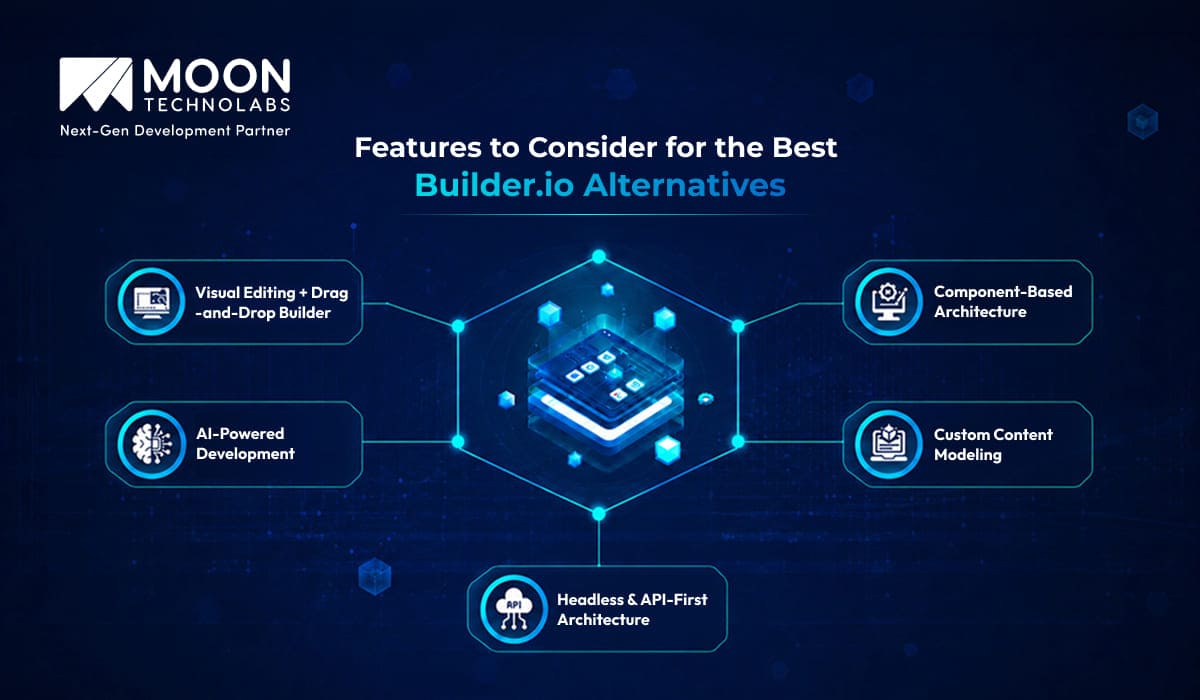
When evaluating alternatives to Builder.io, it’s important to focus on platforms that offer both developer flexibility and ease of use for content teams. Five of the most critical features to look for are a headless, API-first development architecture and a powerful visual editing experience with drag-and-drop capabilities.
Headless & API-First Architecture
A headless, API-first setup separates the frontend from the backend, giving developers the freedom to use any framework. It also makes it easier to scale across websites, apps, and other channels while integrating smoothly with third-party tools.
Visual Editing + Drag-and-Drop Builder
For non-technical users, a visual editor with drag-and-drop functionality is essential. It allows teams to create, edit, and publish content quickly without coding, speeding up workflows and reducing dependency on developers.
Custom Content Modeling
Enables teams to define structured, reusable content types with custom fields and relationships, ensuring consistency across channels while giving flexibility to adapt content models as business needs evolve.
AI-Powered Development
Incorporates AI to assist with code generation, content creation, personalization, and layout suggestions, helping teams work faster, reduce manual effort, and deliver more optimized digital experiences.
Component-Based Architecture
Supports building modular, reusable UI components that developers can maintain and content teams can assemble visually, improving consistency, speeding up updates, and simplifying scaling across multiple pages and projects.
Best Builder.io Alternatives
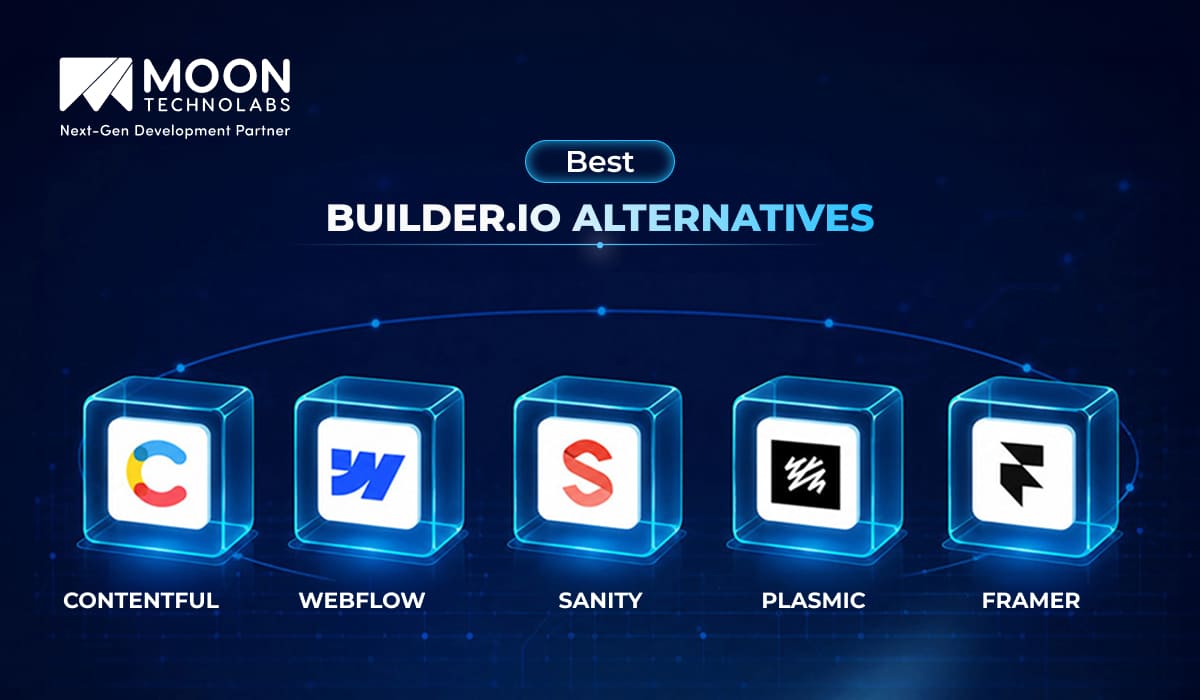
While Builder.io is a powerful visual CMS and page builder, it is not always the right fit for every team or project. Some users may need more control over content structure, better customization options for developers, or a more design-focused workflow. Fortunately, several robust alternatives cater to different needs, from headless CMS platforms to visual web design tools.
Contentful
Contentful is a widely adopted headless CMS that emphasizes structured content and API-driven delivery. It allows teams to create reusable content models and distribute content seamlessly across multiple platforms such as websites, mobile apps, and digital displays.
Its interface separates content from presentation, enabling developers to build custom frontends while content teams manage entries independently. With strong support for integration and localization, Contentful is often used in large-scale digital ecosystems.
Webflow
Webflow is a no-code/low-code platform that merges visual design with CMS functionality and hosting. It allows users to design directly in the browser with a drag-and-drop interface while maintaining control over layout, responsiveness, and interactions.
Unlike many no-code tools, Webflow outputs clean, semantic code, making it appealing to both designers and developers. It’s built-in CMS supports dynamic content, making it suitable for blogs, portfolios, and marketing websites.
Sanity
Sanity is a flexible, developer-first headless CMS known for its real-time collaboration and customizable content studio. It allows teams to define their own content schemas using JavaScript, giving complete control over how content is structured and managed.
One of Sanity’s standout features is its live editing environment, where multiple users can work on the same content simultaneously. Combined with its powerful query language (GROQ), it enables efficient content retrieval and dynamic frontend experiences. Sanity is especially well-suited for projects that require highly structured content and seamless integration with modern frameworks.
Plasmic
Plasmic is a visual builder designed to bridge the gap between designers and developers. It enables teams to create complex, production-ready UIs through a drag-and-drop interface while still allowing developers to integrate and extend components using code.
Unlike traditional page builders, Plasmic focuses heavily on component reuse and design systems. It integrates well with existing codebases, making it a strong choice for teams that want visual editing capabilities without sacrificing developer control. Its support for headless CMS integrations further enhances its flexibility in content-driven applications.
Framer
Framer is a design-first website builder that combines prototyping, animation, and publishing into a single platform. It offers an intuitive interface for creating visually rich, interactive websites without requiring extensive coding knowledge.
This platform stands out for its smooth animation capabilities and modern design tools, making it popular among designers who want to bring ideas to life on the web quickly. It also includes CMS functionality for managing dynamic content, making it suitable for landing pages, portfolios, and lightweight content-driven sites.
Upgrade Your Digital Experience Beyond Builder.io
Identify the best alternative and transition smoothly with expert guidance to minimize disruption and maximize performance.
Builder.io Alternatives Comparison Table
Here is a detailed comparison of Builder.io against its main competitors in the visual CMS and composable front-end space. The table breaks down important aspects such as features, ease of use, integration options, and scalability to help you make an informed choice:
| Platform | Type | Key Strengths | Best For | Pricing Model |
|---|---|---|---|---|
| Builder.io | Visual Headless CMS | Drag-and-drop UI + component-driven pages | Marketing + dev collaboration | Freemium / Paid |
| Webflow | Visual Website Builder + CMS | Powerful design + hosting | Marketing websites | Subscription |
| Contentful | Headless CMS | Structured content, enterprise-ready | Enterprise apps | Paid tiers |
| Sanity | Headless CMS | Real-time collaboration, customizable studio | Developer-first teams | Usage-based |
| Storyblok | Visual Headless CMS | Component-based + visual editor | Marketing + dev teams | Subscription |
| Prismic | Headless CMS | Easy content modeling, slices | Marketing teams | Subscription |
| Framer | Visual Website Builder | Fast prototyping + modern UI | Designers, landing pages | Subscription |
| Strapi | Open-source Headless CMS | Full control, self-hosted | Backend-heavy projects | Free + Paid |
Step-by-Step Migration from Builder.io to Another Platform
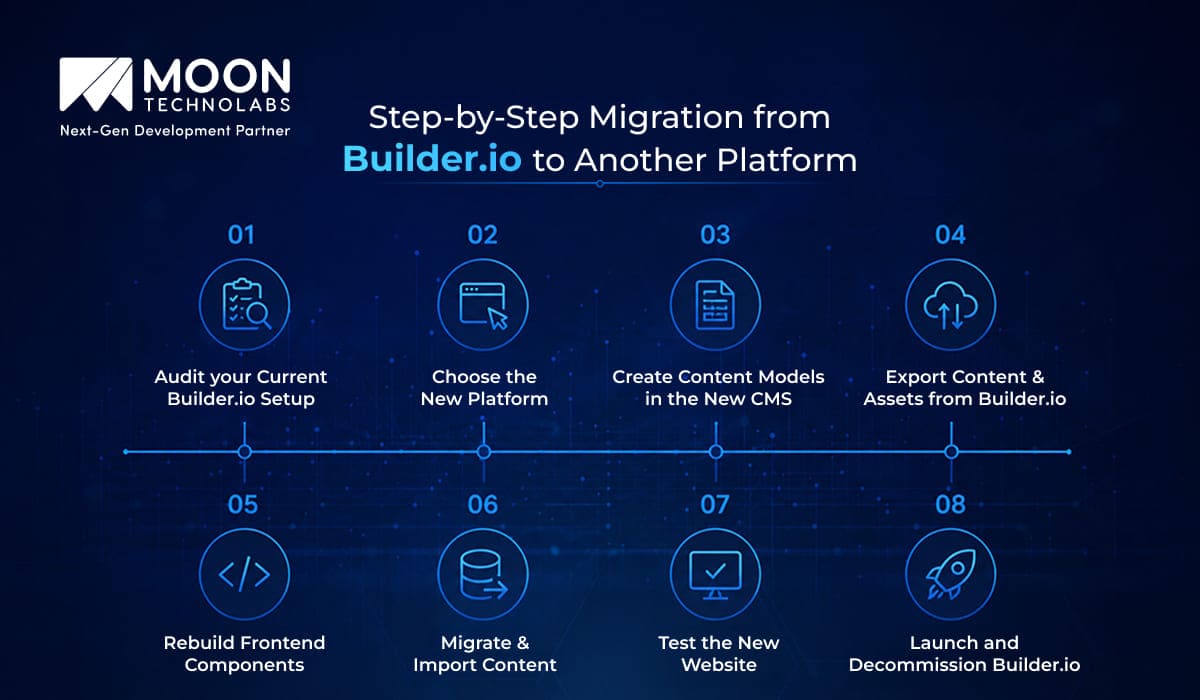
Migrating from Builder.io requires careful planning to avoid issues with performance, SEO, and user experience. Here are the key steps to help you ensure a smooth and successful migration to your new platform:
Audit your Current Builder.io Setup
Start by reviewing your existing Builder.io setup to understand what needs to be migrated. Identify all pages, reusable components, content models, integrations, APIs, and media assets currently being used. This step helps you plan the migration properly and avoid missing important content or functionality during the transition.
Choose the New Platform
Select a platform that matches your business and technical requirements. Whether you choose a headless CMS, a visual CMS, or a custom frontend framework, ensure it supports the scalability, flexibility, SEO, and content management features your project requires. Common choices include Sanity, Contentful, and Webflow.
Create Content Models in the New CMS
Rebuild your content structure in the new platform by creating content models, schemas, and reusable fields. Instead of copying Builder.io’s raw structure, design cleaner, and more scalable content models for blogs, pages, FAQs, banners, and other sections to improve further content management.
Export Content & Assets from Builder.io
Export all content, JSON data, and media assets from Builder.io using its API or export tools. Download and organize images, videos, PDFs, and other files to ensure they can be imported easily into the new platform without losing references or formatting.
Rebuild Frontend Components
Recreate your website components and layouts in the new frontend framework or CMS. This includes rebuilding headers, footers, forms, hero sections, dynamic blocks, and responsive layouts while maintaining the original website’s design consistency and functionality.
Migrate & Import Content
Transform the exported Builder.io content into the format required by the new CMS, then import it via APIs or migration scripts. During this process, verify that rich text, images, links, metadata, and references are correctly mapped and displayed in the new system.
Test the New Website
Before launching, thoroughly test the website in a staging environment. Check responsiveness, page loading speed, forms, SEO metadata, redirects, analytics, integrations, and browser compatibility to ensure everything functions properly across devices and platforms.
Launch and Decommission Builder.io
Once testing is complete, deploy the new website and gradually switch traffic to the new platform. Monitor performance, SEO rankings, and user experience after launch. After confirming the new system is stable and fully functional, decommission Builder.io safely.
Want More Control Over Your Digital Experience?
Partner with us to explore Builder.io alternatives and implement a flexible, scalable solution. Our experts ensure a smooth, disruption-free migration.
Essential Checklist for Migrating from Builder.io
Migrating from Builder.io requires careful planning to avoid SEO loss, broken pages, and workflow disruptions. Use this checklist to ensure a smooth transition.
- Audit Existing Content & Components: Review all pages, reusable components, APIs, integrations, and media assets before starting the migration.
- Backup Everything: Create complete backups of content, SEO metadata, images, custom code, and configurations to avoid data loss.
- Preserve SEO Structure: Maintain URLs, meta tags, redirects, schema markup, and sitemap structure to protect search rankings.
- Rebuild & Optimize Components: Recreate components to improve responsiveness, accessibility, and performance on the new platform.
- Verify Third-Party Integrations: Ensure analytics, CRM tools, payment gateways, APIs, and marketing tools work correctly after migration.
- Test Thoroughly Before Launch: Check responsiveness, navigation, forms, browser compatibility, page speed, and CMS workflows in staging.
- Monitor Post-Migration Performance: Track traffic, rankings, errors, Core Web Vitals, and user experience after deployment to quickly fix issues.
Conclusion
Migrating from Builder.io to a better CMS alternative is a great opportunity to improve performance, scalability, and flexibility. With the right planning and careful execution, you can ensure a smooth transition without impacting SEO, content, or user experience.
Choosing the right platform and following a structured migration process is key to avoiding issues after launch.
For expert help, Moon Technolabs can support your migration from Builder.io to a modern CMS or custom solutions. With strong expertise in enterprise web development, we handle everything from planning and content migration to component rebuilding and SEO preservation for a seamless transition.
FAQs
01
How customizable are the design systems in Builder.io alternatives?
Customization varies widely across platforms. Tools like Webflow offer visual control with some limitations, while headless CMS options like Sanity or Strapi provide deep flexibility for fully custom design systems. The right choice depends on whether you prioritize ease of use or granular control over components, layouts, and branding consistency.02
Can I extend an embedded builder with custom tools or plugins?
Yes, many Builder.io alternatives support extensibility through APIs, SDKs, or plugin ecosystems. Platforms like Storyblok and Contentful allow custom components and integrations, while open-source options like Strapi or Payload CMS offer even deeper customization. However, the level of effort required depends on the platform and may involve developer support.03
Which platform supports better scalability as my business grows?
Scalability depends on architecture. Headless CMS platforms like Contentful and Sanity are designed for enterprise-scale content and high performance. Traditional builders may struggle as complexity increases. Choosing a platform with strong API performance, CDN support, and flexible infrastructure ensures your system can handle increased traffic, content volume, and team collaboration.04
How easy is it to switch from Builder.io to another platform without losing design or content?
Switching platforms can be complex. While content can often be exported via APIs, recreating designs and components typically requires manual effort. Some platforms provide migration tools, but differences in structure and rendering mean a full transition may involve redevelopment. Planning content models and reusable components early can significantly reduce migration challenges.05
Are there free Builder.io alternatives?
Yes, several alternatives offer free plans or open-source versions. Tools like Webflow and Storyblok provide limited free tiers, while platforms like Strapi offer fully open-source solutions. However, free plans often come with restrictions on usage, features, or scalability, so businesses may need to upgrade as their requirements grow.




Jayanti Katariya is the CEO of Moon Technolabs, a fast-growing IT solutions provider, with 18+ years of experience in the industry. Passionate about developing creative apps from a young age, he pursued an engineering degree to further this interest. Under his leadership, Moon Technolabs has helped numerous brands establish their online presence and he has also launched an invoicing software that assists businesses to streamline their financial operations.
Submitting the form below will ensure a prompt response from us.
We refine our expertise to deliver innovative business solutions.





205 N Michigan Avenue, #810, Chicago, 60601, Illinois, United States
13500 Long Is Dr, Pflugerville, TX 78660, USA

C/105 Ganesh Meridian, S.G. Highway, Ahmedabad, GJ 380060


Ayse D.
Co-Founder France
“ I highly recommend Moon Technolabs as the quality of service is wonderful. We have hired this company to develop the product based on some complex & technical issues. We get the best quality services as compared with others in the market. Huge Thanks to Moon Technolabs as the team is always ready to give the solution all time.”

Justin G.
Founder & CEO USA
USA“ Moon Technolabs is a pioneer in the WebRTC based project as they have fixed complicated segments of the module by fulfilling different product lines by providing 24X7 customer support. We really recommended Moon Technolabs as they are able to develop products as per the module deadline and project timeline.”

Flavio S.
Founder & Managing Director Germany
“I am happy to recommend Moon Technolabs for their app development services. They successfully developed apps for me, and I am highly satisfied with the overall outcomes. The development team has swiftly addressed the issues with responsive and effective communication to understand the requirement quickly and actively resolve the back-and-forth problems that arose...”

Jay M.
Founder & CEOUSA“Moon Technolabs is the best company that provides advanced apps and websites development services in the USA and Europe. I am a newbie to develop my app with an external team. I am really happy to work with them as I am not that much mobile apps user. Here, the team and specially the CEO of Moon Technolabs helps me to let me know about the benefits of my app to generate revenue....”


Our Offices
India
C/105 Ganesh Meridian,S.G. Highway, Ahmedabad, GJ 380060USA
205 N Michigan Avenue, #810, Chicago, 60601, Illinois, United StatesContact Information


