


10 Best InVision Alternatives for UI/UX Design and Prototyping

UI/UX Team
Last Updated: Oct 29, 2026 Total Views: 81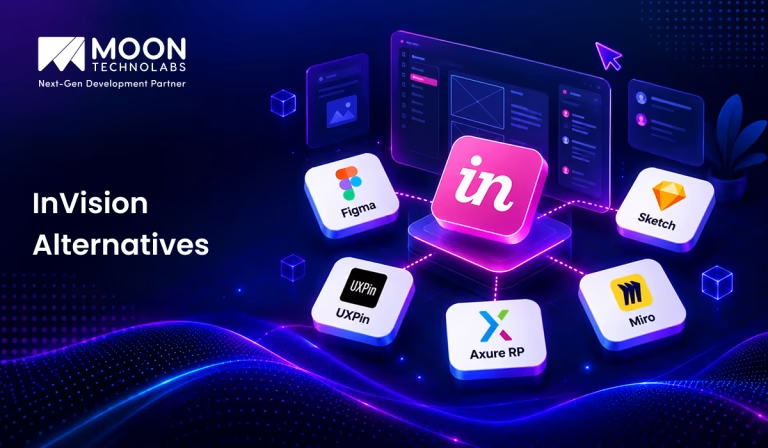
Table of Content


Blog Summary:
Explore the 10 best InVision alternatives for UI/UX design and prototyping. Compare tools based on collaboration, wireframing, interactive prototypes, animations, and design systems. Whether you’re designing websites or mobile apps, this guide highlights each platform’s strengths to help you choose the right solution for your team’s workflow and project requirements.
Table of Content
InVision was once a go-to tool for creating interactive prototypes and collecting design feedback. With its core services discontinued, teams now need other ways to review interfaces, test user flows, and share design ideas before development begins.
The challenge is finding a replacement that fits how your team actually works, whether you need quick mockups, detailed interactions, or smoother handoffs between designers and developers.
In this blog, we cover 10 best InVision alternatives for UI/UX design and advanced prototyping, exploring what makes each tool useful and what to consider before choosing one for your next project.
What is InVision?
InVision was a digital product design and prototyping platform that helped designers create interactive mockups of websites and mobile applications. It allowed teams to visualize user interfaces and test user experiences before development began.
The platform offered features such as clickable prototypes, design feedback, team collaboration, and developer handoff. These tools helped designers, developers, and stakeholders share ideas, review designs, and improve digital products throughout the design process.
InVision gained popularity by making it easier for teams to turn concepts into interactive experiences and gather feedback early. Understanding how these activities fit into the broader UI/UX design process can help businesses create more intuitive interfaces and deliver better digital experiences.
10 Best InVision Alternatives to Consider in 2026
If you’re looking for an alternative to InVision, several design tools offer different ways to create interfaces, build prototypes, and collaborate with teams. Here’s a closer look at ten options and what each one brings to the UI/UX design process:
Figma – Best for Collaborative UI/UX Design
Figma is a popular interface design platform that lets teams create designs, build interactive prototypes, and collaborate in real time. Its browser-based workspace makes it easy for designers, developers, and stakeholders to review projects without constantly exchanging files.
Key features include reusable components, shared design libraries, interactive prototyping, and developer handoff tools. Figma is particularly useful for distributed teams that need a shared workspace throughout the design process. It also supports design system management, helping teams maintain consistency across multiple screens and products.
Best for: Teams that need collaborative interface design, prototyping, and handoff in one platform.
Sketch – Best for Mac-Based Interface Design
Sketch is a vector-based design tool built primarily for macOS, making it a strong option for designers who prefer working within Apple’s ecosystem. It supports interface design for websites, mobile applications, and other digital products through flexible artboards, reusable components, and shared design libraries.
Designers can create detailed layouts, maintain consistent UI elements, and prepare assets for development. Sketch also supports prototyping and browser-based collaboration, allowing stakeholders to inspect designs and share feedback. However, its core editing experience is Mac-focused, which teams should consider when choosing a cross-platform workflow.
Best for: Mac-based designers who want a dedicated interface design environment.
UXPin – Best for Design Systems and Interactive Prototyping
UXPin combines interface design with interactive prototyping, making it useful for teams that need to test realistic user experiences before development. Its component-based workflow helps designers create consistent interfaces using reusable elements and shared design systems.
One distinguishing capability is Merge, which lets teams work with code-based components from supported libraries and repositories. This can bridge the gap between design and development by bringing designs closer to how the UI behaves in production. UXPin is particularly useful for projects that require detailed interactions and consistent component usage.
Best for: Teams working with structured design systems and realistic, interactive prototypes.
Axure RP – Best for Complex Prototypes and User Flows
One of the best InVision alternatives, Axure RP is designed to build detailed prototypes that show how a digital product behaves. It supports conditional logic, dynamic panels, variables, forms, and advanced interactions, letting designers simulate complex user journeys without building a fully functional application.
These capabilities make Axure particularly valuable for enterprise software, dashboards, and applications with complicated workflows. Web designers can also document requirements and share prototypes with stakeholders for review. Although its learning curve can be steeper than simpler design tools, its depth makes it suitable for projects where functionality needs to be demonstrated clearly.
Best for: UX professionals designing complex applications and testing detailed user flows.
ProtoPie – Best for Advanced Interactions and Animations
ProtoPie turns static interface designs into interactive website prototypes with realistic behavior. Designers can create sophisticated interactions using triggers, responses, conditions, and variables without writing traditional application code.
The platform supports gestures, sensor-based interactions, and multi-device communication, depending on the target experience. This makes it useful for testing mobile apps, connected experiences, and interfaces where motion and feedback matter. ProtoPie can also complement existing design tools by letting teams build advanced interactions after creating initial screens elsewhere.
Best for: Designers who need to demonstrate detailed interactions, gestures, and animations.
Framer – Best for Interactive Website Design
Framer combines visual design with prototyping tools to create and publish interactive websites. Designers can build responsive layouts, add animations, and preview how pages behave across different screen sizes. Its publishing workflow also lets you turn website concepts into live experiences without managing a traditional development process for every change.
This platform is especially useful for marketing websites, portfolios, landing pages, and startup websites where visual quality and quick iteration matter. While it supports interactive design work, teams should evaluate whether its website-focused workflow fits broader application prototyping needs.
Best for: Designers and teams creating polished, responsive, interactive websites.
Miro – Best for Visual Collaboration and Whiteboarding
Miro is an online visual collaboration platform built around a shared whiteboard. It helps teams organize ideas, map user journeys, create flowcharts, brainstorm, and document early product concepts in one collaborative space.
For UI/UX teams, Miro is particularly useful during discovery and planning. Designers can create user journey maps, information architecture diagrams, and rough wireframes before moving into detailed interface design.
Templates and collaboration features make workshops easier to manage across distributed teams. However, Miro is primarily a planning and collaboration tool, not a dedicated high-fidelity prototyping platform.
Best for: Creative teams that need collaborative brainstorming, journey mapping, and early-stage UX planning.
Balsamiq – Best for Low-Fidelity Wireframing
Balsamiq is a wireframing tool that helps teams quickly sketch interface ideas. Its intentionally simple, hand-drawn visual style keeps attention on layout, structure, and functionality rather than colors, typography, or polished visual details.
Designers can use it to create rough website layouts, application screens, and navigation concepts before investing time in detailed designs. Its straightforward interface also makes it accessible to product managers, business analysts, and non-design stakeholders who need to communicate ideas visually. Balsamiq is less suited to advanced animations or realistic prototypes, but it works well for early-stage planning.
Best for: Teams that want to validate layout ideas and discuss requirements before visual design begins.
Justinmind – Best for Web and Mobile App Prototyping
Justinmind is a prototyping platform for designing and testing web and mobile application experiences. It supports interactive design elements, navigation flows, forms, and conditional behavior, helping designers demonstrate how users will interact with a product before development.
The platform also offers UI libraries and tools for creating wireframes and higher-fidelity prototypes. Designers can use these features to explore alternative layouts, test workflows, and gather stakeholder feedback. Justinmind is especially useful when a project needs more than static screens but doesn’t yet require a production-ready application.
Best for: Designers who need to prototype web and mobile applications with interactive behavior.
Proto.io – Best for Mobile App Prototyping
Proto.io is a prototyping platform that helps designers create interactive experiences for mobile applications and other digital products. It offers a visual editor, reusable interface elements, animations, and transitions to bring screen designs to life without extensive coding.
Teams can use Proto.io to demonstrate app navigation, simulate user interactions, and gather feedback before development begins. Its emphasis on visual prototyping makes it useful for presenting concepts to clients and stakeholders or exploring how an application might behave on different screens. Before choosing it, teams should review its current plan limits and integration options.
Best for: Teams creating interactive mobile app prototypes for demonstrations and early usability reviews.
Validate design concepts, refine user flows, and improve usability with tailored UI/UX design and prototyping support from our experienced team
You May Also Like:
An Ultimate Guide to Best UI/UX Design Software to Boost UX Workflow
Key Features to Look for in an InVision Alternative
Here are the key features to look for in an InVision alternative to streamline your design workflow, improve team collaboration, and bring your ideas to life more efficiently:
Real-time Design Collaboration
Choose a platform that lets multiple team members work on designs at the same time. Features like live editing, shared workspaces, comments, and feedback tools improve communication, reduce misunderstandings, and help designers, developers, and stakeholders collaborate efficiently throughout the design process.
Interactive Prototyping and Animation
Look for tools that support clickable prototypes, transitions, animations, and interactive elements. These advanced features help designers simulate realistic user experiences, test navigation flows, and demonstrate functionality before development begins, making it easier to identify usability issues and refine interfaces.
UI Components and Design Systems
A strong alternative should offer reusable UI components, customizable libraries, templates, and design system management. These capabilities maintain visual consistency across projects, accelerate workflows, and simplify updates, especially for teams managing multiple products or large-scale digital experiences.
Developer Handoff and Integrations
Select a platform that simplifies communication between designers and developers through inspectable designs, CSS specifications, asset exports, and integration with development tools. Efficient handoff reduces repetitive tasks, minimizes implementation errors, and helps teams translate approved designs into functional products more smoothly.
Pricing, Scalability, and Ease of Use
Evaluate subscription costs, free-plan limitations, team collaboration options, and scalability before choosing an alternative. An intuitive interface reduces onboarding time, while flexible pricing and reliable performance ensure the platform can support growing teams, changing project requirements, and long-term business goals.
How to Choose the Right InVision Alternative for Your Team?
Choosing the right InVision alternative depends on your team’s design workflow, collaboration needs, budget, and project requirements. Start by identifying essential features, including real-time collaboration, interactive prototyping, reusable UI components, and developer handoff. These capabilities help streamline the design process and improve communication between team members.
Next, consider your team size, technical expertise, and existing design collaboration tools. Platforms with intuitive interfaces and integrations with development tools can simplify adoption and reduce workflow disruptions. Pricing matters, so compare subscription plans, free-tier limits, and scalability before deciding.
Before committing to a platform, test a few shortlisted options using a real design project. Evaluate their usability, performance, prototyping capabilities, and feedback tools. Gather input from designers, developers, and stakeholders to understand which platform meets everyone’s needs.
By comparing these factors, you can choose an alternative that supports efficient collaboration, consistent designs, and long-term project growth.
Partner with us to shape your ideas into practical designs, interactive prototypes, and user-focused digital experiences.
How Moon Technolabs Helps With UI/UX Design and Prototyping
Moon Technolabs helps businesses turn product ideas into practical designs that are easier to navigate and use. Our team creates wireframes, interface layouts, and interactive prototypes to show how an application will look and behave before development begins.
This allows businesses to review user flows, identify usability gaps, and make changes early, rather than discovering problems after development.
From mobile applications to web platforms, we create designs that reflect the product’s purpose and users’ expectations. Our UI/UX design services help businesses set a clearer development direction, align design decisions with project goals, and build digital products around real user needs.
Conclusion
Moving away from InVision is an opportunity to rethink how your team approaches design, feedback, and prototyping. The right platform should fit naturally into your workflow, make it easier to test ideas, and help your team resolve design issues before they affect development.
Instead of choosing a tool based on features alone, consider how it supports your projects and day-to-day collaboration. A short trial with your existing design files can reveal whether it meets your team’s needs.
If you need support beyond tool selection, Moon Technolabs can help you plan and create user-friendly digital experiences, from early wireframes to interactive prototypes, with design decisions guided by your product goals and user expectations.
FAQs
01
Is InVision still available?
InVision discontinued its core prototyping and collaboration services in 2024, including its main design platform. As a result, it is no longer available as a fully functional design tool. Users should consider alternative platforms like Figma for ongoing projects.02
Is Figma better than InVision for UI/UX design?
Yes, Figma is generally better for modern UI/UX design because it combines interface design, interactive prototyping, real-time collaboration, and developer handoff. Unlike InVision's former workflow, Figma lets you design and prototype in one integrated platform.03
Can I migrate my InVision projects to Figma?
Yes, but migration usually requires manual work. You can export available design screens as images or PDFs and import them into Figma. However, you'll generally need to recreate interactive prototypes, comments, and the original project structure manually.04
Can teams collaborate in real time using InVision alternatives?
Yes, tools such as Figma and Penpot support collaborative workflows that allow multiple team members to work on designs, share feedback, and review changes.



The UI/UX Team at Moon Technolabs consists of designers and user experience specialists focused on creating intuitive, accessible, and engaging digital products. The team shares practical perspectives on user-centered design, usability, design systems, and evolving digital experiences, helping businesses build products that resonate with modern users.
Submitting the form below will ensure a prompt response from us.
We refine our expertise to deliver innovative business solutions.




205 N Michigan Avenue, #810, Chicago, 60601, Illinois, United States
13500 Long Is Dr, Pflugerville, TX 78660, USA

C/105 Ganesh Meridian, S.G. Highway, Ahmedabad, GJ 380060




Ayse D.
Co-Founder France
“ I highly recommend Moon Technolabs as the quality of service is wonderful. We have hired this company to develop the product based on some complex & technical issues. We get the best quality services as compared with others in the market. Huge Thanks to Moon Technolabs as the team is always ready to give the solution all time.”

Justin G.
Founder & CEO USA
USA“ Moon Technolabs is a pioneer in the WebRTC based project as they have fixed complicated segments of the module by fulfilling different product lines by providing 24X7 customer support. We really recommended Moon Technolabs as they are able to develop products as per the module deadline and project timeline.”

Flavio S.
Founder & Managing Director Germany
“I am happy to recommend Moon Technolabs for their app development services. They successfully developed apps for me, and I am highly satisfied with the overall outcomes. The development team has swiftly addressed the issues with responsive and effective communication to understand the requirement quickly and actively resolve the back-and-forth problems that arose...”

Jay M.
Founder & CEOUSA“Moon Technolabs is the best company that provides advanced apps and websites development services in the USA and Europe. I am a newbie to develop my app with an external team. I am really happy to work with them as I am not that much mobile apps user. Here, the team and specially the CEO of Moon Technolabs helps me to let me know about the benefits of my app to generate revenue....”


Our Offices
India
C/105 Ganesh Meridian,S.G. Highway, Ahmedabad, GJ 380060USA
205 N Michigan Avenue, #810, Chicago, 60601, Illinois, United StatesContact Information


