


Flutter App Development Cost: Complete Pricing Breakdown

Jayanti Katariya
Last Updated: Jul 01, 2026 Total Views: 171
Table of Content


Blog Summary:
Do you want to launch iOS and Android apps simultaneously and cut development costs by up to 50%? Then, this blog is for you. It comprehensively covers Flutter app development costs, accounting for market fluctuations, different development stages, varied app types, and more. It covers major Flutter app development cost factors, hidden post-launch charges, step-by-step development lifecycles, and best practices to optimize financial efficiency.
Table of Content
In today’s digital economy, businesses cannot afford sluggish launch times. They require faster time-to-market, which is the ultimate differentiator.
According to industry data from Statista, Google’s Flutter dominates the landscape with an impressive 46% market share among global developers. But what does this mean for your bottom line, and how do you navigate hidden infrastructure fees? This guide breaks down the exact costs, real timelines, and strategic optimization hacks required to build a market-ready Flutter application from the ground up.
Flutter App Development Market Overview
The cross-platform app development market is seeing massive consolidation, with Flutter emerging as a dominant force. Hence, due to the need for rapid deployment and cost efficiency, cross-platform mobile developers are now choosing Google’s Flutter framework to manage single-codebase projects.
-
- According to the latest Statista report on developer usage worldwide, 46% of developers used Flutter while only 35% used React Native.
- Further, according to Stack Overflow Insights, Flutter accounts for 9.40% of all global developer activity, compared to React Native’s 8.40%, cementing its position as the preferred cross-platform technology.
- According to GitHub activity, Flutter has received more than 177K stars as of June 2026 and has seen roughly 90K commits.
- Flutter-specific framework adoption is projected to grow at a steady 16.6% CAGR by 2032.
The success of Flutter in the marketplace creates ongoing revenue generation opportunities. Building your applications from one source of code helps to reduce your development costs significantly 30–40% and drastically reduce your ongoing maintenance expenses by 50%. When all updates are handled by the same engineering teams, it becomes easier to release new features or fix bugs on both iOS and Android.
How Much Does it Cost to Develop a Flutter App?
The cost of Flutter app development does not involve a single flat fee. The total cost is dependent on several factors, mainly the scope of your project. A standard Flutter app generally costs around $15,000 for simple apps and can reach $150,000+ for complete enterprise ecosystems. For an accurate Flutter app development budget, let’s analyze costs from two most important perspectives:
Cost Analysis Based on App Development Stages
The capital is distributed across the entire lifecycle. This counts roughly 15% for discovery and UI/UX design, 60% for core engineering and backend integration, and 25% for rigorous quality assurance and deployment.
Cost and Timeline Based on App Complexity
The app functionality directly relates to the timeline and cost alike. So, let’s understand this through a table below:
| Complexity Level | Development Timeline | Average Cost Range (USD) |
|---|---|---|
| Simple App With Basic Features | 2-3 Months | $15,000 – $35,000 |
| Medium App With Custom UI/Integrations | 4-7 Months | $35,000 – $90,000 |
| Complex App with Advanced Architecture | 8-12+ Months | $90,000 – $150,000+ |
You Might Also Like:
7 Types of Flutter Apps and Their Cost Ranges
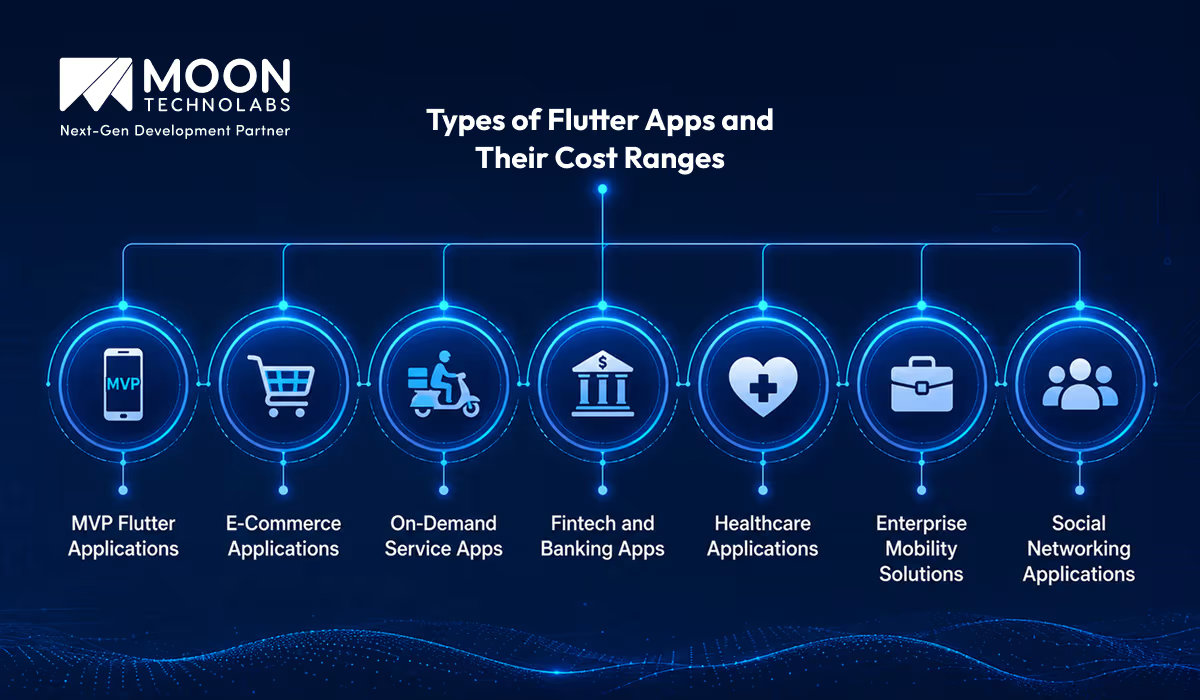
We have assembled a detailed comparison table below for your quick reference of the different types of Flutter apps and their corresponding costs:
| App Type | Key Features & Focus Areas | Estimated Timeline | Average Cost Range (USD) |
|---|---|---|---|
| MVP Flutter Applications |
|
1-3 Months | $12,000-$35,000 |
| E-Commerce Applications |
|
3-5 Months | $30,000-$80,000 |
| On-Demand Service Apps |
|
4-6 Months | $40,000-$120,000 |
| Social Networking Apps |
|
4-7 Months | $35,000-$100,000 |
| Healthcare Applications |
|
5-9 Months | $50,000-$180,000 |
| Fintech and Banking Apps |
|
6-10 Months | $60,000-$200,000 |
| Enterprise Mobility Solutions |
|
6-12+ Months | $80,000 – $200,000+ |
Key Factors Influencing Flutter App Development Cost
Flutter considerably reduces upfront development costs by using a single codebase. However, your total investment is shaped by many technical and strategic decisions. Let’s understand the variables below for a modest outcome:
Feature Complexity
The depth of your application’s functionality is the single largest cost driver. A basic app with standard text and image displays requires minimal effort. If you embed complex functionality such as advanced algorithms, heavy data processing, and custom animations, the budget quickly scales up both the development hours and the required expertise.
UI/UX Design Requirements
Custom, highly bespoke visual layouts with intricate transitions take significantly longer to design and implement than apps utilizing standard designs and widgets.
Platform Compatibility Requirements
While Flutter targets mobile by default, expanding your ecosystem to seamlessly support web browsers and desktop platforms (macOS, Windows) requires additional tailoring and testing.
Backend Development and Infrastructure
The visible frontend app is only half the equation. Building a robust backend architecture, managing server infrastructure, setting up databases, and structuring complex data synchronization pipelines require substantial engineering resources.
Third-party API Integrations
Connecting your application to external ecosystems, like payment gateways, custom CRMs, marketing automation tools, or geolocation mapping services, adds layers of complexity to testing and deployment.
Security and Compliance Requirements
Regulated industries like healthcare (HIPAA) or finance (PCI-DSS) mandate strict data encryption, secure user authentication protocols, and rigorous compliance tracking, which inherently drives up development time.
Real-time Features and Data Synchronization
Implementing instantaneous data syncing, live chat modules, or real-time tracking engines requires specialized WebSocket support and persistent server connections, thereby raising production costs.
Scalability and Performance Optimization
Architecting an app that performs flawlessly under heavy user loads requires meticulous optimization. Investing early in a scalable infrastructure prevents costly re-engineering as your user base expands.
Development Team Expertise and Location
Engineering rates vary widely by geographic region and seniority. While leveraging senior architects or agencies in premium regions ensures elite quality, it is more expensive than shifting development to mid-tier offshore teams.
Hidden Factors That Impact Flutter App Development Cost
The cost analysis for launching and operating an app includes a variety of post-launch and operational outlays. Below are some hidden expenses that can quickly derail your product’s financial health:
App Store Deployment Costs
To get your Flutter app into users’ hands, you must pay mandatory platform registry fees. Apple charges an annual $99 recurring fee for the Apple Developer Program, whereas Google Play charges a $25 one-time fee.
Backend Hosting and Cloud Infrastructure
Your app requires servers, databases, and content delivery networks (CDNs) to run. Utilizing cloud ecosystems like AWS or Firebase can range from free tiers for early MVPs to $200 to $1,000+ per month as your active user base scales.
Third-party Service Subscription Fees
Core functionalities often rely on external platforms. Subscriptions for push notification delivery engines like OneSignal, transactional SMS authentication (OTP) systems, and premium mapping APIs scale directly based on your monthly active volume.
Ongoing Maintenance and Support
Building the app is only step one. You need to support app maintenance consistently, which consumes 15% to 20% of your initial development cost to resolve software regression, update server dependencies, and patch OS bugs.
Performance Optimization Efforts
Post-launch real-world data frequently reveals unexpected frame drops or memory leaks. Budgeting for recurring code refactoring, image compression setups, and deep rendering optimization is crucial for long-term user retention.
User Experience Enhancements
Launching is a learning process. As actual usage patterns unfold, teams must spend design and engineering hours modifying confusing user flows, reworking navigation menus, and perfecting micro-interactions.
Security Audits and Compliance Costs
If your business processes transactions or medical data, you cannot skimp on validation. Regular third-party penetration testing and compliance audits (HIPAA, GDPR, or PCI DSS) incur recurring specialized consulting fees.
Cross-platform Testing Requirements
Flutter targets multiple platforms from a single codebase, but testing it requires an extensive physical device matrix or subscriptions to automated cloud testing labs such as BrowserStack.
Feature Upgrades and Enhancements
Static apps lose market share. To stay competitive, you must continuously allocate capital for iterative product feature updates, major version shifts, and seasonal UI revamps.
Post-launch Monitoring and Analytics
To make data-driven choices, integrating with application performance monitoring (APM) tools and product analytics engines (such as Datadog, Mixpanel, or Firebase Analytics premium tiers) adds incremental billing lines to your operating sheet.
How to Build a Flutter App from Scratch?
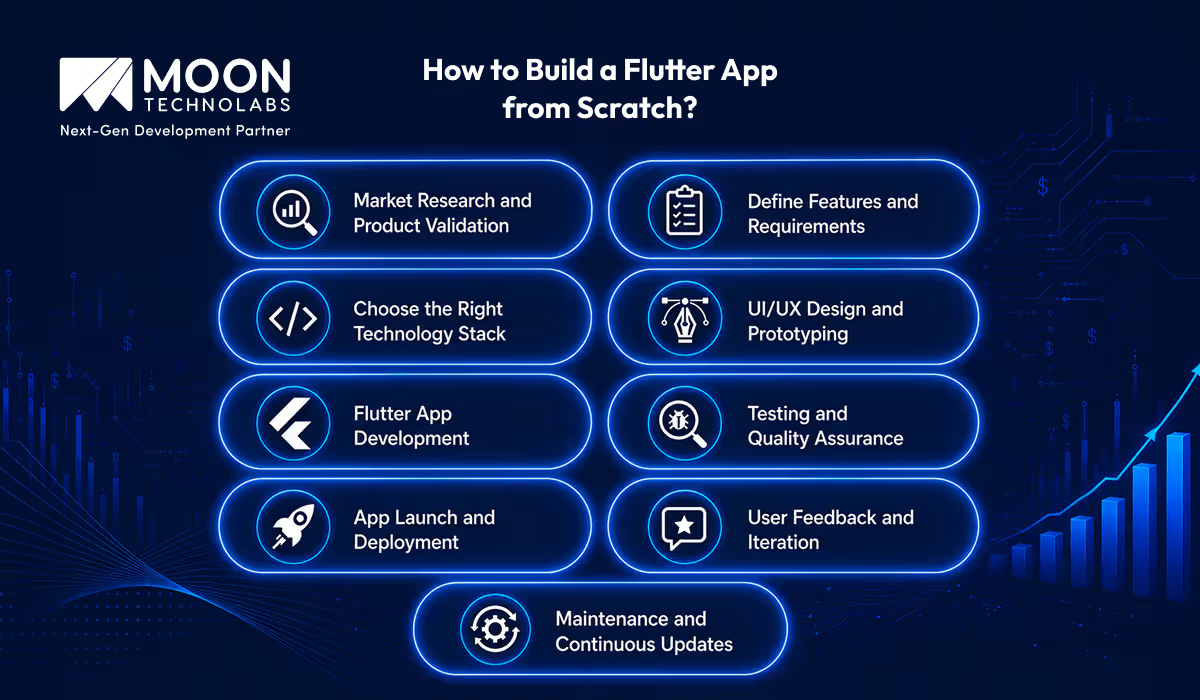
Flutter app development requires a structured approach to ensure a technically sound software that also aligns well with fluctuating market demands. Let’s follow a step-by-step roadmap to mitigate engineering risks and optimize app budget:
Step #1 – Market Research and Product Validation
First of all, it’s important to confirm that a market actually exists for your product. Analyze your direct competitors, identify gaps in their current software offerings, and survey your target demographic to establish clear product-market fit.
Step #2 – Define Features and Requirements
Translate your validated business concept into a concrete technical blueprint. Clearly outline your core software requirements, group your functionalities into a product backlog, and isolate the essential features required to build a lean, launchable minimum viable product.
Step #3 – Choose the Right Technology Stack
While Flutter handles your frontend application framework, you must select the infrastructure to support it. Determine whether your backend data requirements are best served by a serverless setup like Firebase for rapid deployment, or by a highly customized microservices architecture using Node.js, Python, or Go, hosted on AWS.
Step #4 – UI/UX Design and Prototyping
Design intuitive, user-centric wireframes and low-fidelity mockups. This stage focuses on refining user flows, establishing logical navigation patterns, and building interactive prototypes in Figma to map out exactly how users will interact with the interface before development begins.
Step #5 – Flutter App Development
This is the core engineering phase where your frontend developers write modular, reusable Dart code. Developers build out custom Flutter widgets, configure state management architectures (such as BLoC, Provider, or Riverpod), and seamlessly integrate backend REST or GraphQL APIs.
Step #6 – Testing and Quality Assurance
To deliver a stable user experience, QA engineers put your application through a rigorous testing matrix. This includes writing automated unit tests for core logic, performing widget testing on UI components, and executing manual end-to-end testing across a wide array of physical iOS and Android devices.
Step #7 – App Launch and Deployment
Once the software passes quality checks, prepare it for deployment to the public application stores. This phase involves configuring platform-specific app signing certificates, compiling production-ready .ipa and .aab bundles, and completing the strict review guidelines for the Apple App Store and Google Play Store.
Step #8 – User Feedback and Iteration
Launching is simply the beginning of your product’s lifecycle. Monitor early user onboarding closely, gather qualitative feedback via customer support tickets, and analyze quantitative behavioral data to pinpoint drop-off points or friction zones in the user journey.
Step #9 – App Maintenance and Continuous Updates
Long-term application success requires steady operational support. This final, ongoing phase focuses on patching newly discovered OS bugs, updating deprecated third-party package dependencies, and systematically rolling out iterative feature upgrades based on your user data.
Popular Technology Stack for Flutter App Development
Flutter handles the cross-platform presentation layer quite well, but it’s important that your ecosystem contains a mix of client-side tools, backend engines, and communication layers to function smoothly. Let’s explore some high-performance tech stacks for Flutter app development:
- Flutter SDK: Google’s open-source UI SDK lets you build natively compiled applications for mobile, web, and desktop from a single codebase, leveraging its rich ecosystem of customizable widgets.
- Dart Programming Language: The language behind Flutter. Dart features Ahead-of-Time (AOT) compilation to native ARM and x64 machine code, which eliminates the need for a performance-sapping JavaScript bridge and ensures fluid 60fps app animations.
- Firebase: Google’s BaaS (Backend-as-a-Service) platform provides seamless, serverless out-of-the-box integrations—such as real-time databases, authentication, and cloud messaging—making it perfect for rapid deployment and MVPs.
- Node.js: For custom, highly scalable backend architectures, Node.js provides a lightweight, event-driven runtime environment that can handle high-concurrency requests and complex business logic.
- AWS and Google Cloud: Robust cloud infrastructure platforms used to deploy custom backend microservices, manage secure database clusters, and host cloud storage that scales dynamically as your user base expands.
- REST and GraphQL APIs: The vital data pathways that connect your Flutter frontend to your servers. REST APIs provide a standardized framework for traditional data transactions, while GraphQL allows your app to request only the data it needs, reducing payload sizes and saving mobile bandwidth.
Common Use Cases of Flutter Applications
Flutter eliminates the need to maintain separate iOS and Android engineering teams. Hence, many businesses are rapidly deploying specialized solutions to their target markets. Below, we have assembled some of the business use cases for Flutter applications.
E-Commerce Applications
Retail businesses use Flutter to build immersive and brand-consistent shopping experiences. Its fast rendering engine seamlessly handles massive product catalogs, complex search filters, high-resolution image galleries, and smooth transitions during checkout.
Food Delivery and On-demand AppsThe
Flutter platform excels in the on-demand food delivery industry. It smoothly integrates real-time GPS tracking maps, complex multi-step ordering pipelines, instant push notifications, and distinct UI configurations for customers, drivers, and merchants.
Healthcare and Telemedicine Apps
Flutter is also used in digital health solutions for secure video consultations, patient-doctor messaging portals, and appointment scheduling systems. It has strict architectural controls, which make it easier to implement the end-to-end encryption required to meet data-privacy standards like HIPAA.
This Portfolio Might Interest You:
Fintech and Banking Solutions
Financial institutions also rely on Flutter’s secure state management and high performance to build banking interfaces. It handles complex cryptographic operations, biometric authentication (FaceID/Fingerprint), interactive expense charts, and real-time transaction processing securely.
Social Media App or Community Platforms
High-engagement networking platforms benefit from Flutter’s ability to render infinite-scroll activity feeds, real-time instant messaging, and multimedia uploads with no trouble. Hence, it ensures that users do not experience stumbleness while browsing content.
Enterprise Business Applications
Companies looking to streamline internal operations use Flutter to deploy custom ERP, CRM, or workforce management tools. Flutter technology compiles to mobile, web, and desktop simultaneously. Hence, employees can securely access centralized dashboards from any corporate device.
IoT and Smart Device Applications
Flutter acts as a unified control hub for products connected to smart home setups, wearables, or industrial hardware. It interacts directly with device hardware via Bluetooth and WebSockets, providing users with a beautiful, responsive control dashboard for monitoring and managing their IoT devices.
Smart Ways to Optimize Flutter App Development Costs
Flutter inherently reduces production expenses as compared to native app development. Hence, strategic planning is required to maximize efficiency. Also, implementing smart development methodologies helps reduce unnecessary development hours and optimize every dollar of your budget:
Start With an MVP
First of all, develop a lean version of your application to minimize upfront investment, validate your business concept in the live market, and preserve capital for future adjustments.
Use Reusable Flutter Components
Flutter technology has a completely widget-centric architecture. Take advantage of that and build a modular design system with highly reusable UI components, which prevents developers from rewriting similar elements across different screens. Therefore, your overall coding timeline will also be decreased.
Leverage Open-source Libraries
The official Flutter package ecosystem (pub.dev) is packed with thoroughly tested, community-maintained, open-source libraries that handle routine tasks such as image caching, data persistence, and secure storage. This saves a lot of time that would otherwise be spent on custom engineering.
Prioritize Core Features First
Filter your product backlog by prioritizing frameworks like the MoSCoW method. Focus engineering resources entirely on “Must-Have” functionalities that solve the user’s primary pain point, pushing “Nice-to-Have” features to subsequent update phases.
Implement Agile Development Practices
Break your project down into iterative 2- to 3-week development sprints. Continuous integration and routine sprint reviews give you complete visibility into project progress, allowing your team to identify bugs early and adjust scope quickly before minor issues turn into costly engineering problems.
Automate Testing Processes
Manual quality assurance across multiple devices is time-consuming and expensive. Setting up automated unit, widget, and integration test suites catches code regressions early in your CI pipeline. This decreases long-term QA costs and ensures a highly stable release.
Scale Features Based on User Feedback
Avoid guessing what features your audience wants. Instead, let real-world usage metrics and direct customer feedback guide your development roadmap. This allows your future development capital to be spent only on high-value, high-demand enhancements.
Common Challenges in Flutter App Development (& Ways to Handle Them)
Flutter is undeniably powerful, but cross-platform development comes with distinct technical hurdles. Managing these proactively prevents project delays and technical debt:
Platform-specific Functionality Issues
Accessing deep native APIs, such as advanced Bluetooth or custom sensors, can be tricky.
Quick Fix: Leverage native MethodChannels to run platform-specific Kotlin/Swift code directly, or use verified pub.dev plugins.
Performance Optimization Challenges
Heavy animations or poor state management can cause UI lag. The quick fix is to keep the widget tree shallow, avoid unnecessary setState() calls, and utilize DevTools to profile memory leaks.
Third-party Integration Complexity
Outdated external SDKs can break your build. So, the quick fix is to always vet libraries for high popularity and recent maintenance before integrating them.
Application Scalability Concerns
As features grow, messy code architecture chokes development.
Quick Fix: Implement strict, decoupled architectural patterns like BLoC, Clean Architecture, or Riverpod from day one.
Security and Compliance Requirements
Handling sensitive user data requires rigorous protection.
Quick Fix: Use secure storage plugins (such as flutter_secure_storage), implement SSL pinning for network requests, and encrypt all local databases.
The Key Takeaway About Flutter Costs for Business
Using the Flutter Framework is still one of the best strategic choices your company can make when looking to develop high-quality mobile applications quickly and at a fraction of the cost of managing the same application as multiple native applications.
Flutter can help you reduce your overall budget significantly and enable a single codebase across all platforms. In other words, It allows you to avoid spending far more than necessary to develop revenue-generating applications.
Whether you are developing an MVP or have an enterprise app and are trying to increase your market share, the key to your success is developing the right strategy, priorities, and selecting a reliable cross-platform development company that understands your needs.
FAQs
01
How much does Flutter app development cost?
The cost range of Flutter app development is usually $15,000 to $100,000. A basic app costs $15,000–$30,000, and a complex enterprise app exceeds $100,000.02
Is Flutter cost-effective compared to native app development?
Yes. Flutter is highly cost-effective. It saves 20%-40% as compared to native app development. This is mainly because Flutter uses a single codebase to deploy apps on iOS and Android simultaneously.03
What is the development time to build a Flutter application?
It takes approximately 2-6 months to develop a Flutter application. This timeline depends heavily on the app's complexity. Simple Flutter app development takes 4-8 weeks, and enterprise-level feature-rich applications take 6+ months.04
Which types of applications are best suited for Flutter?
MVPs, e-commerce, cross-platform apps, and enterprise solutions are best suited for Flutter. The reason is that these kinds of apps require a single codebase, a consistent UI across iOS and Android, and fast development cycles.05
Which factors highly affect Flutter app development costs?
App complexity, feature count, UI/UX design intricacy, integration of third-party APIs, geographic location, and the development team's expertise level are among the factors that affect Flutter app development costs.




Jayanti Katariya is the CEO of Moon Technolabs, a fast-growing IT solutions provider, with 18+ years of experience in the industry. Passionate about developing creative apps from a young age, he pursued an engineering degree to further this interest. Under his leadership, Moon Technolabs has helped numerous brands establish their online presence and he has also launched an invoicing software that assists businesses to streamline their financial operations.
Submitting the form below will ensure a prompt response from us.
We refine our expertise to deliver innovative business solutions.





205 N Michigan Avenue, #810, Chicago, 60601, Illinois, United States
13500 Long Is Dr, Pflugerville, TX 78660, USA

C/105 Ganesh Meridian, S.G. Highway, Ahmedabad, GJ 380060


Ayse D.
Co-Founder France
“ I highly recommend Moon Technolabs as the quality of service is wonderful. We have hired this company to develop the product based on some complex & technical issues. We get the best quality services as compared with others in the market. Huge Thanks to Moon Technolabs as the team is always ready to give the solution all time.”

Justin G.
Founder & CEO USA
USA“ Moon Technolabs is a pioneer in the WebRTC based project as they have fixed complicated segments of the module by fulfilling different product lines by providing 24X7 customer support. We really recommended Moon Technolabs as they are able to develop products as per the module deadline and project timeline.”

Flavio S.
Founder & Managing Director Germany
“I am happy to recommend Moon Technolabs for their app development services. They successfully developed apps for me, and I am highly satisfied with the overall outcomes. The development team has swiftly addressed the issues with responsive and effective communication to understand the requirement quickly and actively resolve the back-and-forth problems that arose...”

Jay M.
Founder & CEOUSA“Moon Technolabs is the best company that provides advanced apps and websites development services in the USA and Europe. I am a newbie to develop my app with an external team. I am really happy to work with them as I am not that much mobile apps user. Here, the team and specially the CEO of Moon Technolabs helps me to let me know about the benefits of my app to generate revenue....”


Our Offices
India
C/105 Ganesh Meridian,S.G. Highway, Ahmedabad, GJ 380060USA
205 N Michigan Avenue, #810, Chicago, 60601, Illinois, United StatesContact Information


