


Enterprise Mobility Platform: Features, Benefits, and Best Practices

App Development Team
Last Updated: Oct 27, 2026 Total Views: 85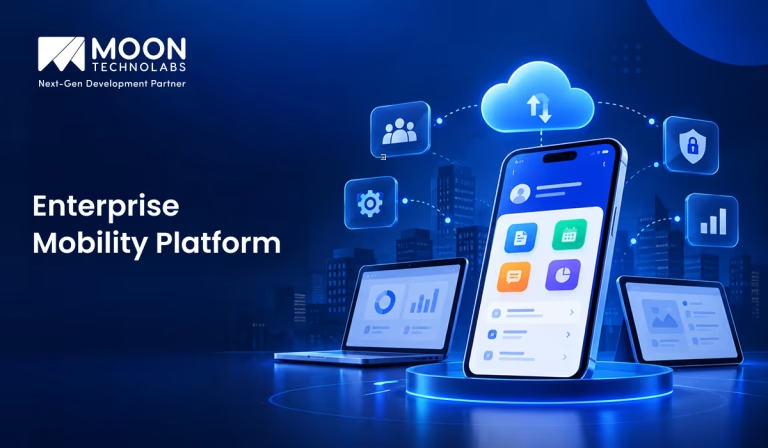
Table of Content


Blog Summary:
An enterprise mobility platform helps businesses adapt to changing workforce needs, manage distributed operations, and address evolving IT challenges. Choosing the right approach enables organizations to strengthen compliance, simplify administration, and build a flexible technology environment that supports long-term growth.
Table of Content
Managing a growing mobile workforce involves more than providing employees with smartphones and business apps. Businesses need a reliable way to secure corporate data, manage devices across locations, and ensure employees can access the tools they need without disrupting daily operations.
According to B2M Solutions’ State of Enterprise Mobility Report, 98% of IT leaders consider reliable mobile devices, applications, and network connections critical or important to frontline worker productivity.
An enterprise mobility platform brings these capabilities together, helping IT teams enforce security policies, manage applications, and maintain visibility across connected devices. This guide explores the platform’s essential features, business benefits, and best practices for choosing and implementing a solution that fits your organization’s operational needs.
What is an Enterprise Mobility Platform?
An enterprise mobility platform is a technology solution that helps businesses manage mobile devices and applications and securely access corporate resources from a centralized system. It lets employees work efficiently in the office, remotely, and in the field.
These platforms combine features such as mobile device management, application management, identity verification, and data protection to simplify IT administration. They also help organizations maintain security standards while supporting flexible work arrangements and seamless collaboration.
Businesses can further extend mobility capabilities with enterprise application development services to build custom applications that integrate with existing systems, automate workflows, and meet specific operational requirements.
Why Enterprise Mobility Platforms Matter
Here’s why an enterprise mobility platform matters for modern businesses navigating evolving technology needs, distributed workforces, and increasing demands for secure, flexible, and connected business operations:
Improved Employee Productivity
Enterprise mobility services platforms empower employees to access business applications, tools, and information from anywhere. By reducing reliance on office-based systems and simplifying everyday workflows, they help employees complete tasks faster, make informed decisions, and maintain productivity across different work environments.
Secure Remote Access
It lets employees securely access corporate resources from remote locations and personal or company-owned devices. Features such as authentication, encryption, access controls, and security policies help protect sensitive business data while supporting flexible working arrangements.
Better Workforce Collaboration
Enterprise mobility platforms let teams communicate, share files, and collaborate in real time, no matter where they are. Integrating with business communication and productivity tools streamlines teamwork, improves information sharing, reduces delays, and keeps employees aligned with organizational goals.
Centralized Device and Application Management
These platforms provide IT teams with a centralized interface to manage devices, applications, configurations, and security policies. Administrators can remotely deploy software, monitor device compliance, troubleshoot issues, and enforce organizational standards, simplifying management across large and distributed workforces.
Reduced Operational Costs
Enterprise mobility platforms can reduce IT expenses by automating routine administrative tasks, minimizing manual intervention, and enabling remote troubleshooting. Centralized management also optimizes device usage, reduces downtime, and improves resource allocation, lowering operational costs over time.
Enhanced Business Agility
These platforms help organizations adapt quickly to changing business needs by enabling flexible work arrangements, faster application deployment, and secure access to critical resources. This flexibility supports workforce expansion, digital transformation, and more responsive decision-making in competitive business environments.
Build an Enterprise Mobility Management Solution Around Needs
Discuss your requirements with our team and explore custom mobility solutions that align with your existing systems, security policies, and workflows.
Key Features of an Enterprise Mobility Platform
Here are the key features of an enterprise mobility management platform that help businesses manage their mobile environments and meet evolving technical and operational requirements:
Mobile Device Management (MDM)
MDM enables IT teams to enroll, configure, and manage corporate and employee-owned devices from a central console. Administrators can enforce device settings, deploy updates, track compliance, and remotely lock or wipe lost devices.
Mobile Application Management (MAM)
MAM gives organizations control over business applications without necessarily managing the entire device. IT teams can distribute approved apps, configure application settings, restrict data sharing, and remove corporate applications when employees leave.
Mobile Security and Data Protection
Built-in security features protect sensitive business information across devices, networks, and applications. Capabilities such as encryption, threat detection, remote wiping, and data loss prevention help reduce exposure from lost devices, unauthorized access, and malware.
Identity and Access Management
Identity and access management ensures employees can access business resources according to their roles and permissions. Features such as single sign-on, multi-factor authentication, and conditional access strengthen security while simplifying access to enterprise applications.
Enterprise Application Integration
Integration capabilities connect mobile workflows with existing ERP, CRM, HRMS, and collaboration systems. Secure APIs and identity integrations allow employees to access business data consistently, reduce manual tasks, and maintain continuity across enterprise applications.
Cloud-based Management
Cloud-based management allows IT administrators to configure devices, distribute applications, and enforce security policies remotely. Centralized administration reduces infrastructure maintenance, supports distributed workforces, and enables organizations to manage devices across multiple locations efficiently.
Real-time Monitoring and Analytics
It provides visibility into device health, optimizes application performance, compliance status, and potential security threats. Analytics help IT teams identify recurring issues, investigate unusual activity, and make informed decisions to improve platform reliability.
Cross-platform Compatibility
It enables centralized management of devices running different operating systems, including Android, iOS, Windows, and macOS. This flexibility simplifies administration across diverse device environments and helps maintain consistent security policies throughout the organization.
Automated Policy Enforcement
Automated policy enforcement applies predefined security and usage rules whenever devices or users fall outside approved requirements. IT teams can automatically restrict access, flag noncompliant devices, and trigger remediation actions without relying entirely on manual intervention.
How to Choose the Right Enterprise Mobility Platform
Here’s what to consider when choosing an enterprise mobility platform that aligns with your business requirements, existing infrastructure, and long-term technology goals:
Identify Business Mobility Requirements
Start by identifying how employees use mobile devices across departments, locations, and workflows. Define essential capabilities, such as remote access, application management, field workforce support, and centralized device control, before comparing platforms.
Evaluate Security and Compliance Features
Look beyond basic device protection and assess encryption, multi-factor authentication, conditional access, remote wiping, and threat detection. Ensure the platform supports your industry’s compliance requirements and provides visibility into device risks and data access.
Check Device and Operating System Compatibility
Verify that the platform supports your organization’s existing smartphones, tablets, laptops, and operating systems. Check enrollment options, operating system update support, and management capabilities to avoid compatibility issues across diverse employee devices.
Assess Integration Capabilities
Choose a platform that connects seamlessly with your existing business applications, identity providers, collaboration tools, and IT service management systems. Strong integration reduces manual administration, simplifies user access, and keeps enterprise workflows consistent.
Consider Scalability and Flexibility
Select a platform that can accommodate workforce expansion, additional devices, new business locations, and evolving security requirements. Flexible management policies and deployment options help your organization adapt without requiring costly infrastructure changes or platform replacement.
Compare Pricing and Total Cost of Ownership
Compare subscription fees alongside implementation, licensing, training, maintenance, and ongoing support costs. Evaluate pricing tiers, device limits, and charges for additional features to understand the platform’s long-term financial impact, not just upfront costs.
Evaluate Vendor Support and Reliability
Assess the vendor’s technical support availability, response times, service-level agreements, product roadmap, and frequency of security updates. Review customer experiences and uptime commitments to ensure the platform remains dependable as your mobility requirements evolve.
Implementing an Enterprise Mobility Platform: Best Practices
Here are the best practices to follow when implementing an enterprise mobility management platform, from initial planning and infrastructure assessment to deployment, employee adoption, and ongoing improvements:
Define a Clear Enterprise Mobility Strategy
Build a mobility strategy around actual business challenges, such as remote workforce access, field operations, and faster decision-making. Set clear objectives, define success metrics, and prioritize initiatives that deliver measurable business value.
Assess Existing IT Infrastructure
Review your current device landscape, network capacity, enterprise applications, and identity management systems before implementation. Identify outdated technologies, integration bottlenecks, and infrastructure gaps that could affect platform compatibility, scalability, and performance.
Establish Security and BYOD Policies
Define how corporate data should be accessed, stored, and protected across employee-owned and company-managed devices. Enforce multi-factor authentication, role-based permissions, remote-wipe capabilities, and compliance controls, and clearly communicate employee privacy boundaries.
Choose the Right Deployment Model
Evaluate cloud, on-premises, and hybrid deployment models based on your organization’s security requirements, IT capabilities, and growth plans. Consider implementation costs, administrative overhead, scalability, and regulatory obligations before selecting the right approach.
Integrate With Existing Enterprise Systems
Connect the mobility platform with your existing ERP, CRM, HRMS, identity providers, and collaboration tools. Prioritize secure API integrations and single sign-on to eliminate duplicate workflows, simplify access, and keep data consistent across systems.
Conduct Pilot Testing
Test the platform with authorized users, devices, departments, and real-world workflows before expanding deployment. Measure application performance, login reliability, policy enforcement, and user experience. Use pilot feedback to resolve technical issues and improve configurations.
Train Employees and IT Teams
Equip employees with practical guidance on secure device usage, business application access, and reporting lost or compromised devices. Train IT teams to manage enrollment, troubleshoot connectivity issues, enforce policies, and respond to security incidents.
Monitor Performance and Optimize Continuously
Track device compliance, application crashes, enrollment failures, security alerts, and helpdesk ticket volumes through centralized dashboards. Review these insights regularly to identify recurring issues, refine access policies, optimize resource usage, and improve employee productivity.
Examples of Enterprise Mobility Platform Solutions
Here are some examples of enterprise mobility platform solutions that help businesses address different device management, application security, and workforce mobility requirements:
Microsoft Intune
This cloud-based endpoint management solution enables organizations to manage mobile devices, applications, and security policies while protecting corporate data across multiple operating systems.
IBM MaaS360
Offering unified endpoint management, this platform helps organizations secure, monitor, and manage smartphones, tablets, laptops, and applications through centralized administration and intelligent security features.
VMware Workspace ONE
Designed to support digital workspaces, this platform simplifies device management, application delivery, and security enforcement while providing employees with secure access to organizational resources.
Ivanti Neurons for MDM
With cloud-based management, this solution helps organizations enforce security policies, manage applications, automate device configurations, and protect corporate information across multiple devices.
SOTI MobiControl
Supporting diverse enterprise environments, this mobility management solution enables businesses to remotely monitor, secure, manage, and troubleshoot mobile devices, rugged devices, and connected endpoints.
ManageEngine Mobile Device Manager Plus
With centralized administration, this platform helps organizations manage mobile devices, distribute applications, enforce security policies, configure settings, and remotely troubleshoot endpoints.
BlackBerry UEM
Focused on enterprise security and control, this unified endpoint management platform helps organizations manage devices, secure applications, enforce compliance policies, and protect sensitive business information.
Share your business challenges with Moon Technolabs and discover how tailored enterprise mobility solutions can support connected, efficient, and secure operations.
How Moon Technolabs Helps Businesses Implement Enterprise Mobility Solutions
Implementing enterprise mobility requires more than giving employees access to business applications. Moon Technolabs helps businesses identify mobility challenges, connect existing enterprise systems, and build mobile solutions that fit their day-to-day operations, whether employees work in offices, manage field activities, or operate across multiple locations.
Enterprise mobility solutions can connect field teams with centralized business systems, give managers better visibility into ongoing operations, and help employees complete tasks without switching between disconnected tools. As a custom mobile app development company, we help businesses build applications around their workflows, user roles, integration requirements, and security needs, rather than relying on one-size-fits-all solutions.
A well-planned mobility strategy must evolve with the business. By aligning application functionality with operational goals and future requirements, we help organizations build mobile experiences that support more efficient processes, better information flow, and a connected workforce.
Conclusion
An enterprise mobility platform helps businesses manage devices, protect corporate data, and keep employees connected across different work environments. Choosing the right platform requires a clear mobility strategy, strong security controls, seamless system integration, and ongoing performance monitoring to ensure it meets evolving business needs.
For organizations planning to build custom mobile applications or integrate existing enterprise systems, having the right development expertise is equally important. Businesses can hire dedicated developers to develop tailored mobility solutions that align with their workflows, security requirements, and long-term growth objectives.
FAQs
01
What is an enterprise mobility platform?
An enterprise mobility platform lets businesses manage mobile devices, applications, users, and corporate data from a central system. It supports secure remote access, simplifies device administration, and helps employees work productively across locations while maintaining organizational security and compliance.02
What is the difference between enterprise mobility management and mobile device management?
Enterprise mobility management (EMM) covers devices, applications, content, and access policies across an organization. Mobile device management (MDM) focuses primarily on enrolling, configuring, monitoring, and securing devices. MDM is typically one component of a broader EMM strategy.03
What are the main benefits of an enterprise mobility platform?
An enterprise mobility platform improves workforce productivity, strengthens data security, simplifies device management, and supports remote work. It also enables centralized policy enforcement, reduces IT administrative workloads, helps maintain regulatory compliance, and provides better visibility into enterprise mobile environments.04
How do I choose the best enterprise mobility platform for my business?
Choose an enterprise mobility platform based on your business size, device types, security requirements, budget, and integration needs. Before you decide, evaluate scalability, ease of deployment, user experience, reporting capabilities, vendor support, and compatibility with existing systems.05
How much does it cost to implement an enterprise mobility platform?
The cost of implementing an enterprise mobility platform depends on user count, licensing models, deployment complexity, device requirements, integrations, and support services. Businesses should also budget for training, migration, and ongoing maintenance to understand the total cost of ownership.



Stay updated with the latest trends, frameworks, and best practices in mobile app development. From Android and iOS to cross-platform technologies, this category explores development strategies, app architecture, performance optimization, and user experience to help build scalable mobile applications. Find valuable insights that support successful mobile app development from idea to deployment.
Submitting the form below will ensure a prompt response from us.
We refine our expertise to deliver innovative business solutions.



205 N Michigan Avenue, #810, Chicago, 60601, Illinois, United States
13500 Long Is Dr, Pflugerville, TX 78660, USA

C/105 Ganesh Meridian, S.G. Highway, Ahmedabad, GJ 380060




Ayse D.
Co-Founder France
“ I highly recommend Moon Technolabs as the quality of service is wonderful. We have hired this company to develop the product based on some complex & technical issues. We get the best quality services as compared with others in the market. Huge Thanks to Moon Technolabs as the team is always ready to give the solution all time.”

Justin G.
Founder & CEO USA
USA“ Moon Technolabs is a pioneer in the WebRTC based project as they have fixed complicated segments of the module by fulfilling different product lines by providing 24X7 customer support. We really recommended Moon Technolabs as they are able to develop products as per the module deadline and project timeline.”

Flavio S.
Founder & Managing Director Germany
“I am happy to recommend Moon Technolabs for their app development services. They successfully developed apps for me, and I am highly satisfied with the overall outcomes. The development team has swiftly addressed the issues with responsive and effective communication to understand the requirement quickly and actively resolve the back-and-forth problems that arose...”

Jay M.
Founder & CEOUSA“Moon Technolabs is the best company that provides advanced apps and websites development services in the USA and Europe. I am a newbie to develop my app with an external team. I am really happy to work with them as I am not that much mobile apps user. Here, the team and specially the CEO of Moon Technolabs helps me to let me know about the benefits of my app to generate revenue....”


Our Offices
India
C/105 Ganesh Meridian,S.G. Highway, Ahmedabad, GJ 380060USA
205 N Michigan Avenue, #810, Chicago, 60601, Illinois, United StatesContact Information


