


Azure App Modernization: A Complete Guide to Modernizing Applications on Microsoft Azure

DevOps Team
Last Updated: Aug 21, 2026 Total Views: 138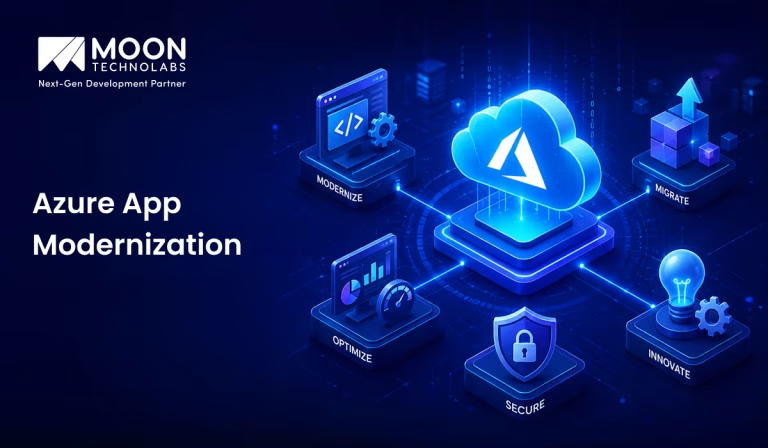
Table of Content


Blog Summary:
Azure app modernization enables businesses to restructure their legacy apps by leveraging the platform’s cloud capabilities. This guide provides a complete process for app modernization, along with its benefits, use cases, key strategies and practices, AI-driven advancements, challenges, costs, etc.
Table of Content
Most businesses still rely on legacy apps that are difficult to maintain and scale, and are highly expensive to manage. As business requirements change, these systems often struggle to improve performance, implement advanced features, and enhance security.
So, modernizing the existing applications is a practical way to address these difficulties. Azureapp modernization helps you do it conveniently by adopting advanced cloud capabilities. It gives companies the flexibility to opt for refactoring, replatforming, rehosting, or rebuilding their old app, depending on the circumstances.
This has increased the global adoption rate of app modernization. According to Market Research Future, the app modernization services industry is set to grow to $61.28 billion by 2035, at a CAGR of 16.52% from 2025 to 2035.
This guide lets you explore everything related to app modernization and make your effort successful.
What is Azure App Modernization?
Azure app modernization is the process of updating existing on-premises legacy software to run smoothly on Microsoft Azure’s cloud platform. It’s not about creating everything from scratch. Instead, businesses need to re-architect, upgrade, and migrate existing software to leverage cloud-native features. The result is improved performance, high-grade security, minimal costs, and greater flexibility to scale with business growth.
Why Modernize Applications With Azure?
Running an outdated application is an expensive deal for a business, as it slows their entire operation. The following are some other reasons why they should opt for modernizing their apps with Azure:
Reduce Legacy Infrastructure Dependency
Azure minimizes the hassle of shifting workloads to the cloud. It eliminates the need for any physical upgrades and minimizes the overall risks associated with unsupported systems.
Improve Application Performance and Scalability
Legacy apps often struggle to manage increasing user demand. With Azure cloud infrastructure, apps can scale up or down automatically based on traffic.
Strengthen Security and Compliance
Azure offers built-in security features, compliance certifications, and regular updates. These are things that are tough to maintain with a legacy system. Modernizing the software with Azure lets businesses secure their sensitive data.
Reduce Infrastructure and Maintenance Costs
When businesses move from manual upkeep and physical servers to cloud-based services, they save significantly on IT staffing, hardware, and ongoing maintenance costs. It requires businesses to pay for what they really use .
Accelerate Software Releases and Innovation
When combined with Azure cloud-native tools, advanced DevOps practices allow teams to release updates more reliably and quickly. It enables businesses to respond to market changes fast and continuously enhance their apps.
Why Does Azure App Modernization Matter?
It’s not in a business’s best interest to rely on outdated systems, especially with rapidly evolving customer expectations. They expect a fast and reliable digital experience that a legacy app can’t deliver. So, delaying modernization introduces several risks, including lost productivity and security gaps.
Azure app modernization has become a business necessity that directly impacts their growth and survival. It’s necessary for many other reasons as well:
- Avoid costly downtime
- Avoid security breaches
- Stay competitive in the rapidly changing digital landscape.
- Support remote work
- Offer fast decision-making.
- Make your business future-proof.
7 Azure App Modernization Use Cases Driving Enterprise Adoption
Enterprises from multiple industries modernize their apps on Azure to stay highly competitive and sustain success. The following are some of the popular use cases that boost enterprise adoption:
Legacy .NET Application Modernization
Most enterprises, even today, run legacy .NET Framework apps that are quite expensive to maintain and tough to scale. Azure makes it easy to upgrade these apps to .NET Core or even later versions. It boosts performance while preserving the business logic.
Monolith-to-microservices Transformation
Large, tightly connected monolith apps can be tough to scale and update. Breaking them into separate microservices allows your team to create, deploy, and scale each component independently.
Cloud-native Application Modernization
Businesses often redesign legacy apps to leverage cloud-native features, including serverless computing, auto-scaling, and managed services. This approach boosts performance while minimizing operational workloads.
Database Modernization and Migration
An old database often fails to deliver higher scalability, performance, and security. Once you migrate to Azure’s managed database services, you can minimize administrative work while improving data security and reliability.
Containerization of Enterprise Applications
Containerizing your enterprise apps and orchestrating them with Azure Kubernetes Service (AKS) ensures consistent deployment across environments. It also enhances resource efficiency through simple scaling to handle increasing workloads.
AI Integration Into Existing Applications
Businesses increasingly embed AI and ML capabilities in their software using Azure AI services. It offers smart features such as chatbots, predictive analytics, and automated decision-making. For this, they don’t need to build AI infrastructure from scratch
DevOps and CI/CD Modernization
Manual deployment is one of the primary reasons for slow innovation. Adoption of Azure DevOps and CI/CD pipelines automates the entire process of creating, testing, and deploying software. It lets teams release updates fast and maintain software quality by capturing issues earlier.
Modernize Your Old App to Unlock Better Performance
We modernize your old apps with Azure to boost performance and scalability. Let’s give your business the technology it requires to grow.
Benefits of Azure App Modernization
Azure app modernization delivers complete business value, not just a technical upgrade. We have described some of its popular benefits as follows:
Improved Scalability and Performance
Azure can scale resources based on demand, depending on the service and its configuration. It also ensures apps run hassle-free even during increased traffic.
Reduced Operational Costs
With Azure app modernization, businesses no longer require physical servers or manual maintenance. It minimizes costs for energy, hardware, IT staffing, etc.
Enhanced Application Security
To strengthen app security, Azure offers a range of features, including identity management, threat detection, and automatic patching. This minimizes vulnerabilities and enhances security.
Faster Time-to-market
The app development teams can leverage advanced DevOps practices and CI/CD pipelines to quickly create and implement the latest features. With this agility, businesses can respond fast to market demands.
Higher Availability and Reliability
With data centers across the globe, Azure ensures app availability even during regional outages. Apart from this, its disaster recovery options and built-in redundancy minimize downtime.
Easier Integration With Modern Technologies
A modern app can be easily integrated with emerging technologies such as AI, IoT, and ML through Azure’s vast ecosystem of services. This makes it quite simple to add new capabilities without disrupting your current systems.
Azure App Modernization Strategies: The 7 R’s Framework
Every app requires a different approach to modernization. With the 7 R’s framework, businesses can select the right strategy based on an app’s business value, complexity, and future requirements.
Rehost
Rehosting means moving the entire app to Azure with minimal or no code changes. This is the least risky and fastest approach.
Replatform
Replatforming is about implementing small optimizations to an app before moving it to Azure. It comes with numerous cloud advantages, including reduced maintenance, simplified infrastructure management, and automated updates.
Refactor
Refactoring involves restructuring parts of an app’s code to enhance both its maintainability and performance. It allows businesses to take full advantage of cloud-native features without redesigning.
Rearchitect
Rearchitecting involves directly redesigning the app’s architecture to move from a monolithic to microservices architecture. This is a perfect strategy for apps that require greater flexibility, scalability, and performance.
Rebuild
Rebuilding means developing the entire app from scratch by leveraging cloud-native technologies. This approach lets businesses improve the architecture and capabilities of their apps.
Replace
This framework helps businesses replace their outdated app with a ready-made SaaS solution. It works well when off-the-shelf software meets business requirements more efficiently than maintaining custom-built software.
Retire
Retiring an outdated app that no longer delivers business value is a good option. This minimizes overall complexity and any unnecessary costs.
Key Azure Services and Tools for Application Modernization
Azure offers a variety of services to address diverse modernization requirements. Take a detailed look at some of the important tools businesses harness:
Azure App Service
Azure App Service enables businesses to create, deploy, and scale APIs and apps. It supports a wide range of frameworks and programming languages.
Azure Kubernetes Service (AKS)
AKS simplifies the entire process of deploying and managing a centralized app with Kubernetes. It automates the operational overhead involved in running containers.
Azure Functions
Azure Functions is useful for businesses seeking to adopt serverless computing. It ensures the code works properly in response to specific events.
Azure Container Apps
Azure Container Apps boasts a serverless platform that can run containerized and microservices apps. It blends simplicity and flexibility, making it convenient to deploy apps without having to manage complex Kubernetes clusters.
Azure SQL Database
Azure SQL Database minimizes the necessity for various manual database administration tasks. It is a well-suited option to modernize existing database systems.
Azure API Management
Managing APIs becomes vital when an app becomes distributed. With Azure API Management, businesses can publish, analyze, and secure APIs and ensure smooth communication between different app components.
Azure Monitor
It provides comprehensive information on app performance and health. It collects telemetry data and analyzes it, enabling teams to identify issues early and resolve them quickly.
You Might Also Like:
How AI Is Changing Azure App Modernization
AI is much more than just a supporting tool for app modernization; it is an important part of the entire process. Let’s find out how this technology impacts app modernization over the years:
AI-assisted Code Modernization
GitHub Copilot is one of the AI-assisted code modernization tools that performs more than just code suggestions. Whether it’s planning upgrades, analyzing codebases, or automatically implementing framework changes, the tool can handle it all.
Generative AI Integration With Legacy Applications
Businesses nowadays most frequently embed generative AI directly into their existing apps. They integrate features such as automated content generation and intelligent chat interfaces without requiring a complete overhaul.
Intelligent Application Monitoring
Many AI-driven monitoring tools can detect potential failures and unusual patterns before they affect users. It allows teams to avoid major issues before they arise.
AI-powered Testing and Quality Assurance
AI has enormous potential to automate test case generation, bug detection, validation, and vulnerability assessment in the early phase of the modernization process. This indeed effectively minimizes manual QA effort.
Automated Cloud Optimization
AI can analyze resource usage, maintain continuity, and automatically adjust configuration. This is useful for balancing cost and performance while minimizing guesswork.
Best Practices for Successful Azure App Modernization
Azure app modernization requires more activities than just selecting the right tools. We have mentioned the following important practices to ensure smooth execution and better results for the long term:
Assess Applications Before Modernization
A thorough assessment of the existing app is required before any changes are made. It helps you understand performance issues, dependencies, and business value.
Choose the Right Modernization Strategy
As we already discussed, not every app requires a complete overhaul. All you need to do is leverage the 7R framework to match each app with the appropriate approach, be it a complete rebuild or rehost, based on cost and complexity.
Prioritize Security and Compliance
Security is meant to be integrated into apps during the modernization process. Ensure apps comply with industry standards and use Azure’s built-in security tools to protect sensitive data.
Adopt Cloud-native Architecture
Designing applications using cloud-native architectural principles allows businesses to leverage features such as containers, microservices, and serverless computing. This approach works better for increasing scalability and making future updates easier to handle.
Implement DevOps and Automation
Whether it’s automated testing, deployment, or monitoring through DevOps practices, these approaches minimize manual errors. It speeds up the software release process while fostering a more reliable and consistent development process.
Modernize Applications in Phases
It’s a good idea to divide the entire software modernization process into different manageable phases. This lets teams learn from the beginning and minimizes risks and disruptions to existing business operations.
Continuously Monitor and Optimize
The app modernization process also involves monitoring app performance, security, costs, and other metrics using tools such as Azure Monitor. It makes changes when required to boost efficiency over time.
Potential Challenges and Solutions in Azure App Modernization
Apart from offering numerous advantages, app modernization also brings several challenges. The following are some of these challenges:
Legacy Application Complexity
An outdated app includes limited documentation and complex dependencies.
Solution: Conduct a thorough technical assessment before mapping dependencies.
Data Migration Risks
Moving data often leads to issues like corruption, loss, or downtime if not managed properly.
Solution: Businesses should leverage Azure’s data migration tools and maintain backups properly before the migration process.
Cloud Skills Gaps
Most in-house teams often lack hands-on expertise in Azure.
Solution: Organizations should invest enough money in various training programs.
Security and Compliance Requirements
Matching industry regulations during app modernization is often complex.
Solution: Businesses should build security and compliance checks into different phases of the process rather than treating them as a final setup.
Application Downtime
Any sudden downtime during app migration often affects the entire business operations.
Solution: Blue-green deployments, phased rollouts, parallel environments, etc. are perfect to minimize any disruption.
Cost and Resource Management
Modernizing any app can quickly increase the budget without proper planning.
Solution: Set a clear budget and use Azure cost management tools to analyze spending throughout the project.
How Much Does Azure App Modernization Cost?
The average cost of Azure app modernization ranges from $20,000 to $100,000. It also depends on many other factors:
Application Complexity
Creating a simple app with fewer dependencies often costs less to modernize than a complex, large system with numerous integrations and tangled legacy code. On the other hand, developing a complex app requires more resources and time.
Modernization Approach
The cost also depends on the modernization approach businesses select. A simple rehosting is considered to be quite an affordable option. But the complete overhaul requires more development expertise and time, thereby increasing costs.
Azure Infrastructure Requirements
The type of Azure services you require directly affects the cost. Apps with higher availability and performance require a powerful infrastructure.
Data Migration and Integration
Whether it’s connecting to different systems or moving vast amounts of data, these activities increase overall costs. It can indeed be higher when the data requires conversion, cleaning, or complex integration.
Development Team Requirements
Whether you select Azure developers, an in-house team, or modernization partners, it impacts the overall costs. Apart from that, the team’s experience also significantly impacts the overall cost.
Ongoing Cloud and Maintenance Costs
Businesses need to plan their budgets for Azure subscription costs, regular maintenance, ongoing support, and other costs, in addition to initial modernization. This ensures the app runs hassle-free.
Transform Your Outdated App with Azure
We upgrade your outdated apps with Azure to unlock improved performance. Let’s start your app modernization journey now.
How Moon Technolabs Helps Businesses Modernize Applications With Azure?
We assist you in modernizing your outdated app by blending a structured modernization approach and our proven Azure expertise. Our team analyzes your existing apps and checks opportunities for modernization. Based on this, we offer the most appropriate migration strategies.
As a Microsoft Azure development company, we are a one-stop destination for your multiple needs, whether it’s cloud-native development, Azure migration, app reengineering, DevOps, or ongoing optimization. We use this approach to help you maximize your app’s performance, security, scalability, and maintainability.
Conclusion
With Azure app modernization, you get a practical solution to migrate from your old systems while enhancing app performance, security, scalability, and agility. But a successful modernization requires proper planning and perfect technical expertise. Partnering with us helps you modernize apps on Azure through custom strategies, reengineering, cloud migration, and modern development practices.
FAQs
01
How long does it take to modernize an application on Azure?
Well, the actual timeline for Azure app modernization generally takes weeks to months. It depends on factors such as the modernization approach, app complexity, data migration needs, dependencies, etc.02
Can Azure modernization be done without completely rebuilding an application?
Yes, Azure modernization can be performed even without rebuilding the entire app. You can modernize using refactoring, rehosting, containerization, replatforming, etc.03
Which Azure services are best for modernizing legacy .NET applications?
Many Azure services are perfect for modernizing legacy .NET apps. These include Azure SQL Database, Azure Kubernetes Service, and Azure Functions.04
How much does Azure app modernization cost?
The average cost of app modernization ranges from $30,000 to $1,00,000+. It depends on factors such as modernization approach, app complexity, integrations, migration scope, etc.05
How can businesses minimize downtime during Azure application modernization?
Businesses can reduce downtime by using phased migration, automated testing, parallel environments, blue-green deployments, and incremental data synchronization.



The DevOps Team at Moon Technolabs consists of experienced engineers and cloud specialists who share insights on modern software delivery and infrastructure management. With expertise in AWS, Azure, CI/CD pipelines, containerization, and cloud-native architectures, the team contributes practical knowledge drawn from real-world projects. Their content focuses on automation, scalability, cloud cost optimization, and best practices that help businesses build reliable and efficient development ecosystems.
Submitting the form below will ensure a prompt response from us.
We refine our expertise to deliver innovative business solutions.





205 N Michigan Avenue, #810, Chicago, 60601, Illinois, United States
13500 Long Is Dr, Pflugerville, TX 78660, USA

C/105 Ganesh Meridian, S.G. Highway, Ahmedabad, GJ 380060




Ayse D.
Co-Founder France
“ I highly recommend Moon Technolabs as the quality of service is wonderful. We have hired this company to develop the product based on some complex & technical issues. We get the best quality services as compared with others in the market. Huge Thanks to Moon Technolabs as the team is always ready to give the solution all time.”

Justin G.
Founder & CEO USA
USA“ Moon Technolabs is a pioneer in the WebRTC based project as they have fixed complicated segments of the module by fulfilling different product lines by providing 24X7 customer support. We really recommended Moon Technolabs as they are able to develop products as per the module deadline and project timeline.”

Flavio S.
Founder & Managing Director Germany
“I am happy to recommend Moon Technolabs for their app development services. They successfully developed apps for me, and I am highly satisfied with the overall outcomes. The development team has swiftly addressed the issues with responsive and effective communication to understand the requirement quickly and actively resolve the back-and-forth problems that arose...”

Jay M.
Founder & CEOUSA“Moon Technolabs is the best company that provides advanced apps and websites development services in the USA and Europe. I am a newbie to develop my app with an external team. I am really happy to work with them as I am not that much mobile apps user. Here, the team and specially the CEO of Moon Technolabs helps me to let me know about the benefits of my app to generate revenue....”


Our Offices
India
C/105 Ganesh Meridian,S.G. Highway, Ahmedabad, GJ 380060USA
205 N Michigan Avenue, #810, Chicago, 60601, Illinois, United StatesContact Information


